

最新下载


jQuery自动填充表单功能代码


Vue记事本添加删除特效
24小时阅读排行榜
- 1 mysql安装完成后如何配置事件调度器_mysql任务管理配置
- 2 Three.js/Babylon.js如何加载上传的X3D/Collada格式XML
- 3 什么是mysql锁_mysql锁基础概念说明
- 4 c# 如何写日志 log4net
- 5 php动态网站开发怎样防止重复提交_PHP动态网站防重复提交法【方案】
- 6 css定位与布局的结合_使用position与display优化布局
- 7 C++构造函数怎么写 C++初始化列表与赋值的区别【细节】
- 8 如何为 HTML 表格添加棋盘式坐标标签(A–H / 1–8)
- 9 Go 中为何不推荐使用 this 作为方法接收者名称
- 10 XPath:匹配 class 属性值不包含指定子字符串的元素
- 11 Go 中方法接收者命名规范:为何不推荐使用 this
- 12 Go 中方法接收者命名规范:为何不应使用 this 关键字
- 13 如何在 PrimeVue 中将对象数据正确渲染为 Dropdown 下拉选项
- 14 如何在单页网站中实现上一篇/下一篇按钮的平滑滚动导航
- 15 Go 中方法接收者命名:为什么不应使用 this 关键字
最新教程

-
- Node.js 教程
- 16297 2025-08-28
-
- CSS3 教程
- 1546984 2025-08-27
-
- Rust 教程
- 23422 2025-08-27
-
- Vue 教程
- 25865 2025-08-22
-
- PostgreSQL 教程
- 22363 2025-08-21
-
- Git 教程
- 9317 2025-08-21
代码片段:
<section class="example">
<h3 class="sub-title">HTML or Text</h3>
<div class="codes">
<div class="code-cel">
<h4 class="code-title">html</h4>
<pre><code class="language-markup"><!-- This example uses "animate.css" library by Daniel Eden, take a look at "daneden.github.io/animate.css" -->
<a href="#" class="link-html"
data-box-html="<div class='example-html'>Hello there!</div>"
data-box-animate-open="animated tada"
data-box-animate-close="animated flipOutX">
HTML content example
</a></code></pre>
</div>
<div class="code-cel">
<h4 class="code-title">js</h4>
<pre><code class="language-javascript">$('.link-html').edbox();</code></pre>
</div>
</div>
<a href="#" class="btn btn-example link-html" data-box-html="<div class='example-html'>Hello there!</div>" data-box-animate-open="animated tada"
data-box-animate-close="animated flipOutX">HTML content example</a>
</section>


相关推荐
iziModal-时尚炫酷的jQuery模态窗口插件
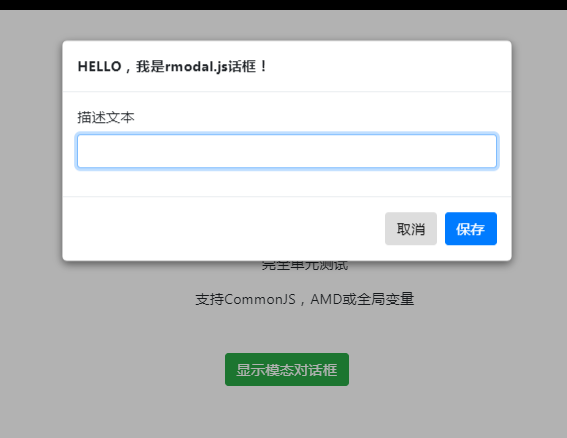
js模态对话框插件rmodal.js





热门下载




canvas音谱可视化mp3音乐播放器代码






