

更多>
最新下载


24小时阅读排行榜
- 1 XML实体是什么 如何用它来定义常用字符快捷方式
- 2 Avalonia如何实现一个自定义的MessageBox Avalonia对话框服务
- 3 如何查看表结构_mysql describe表说明
- 4 多个XML文件合并及数据映射
- 5 C++ 怎么反转整数 C++ 取模运算反转数字逻辑【代码】
- 6 mysql在Linux中配置时间同步与时区设置
- 7 mysql登录失败如何排查_mysql账号异常解决方法
- 8 php如何判断数组下标是否存在_php存在性检测函数法【教程】
- 9 Golang简单工厂与抽象工厂有什么区别_工厂模式差异说明
- 10 mysql中WHERE子句的使用与多条件查询
- 11 javascript如何创建与操作节点?【教程】
- 12 c++中functor仿函数是什么_c++函数对象用法【进阶】
- 13 mysql并发更新同一行数据怎么办_mysql冲突解决思路
- 14 javascript在哪里运行_如何设置开发环境【教程】
- 15 javascript事件循环是什么_宏任务和微任务如何执行【教程】
更多>
最新教程

-
- Node.js 教程
- 16109 2025-08-28
-
- CSS3 教程
- 1546523 2025-08-27
-
- Rust 教程
- 23246 2025-08-27
-
- Vue 教程
- 25717 2025-08-22
-
- PostgreSQL 教程
- 22198 2025-08-21
-
- Git 教程
- 9185 2025-08-21
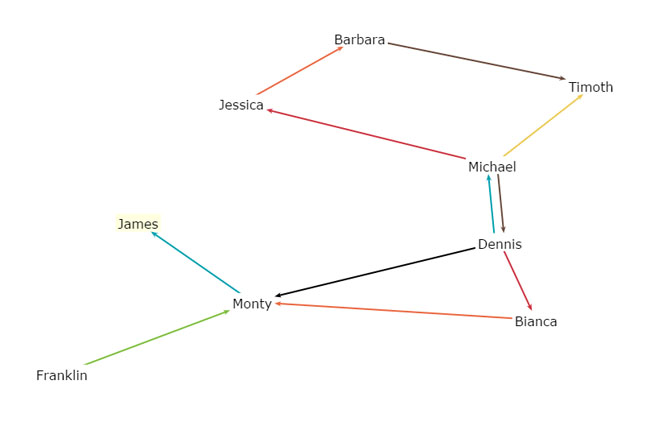
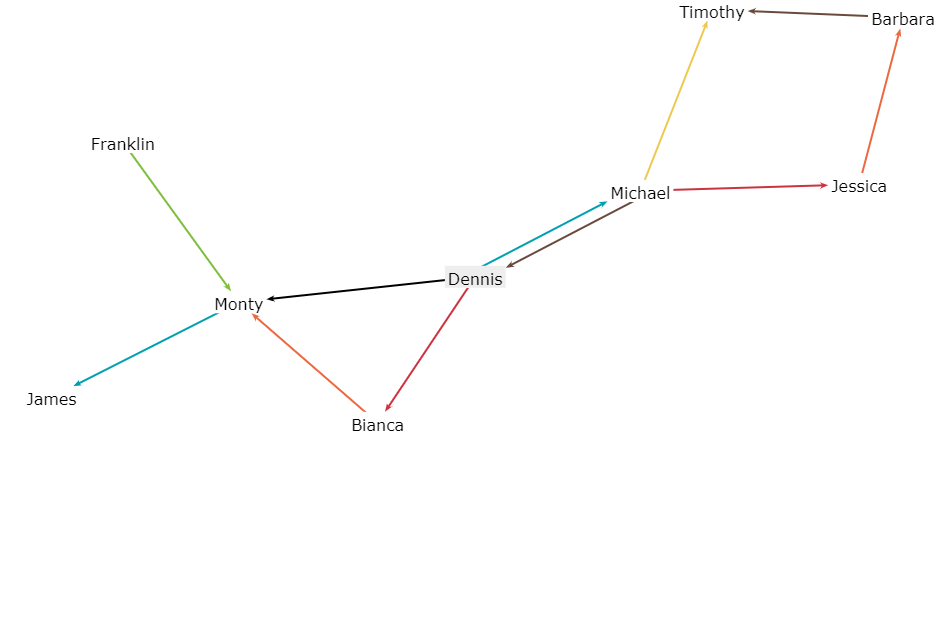
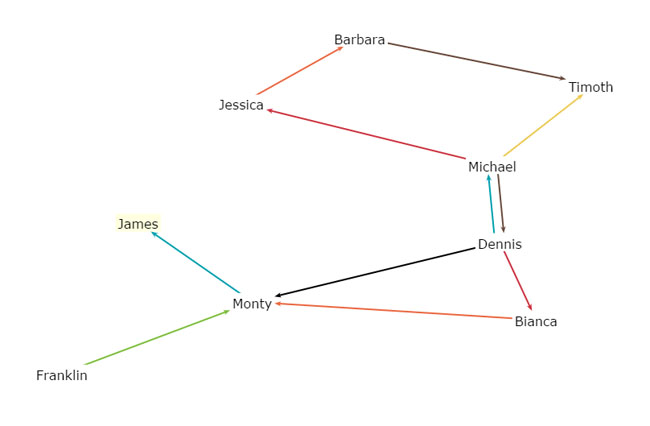
CSS3可拖动动画人物关系图代码


js代码
<script src="js/jquery-1.8.3.min.js"></script>
<script src="js/springy.js"></script>
<script src="js/springyui.js"></script>
<script>
var graph = new Springy.Graph();

var dennis = graph.newNode({
  label: 'Dennis',
  ondoubleclick: function() { console.log("Hello!"); }
});
var michael = graph.newNode({label: 'Michael'});
var jessica = graph.newNode({label: 'Jessica'});
var timothy = graph.newNode({label: 'Timothy'});
var barbara = graph.newNode({label: 'Barbara'});
var franklin = graph.newNode({label: 'Franklin'});
var monty = graph.newNode({label: 'Monty'});
var james = graph.newNode({label: 'James'});
var bianca = graph.newNode({label: 'Bianca'});

graph.newEdge(dennis, michael, {color: '#00A0B0'});
graph.newEdge(michael, dennis, {color: '#6A4A3C'});
graph.newEdge(michael, jessica, {color: '#CC333F'});
graph.newEdge(jessica, barbara, {color: '#EB6841'});
graph.newEdge(michael, timothy, {color: '#EDC951'});
graph.newEdge(franklin, monty, {color: '#7DBE3C'});
graph.newEdge(dennis, monty, {color: '#000000'});
graph.newEdge(monty, james, {color: '#00A0B0'});
graph.newEdge(barbara, timothy, {color: '#6A4A3C'});
graph.newEdge(dennis, bianca, {color: '#CC333F'});
graph.newEdge(bianca, monty, {color: '#EB6841'});

jQuery(function(){
  var springy = window.springy = jQuery('#springydemo').springy({
    graph: graph,
    nodeSelected: function(node){
      console.log('Node selected: ' + JSON.stringify(node.data));
    }
  });
});
</script>
这是一款可以设置多个人物关系图样式,支持json调用复杂关系图设置的Canvas可拖动动画人物关系图代码。
本站所有资源都是由网友投搞发布,或转载各大下载站,请自行检测软件的完整性!本站所有资源仅供学习与参考,请勿用于商业用途,否则产生的一切后果将由您自己承担!如有侵权请联系我们删除下架,联系方式:admin@php.cn
相关推荐


热门下载




canvas音谱可视化mp3音乐播放器代码
html5 canvas通过AudioContext对获取audio标签播放的音域和音高,调用js绘制相应高度的矩形或线条。
播放器特效
2021-03-10






