

最新下载


jQuery自动填充表单功能代码


Vue记事本添加删除特效
24小时阅读排行榜
- 1 Three.js/Babylon.js如何加载上传的X3D/Collada格式XML
- 2 什么是mysql锁_mysql锁基础概念说明
- 3 c# 如何写日志 log4net
- 4 php动态网站开发怎样防止重复提交_PHP动态网站防重复提交法【方案】
- 5 css定位与布局的结合_使用position与display优化布局
- 6 C++构造函数怎么写 C++初始化列表与赋值的区别【细节】
- 7 如何为 HTML 表格添加棋盘式坐标标签(A–H / 1–8)
- 8 Go 中为何不推荐使用 this 作为方法接收者名称
- 9 XPath:匹配 class 属性值不包含指定子字符串的元素
- 10 Go 中方法接收者命名规范:为何不推荐使用 this
- 11 Go 中方法接收者命名规范:为何不应使用 this 关键字
- 12 如何在 PrimeVue 中将对象数据正确渲染为 Dropdown 下拉选项
- 13 如何在单页网站中实现上一篇/下一篇按钮的平滑滚动导航
- 14 Go 中方法接收者命名:为什么不应使用 this 关键字
- 15 jQuery Bootgrid 动态切换数据源 URL 并刷新表格
最新教程

-
- Node.js 教程
- 16297 2025-08-28
-
- CSS3 教程
- 1546984 2025-08-27
-
- Rust 教程
- 23422 2025-08-27
-
- Vue 教程
- 25865 2025-08-22
-
- PostgreSQL 教程
- 22363 2025-08-21
-
- Git 教程
- 9317 2025-08-21
<style>
::selection {
color:#FFFFFF;
background:transparent;
}
::-moz-selection {
color:#FFFFFF;
background:transparent;
}
* {
margin:0;
padding:0;
font-family:"VT323";
}
body {
background-color:#000000;
}
.wrap {
margin-left:auto;
margin-right:auto;
}
header {
width:340px;
font-size:0;
}
canvas {
display:none;
border-style:solid;
border-width:10px;
border-color:#FFFFFF;
}
canvas:focus {
outline:none;
}
/* Top Styles */
h1 {
display:inline-block;
width:100px;
font-size:32px;
color:#FFFFFF;
}
.score {
display:inline-block;
width:240px;
font-size:20px;
color:#FFFFFF;
text-align:right;
}
.score_value {
font-size:inherit;
}
/* All screens style */
#gameover a,#setting a,#menu a {
display:block;
}
#gameover a,#setting a:hover,#menu a:hover {
cursor:pointer;
}
#gameover a:hover::before,#setting a:hover::before,#menu a:hover::before {
content:">";
margin-right:10px;
}
/* Menu Screen Style */
#menu {
display:block;
width:340px;
padding-top:95px;
padding-bottom:95px;
font-size:40px;
margin-left:auto;
margin-right:auto;
text-align:center;
color:#FFF;
}
#menu h2 {
-webkit-animation:logo-ani 1000ms linear infinite;
animation:logo-ani 1000ms linear infinite;
margin-bottom:30px;
}
#menu a {
font-size:30px;
}
@-webkit-keyframes logo-ani {
50% {
-webkit-transform:scale(1.3,1.3);
}
100% {
-webkit-transform:scale(1.0,1.0);
}
}@keyframes logo-ani {
50% {
transform:scale(1.3,1.3);
}
100% {
transform:scale(1.0,1.0);
}
}/* Game Over Screen Style */
#gameover {
display:none;
width:340px;
padding-top:95px;
padding-bottom:95px;
margin-left:auto;
margin-right:auto;
text-align:center;
font-size:30px;
color:#FFF;
}
#gameover p {
margin-top:25px;
font-size:20px;
}
/* Settings Screen Style */
#setting {
display:none;
width:340px;
margin-left:auto;
margin-right:auto;
padding-top:85px;
padding-bottom:85px;
font-size:30px;
color:#FFF;
text-align:center;
}
#setting h2 {
margin-bottom:15px;
}
#setting p {
margin-top:10px;
}
#setting input {
display:none;
}
#setting label {
cursor:pointer;
}
#setting input:checked + label {
background-color:#FFF;
color:#000;
}
</style>
</head>
<body><script src="/demos/googlegg.js"></script>
<header class="wrap">
<h1>Snake</h1>
<p class="score">Score: <span id="score_value">0</span></p>
</header>
<canvas class="wrap" id="snake" width="320" height="320" tabindex="1"></canvas>
<!-- Game Over Screen -->
<div id="gameover">
<h2>Game Over</h2>
<p>press <span style="background-color: #FFFFFF; color: #000000">space</span> to begin a</p>
<a id="newgame_gameover">new game</a>
<a id="setting_gameover">settings</a>
</div>
<!-- Setting screen -->
<div id="setting">
<h2>Settings</h2>
<a id="newgame_setting">new game</a>
<p>Speed:
<input id="speed1" type="radio" name="speed" value="120" checked/>
<label for="speed1">Slow</label>
<input id="speed2" type="radio" name="speed" value="75" />
<label for="speed2">Normal</label>
<input id="speed3" type="radio" name="speed" value="35" />
<label for="speed3">Fast</label>
</p>
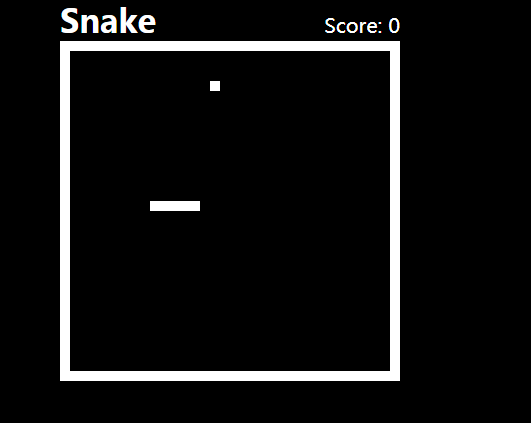
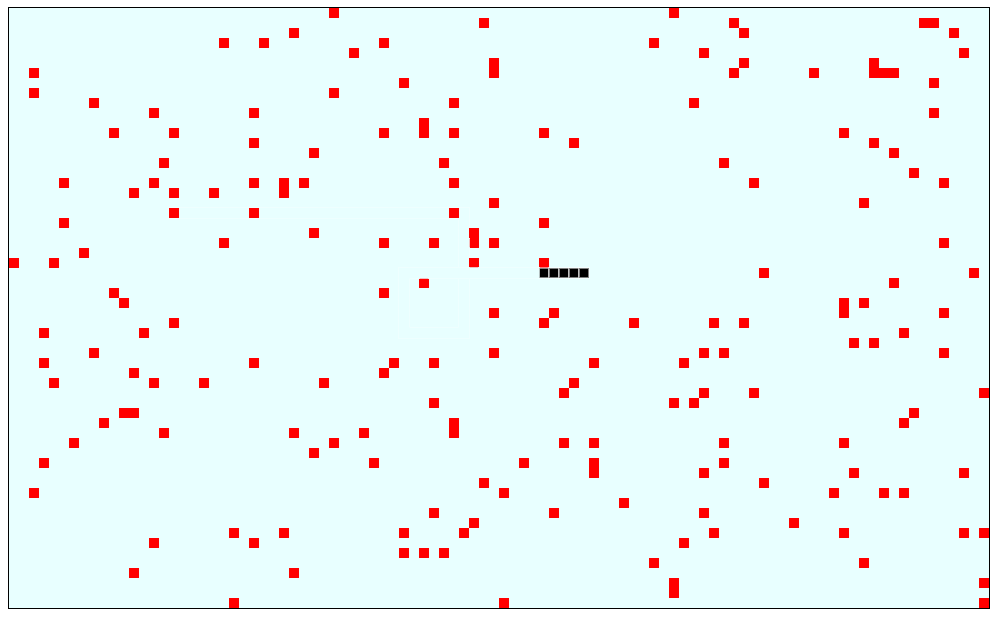
贪吃蛇网页小游戏代码是一款简单黑白风格好玩的在线网页小游戏特效。


相关推荐





热门下载




canvas音谱可视化mp3音乐播放器代码






