



如果我们准备将自己的win101903操作系统升级到更新的系统版本的话,过程中出现可错误并且有代码提示0x80073701,很多小伙伴不知道应该怎么解决才可以正常升级版本。小编觉得我们可以通过在干净启动中来排除自己系统的问题,然后在进行相关的修复即可。详细步骤就来看下小编是怎么做的吧~
win10版本1903系统错误0x80073701怎么办
0x80073701更新错误,可能与您的更新组件缺失有关。
可以尝试下方方法,手动注册Windows Update组件:
1、同时按“Win+X”键,点选“Windows PowerShell(管理员)”。
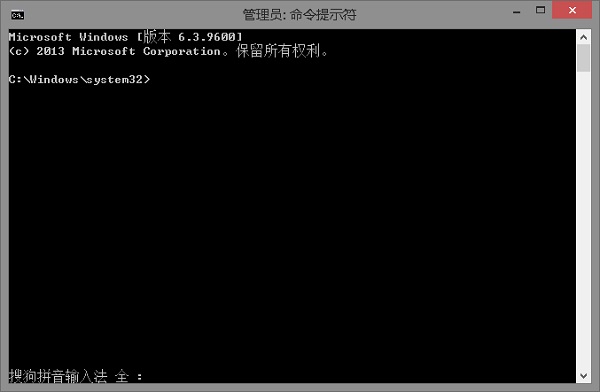
2、拷贝下方的程序码到刚打开的PowerShell里面,按回车
3、忽略红字错误,重启电脑。
4、运行:
Windows Update
$arch = Get-WMIObject -Class Win32_Processor -ComputerName LocalHost | Select-Object AddressWidth
Write-Host "1. Stopping Windows Update Services..."
Stop-Service -Name BITS
Stop-Service -Name wuauserv
Stop-Service -Name appidsvc
Stop-Service -Name cryptsvc
Write-Host "2. Remove QMGR Data file..."
Remove-Item "$env:allusersprofile\Application Data\Microsoft\Network\Downloader\qmgr*.dat" -ErrorAction SilentlyContinue
Write-Host "3. Renaming the Software Distribution and CatRoot Folder..."
Rename-Item $env:systemroot\SoftwareDistribution SoftwareDistribution.bak -ErrorAction SilentlyContinue
Rename-Item $env:systemroot\System32\Catroot2 catroot2.bak -ErrorAction SilentlyContinue
Write-Host "4. Removing old Windows Update log..."
Remove-Item $env:systemroot\WindowsUpdate.log -ErrorAction SilentlyContinue
Write-Host "5. Resetting the Windows Update Services to defualt settings..."
"sc.exe sdset bits D:(A;;CCLCSWRPWPDTLOCRRC;;;SY)(A;;CCDCLCSWRPWPDTLOCRSDRCWDWO;;;BA)(A;;CCLCSWLOCRRC;;;AU)(A;;CCLCSWRPWPDTLOCRRC;;;PU)"
"sc.exe sdset wuauserv D:(A;;CCLCSWRPWPDTLOCRRC;;;SY)(A;;CCDCLCSWRPWPDTLOCRSDRCWDWO;;;BA)(A;;CCLCSWLOCRRC;;;AU)(A;;CCLCSWRPWPDTLOCRRC;;;PU)"
Set-Location $env:systemroot\system32
Write-Host "6. Registering some DLLs..."
regsvr32.exe /s atl.dll
regsvr32.exe /s urlmon.dll
regsvr32.exe /s mshtml.dll
regsvr32.exe /s shdocvw.dll
regsvr32.exe /s browseui.dll
regsvr32.exe /s jscript.dll
regsvr32.exe /s vbscript.dll
regsvr32.exe /s scrrun.dll
regsvr32.exe /s msxml.dll
regsvr32.exe /s msxml3.dll
regsvr32.exe /s msxml6.dll
regsvr32.exe /s actxprxy.dll
regsvr32.exe /s softpub.dll
regsvr32.exe /s wintrust.dll
regsvr32.exe /s dssenh.dll
regsvr32.exe /s rsaenh.dll
regsvr32.exe /s gpkcsp.dll
regsvr32.exe /s sccbase.dll

regsvr32.exe /s slbcsp.dll
regsvr32.exe /s cryptdlg.dll
regsvr32.exe /s oleaut32.dll
regsvr32.exe /s ole32.dll
regsvr32.exe /s shell32.dll
regsvr32.exe /s initpki.dll
regsvr32.exe /s wuapi.dll
regsvr32.exe /s wuaueng.dll
regsvr32.exe /s wuaueng1.dll
regsvr32.exe /s wucltui.dll
regsvr32.exe /s wups.dll
regsvr32.exe /s wups2.dll
regsvr32.exe /s wuweb.dll
regsvr32.exe /s qmgr.dll
regsvr32.exe /s qmgrprxy.dll
regsvr32.exe /s wucltux.dll
regsvr32.exe /s muweb.dll
regsvr32.exe /s wuwebv.dll
Write-Host "7) Removing WSUS client settings..."
REG DELETE "HKLM\SOFTWARE\Microsoft\Windows\CurrentVersion\WindowsUpdate" /v AccountDomainSid /f
REG DELETE "HKLM\SOFTWARE\Microsoft\Windows\CurrentVersion\WindowsUpdate" /v PingID /f
REG DELETE "HKLM\SOFTWARE\Microsoft\Windows\CurrentVersion\WindowsUpdate" /v SusClientId /f
Write-Host "8) Resetting the WinSock..."
netsh winsock reset
netsh winhttp reset proxy
Write-Host "9) Delete all BITS jobs..."
Get-BitsTransfer | Remove-BitsTransfer
Write-Host "10) Attempting to install the Windows Update Agent..."
if($arch -eq 64){
wusa Windows8-RT-KB2937636-x64 /quiet
}
else{
wusa Windows8-RT-KB2937636-x86 /quiet
}
Write-Host "11) Starting Windows Update Services..."
Start-Service -Name BITS
Start-Service -Name wuauserv
Start-Service -Name appidsvc
Start-Service -Name cryptsvc
Write-Host "12) Forcing discovery..."
wuauclt /resetauthorization /detectnow
Write-Host "Process complete. Please reboot your computer."
5、运行完成后,如果还是无法解决该问题,可以去尝试使用浆果一键装机工具去重装系统。




