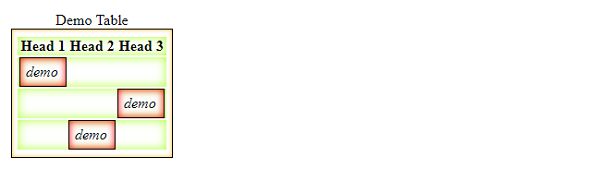
我们可以使用css来定义表格的样式。以下属性用于为<table>及其元素定义样式:
-
border
CSS的border属性用于定义边框宽度、边框样式和边框颜色。
-
border-collapse
此属性用于指定<table>元素是否应具有共享或独立的边框。
-
caption
caption-side属性用于垂直定位表格标题框。
-
empty-cells
此属性用于指定表格的空单元格的显示方式。
立即学习“前端免费学习笔记(深入)”;
- table-layout用于定义浏览器在布局表格的行、列和单元格时使用的算法。
示例
以下示例演示了表格的样式:

实时演示
<!DOCTYPE html>
<html>
<head>
<style>
body {
   font-family: 'Bookman Old Style', serif;
}
th {
   letter-spacing: 1.9px;
}
#one {
   border-right: thick solid blue;
}
td {
   text-align: center;
}
</style>
</head>
<body>
<h2>Employee List</h2>
<div>
<table>
<tr>
<th id="one">Employee</th>
<th>Department</th>
</tr>
<tr>
<td>John </td>
<td>Marketing</td>
</tr>
<tr>
<td>Brad</td>
<td>Finance</td>
</tr>
<tr>
<td>Tim </td>
<td>IT</td>
</tr>
<tr>
<td>Steve</td>
<td>Operations</td>
</tr>
</table>
</div>
</body>
</html>
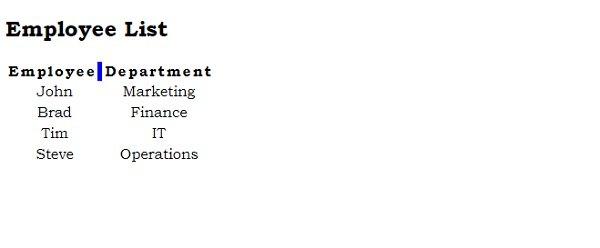
Output
This gives the following output −
Example
Live Demo
<!DOCTYPE html>
<html>
<head>
<style>
table {
   float: left;
   empty-cells: hide;
   box-shadow: inset 0 0 4px orange;
}
tr {
   box-shadow: inset 0 0 10px greenyellow;
}
td {
   font-style: italic;
   box-shadow: inset 0 0 8px red;
}
table,td {
   margin: 6px;
   padding: 6px;
   border: 1px solid black;
}
table
</style>
</head>
<body>
<table>
<caption>Demo Table</caption>
<tr>
<th>Head 1</th>
<th>Head 2</th>
<th>Head 3</th>
</tr>
<tr>
<td>demo</td>
<td></td>
</tr>
<tr>
<td></td>
<td></td>
<td>demo</td>
</tr>
<tr>
<td></td>
<td>demo</td>
<td></td>
</tr>
</table>
</body>
</html>
Output
This gives the following output −