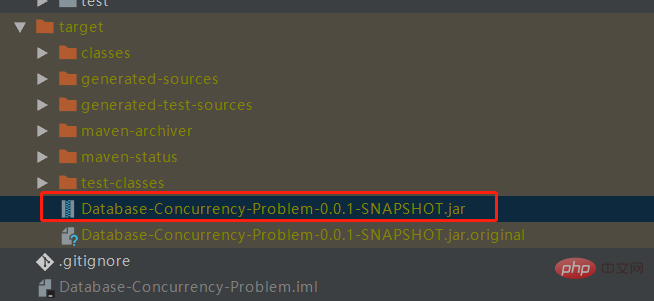
1、创建一个springbooot项目并且打成jar包
2、在linux中创建一个文件夹,来做docker测试
[root@izwz90lvzs7171wgdhul8az ~]# mkdir /root/docker_test
3、将jar包上传到linux中
创建存放jar包的文件夹
[root@izwz90lvzs7171wgdhul8az docker_test]# mkdir /root/docker_test/jar
然后利用xshell上传jar包到上面的文件夹中
4、编写dockerfile文件
# 基于java镜像创建新镜像
from java:8
# 作者
maintainer howinfun
# 将jar包添加到容器中并更名为app.jar
add jar/app.jar /root/docker_test/app.jar
# 运行jar包
entrypoint ["nohup","java","-jar","/root/docker_test/app.jar","&"]
注意:add 、 copy 指令用法一样,唯一不同的是 add 支持将归档文件(tar, gzip, bzip2, etc)做提取和解压操作。还有需要注意的是,copy 指令需要复制的目录一定要放在 dockerfile 文件的同级目录下。
5、制作镜像
[root@izwz90lvzs7171wgdhul8az docker_test]# docker build -t sbdemo .
命令参数:

-t:指定新镜像名
.:表示dockfile在当前路径
如果我们的 dockerfile 文件路径不在这个目录下,或者有另外的文件名,我们可以通过 -f 选项单独给出 dockerfile 文件的路径
[root@izwz90lvzs7171wgdhul8az docker_test]# docker build -t sbdemo -f /root/docker_test/dockerfile /root/docker_test/
命令参数:
-f:第一个参数是dockerfile的路径 第二个参数是dockerfile所在文件夹制作完成后通过docker images命令查看我们制作的镜像:
[root@izwz90lvzs7171wgdhul8az docker_test]# docker images | grep sbdemo
sbdemo       latest       7efac46ef997    4 hours ago     686mb
6、启动容器
[root@izwz90lvzs7171wgdhul8az docker_test]# docker run -d -p 8888:8888 --name mysbdemo sbdemo:latest
命令参数:
-d:后台运行
-p:公开指定端口号
--name:给容器命名
启动后可通过docker ps查看正在运行的容器:
[root@izwz90lvzs7171wgdhul8az docker_test]# docker ps
container id    image        command         created       status       ports          names
5096c8c7b36f    sbdemo       "nohup java -jar /ro??  4 seconds ago    up 2 seconds    0.0.0.0:8888->8888/tcp  mysbdemo
7、查看容器启动日志
我们可以通过 docker logs 查看指定容器的日志:
[root@izwz90lvzs7171wgdhul8az docker_test]# docker logs mysbdemo

 .  ____     _      __ _ _
 /\ / ___'_ __ _ _(_)_ __ __ _
( ( )___ | '_ | '_| | '_ / _` |
 \/ ___)| |_)| | | | | || (_| | ) ) ) )
 ' |____| .__|_| |_|_| |___, | / / / /
 =========|_|==============|___/=/_/_/_/
 :: spring boot ::    (v2.1.6.release)

2019-10-11 02:10:46.264 info 1 --- [      main] com.hyf.databaseapplication       : starting databaseapplication v0.0.1-snapshot on 6d85ac5d8751 with pid 1 (/root/docker_test/app.jar started by root in /)
2019-10-11 02:10:46.267 debug 1 --- [      main] com.hyf.databaseapplication       : running with spring boot v2.1.6.release, spring v5.1.8.release
2019-10-11 02:10:46.268 info 1 --- [      main] com.hyf.databaseapplication       : no active profile set, falling back to default profiles: default
2019-10-11 02:10:49.139 warn 1 --- [      main] o.m.s.mapper.classpathmapperscanner   : skipping mapperfactorybean with name 'bookmapper' and 'com.hyf.mapper.bookmapper' mapperinterface. bean already defined with the same name!
2019-10-11 02:10:49.139 warn 1 --- [      main] o.m.s.mapper.classpathmapperscanner   : no mybatis mapper was found in '[com.hyf]' package. please check your configuration.
2019-10-11 02:10:49.246 info 1 --- [      main] .s.d.r.c.repositoryconfigurationdelegate : multiple spring data modules found, entering strict repository configuration mode!
2019-10-11 02:10:49.257 info 1 --- [      main] .s.d.r.c.repositoryconfigurationdelegate : bootstrapping spring data repositories in default mode.
2019-10-11 02:10:49.328 info 1 --- [      main] .s.d.r.c.repositoryconfigurationdelegate : finished spring data repository scanning in 39ms. found 0 repository interfaces.
2019-10-11 02:10:50.345 info 1 --- [      main] trationdelegate$beanpostprocessorchecker : bean 'org.springframework.transaction.annotation.proxytransactionmanagementconfiguration' of type [org.springframework.transaction.annotation.proxytransactionmanagementconfiguration$$enhancerbyspringcglib$$2c6b335] is not eligible for getting processed by all beanpostprocessors (for example: not eligible for auto-proxying)
2019-10-11 02:10:51.255 info 1 --- [      main] o.s.b.w.embedded.tomcat.tomcatwebserver : tomcat initialized with port(s): 8888 (http)
2019-10-11 02:10:51.359 info 1 --- [      main] o.apache.catalina.core.standardservice  : starting service [tomcat]
2019-10-11 02:10:51.359 info 1 --- [      main] org.apache.catalina.core.standardengine : starting servlet engine: [apache tomcat/9.0.21]
2019-10-11 02:10:51.778 info 1 --- [      main] o.a.c.c.c.[tomcat].[localhost].[/]    : initializing spring embedded webapplicationcontext
2019-10-11 02:10:51.779 info 1 --- [      main] o.s.web.context.contextloader      : root webapplicationcontext: initialization completed in 5104 ms
2019-10-11 02:10:54.164 info 1 --- [      main] o.s.s.concurrent.threadpooltaskexecutor : initializing executorservice 'applicationtaskexecutor'
2019-10-11 02:10:56.081 info 1 --- [      main] o.s.b.w.embedded.tomcat.tomcatwebserver : tomcat started on port(s): 8888 (http) with context path ''
2019-10-11 02:10:56.090 info 1 --- [      main] com.hyf.databaseapplication       : started databaseapplication in 11.49 seconds (jvm running for 12.624)
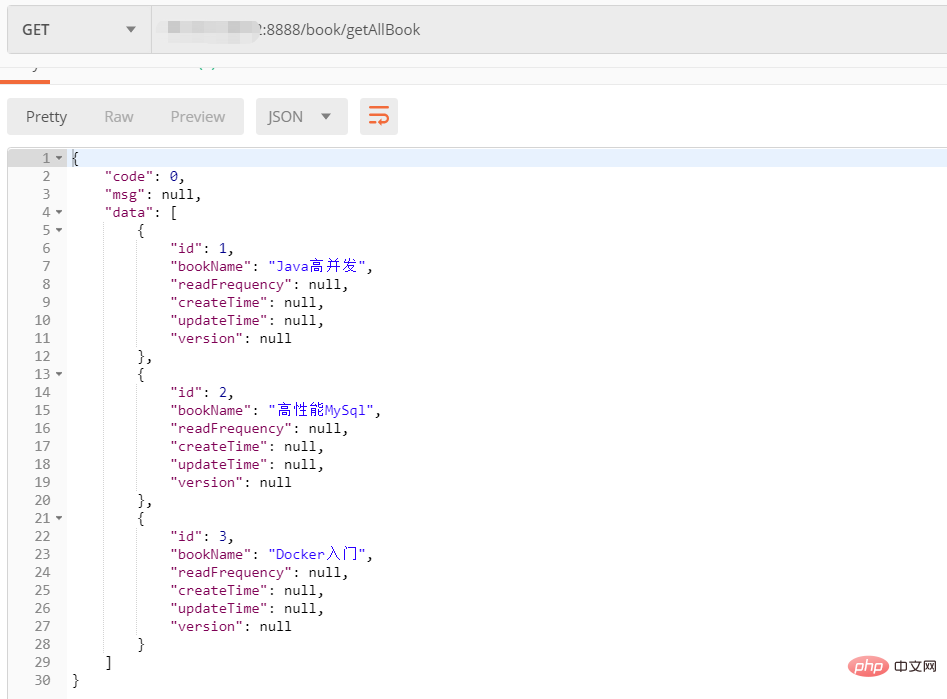
8、访问接口
容器启动后,我们尝试使用postman或者其他http工具去访问部署在容器中的应用接口。