



设置方法:1、使用“document.getElementById(id)”语句根据指定id值获取input元素对象;2、使用“input对象.setAttribute("readOnly", true)”语句给input元素添加只读样式。

本教程操作环境:windows7系统、javascript1.8.5版、Dell G3电脑。
在javascript中,想要设置input框为只读,只需要使用setAttribute()方法给input元素添加只读属性--readOnly即可。
setAttribute() 方法添加指定的属性,并为其赋指定的值。
语法:
立即学习“Java免费学习笔记(深入)”;

element.setAttribute(attributename,attributevalue)
示例:
<!DOCTYPE html>
<html>
	<head>
		<meta charset="UTF-8">
	</head>
	<body>
		<input type="text" id="text" /><br><br>
		<input type="button" value="设为只读" id="btn" />
		<script>
			function my(id) {
				return document.getElementById(id);
			}
			my("btn").onclick = function() {
				my("text").setAttribute("readOnly", true);
			}
		</script>
	</body>
</html>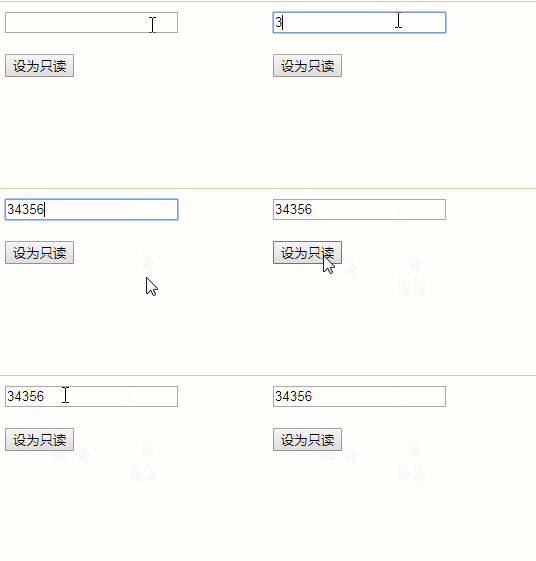
【相关推荐:javascript学习教程】





