检查配置文件并启动Nginx服务
1.检查配置文件 (推荐学习:nginx教程)
Nginx的主程序提供了“-t”选项来对配置文件进行检查,以便找出不当或错误的配置。
[root@centos7-1 nginx-1.12.0]# nginx -t
nginx: the configuration file /usr/local/nginx/conf/nginx.conf syntax is ok
nginx: configuration file /usr/local/nginx/conf/nginx.conf test is successful
2.启动Nginx
直接运行Nginx即可启动Nginx服务器
[root@centos7-1 nginx-1.12.0]# nginx
[root@centos7-1 nginx-1.12.0]# killall -1 nginx       //重启nginx服务
[root@centos7-1 nginx-1.12.0]# killall -3 nginx      //停止nginx服务
3.使用Nginx服务脚本

为了使nginx服务的启动、停止、重载等操作更加方便,可以编写nginx服务脚本,并使用chkconfig和systemctl工具来进行管理,这更加符合系统的管理习惯。
[root@centos7-1 nginx-1.12.0]# vim /etc/init.d/nginx
#!/bin/bash
# chkconfig: - 99 20
# description: Nginx Service Control Script
PROG="/usr/local/nginx/sbin/nginx"               //主程序路径
PIDF="/usr/local/nginx/logs/nginx.pid"           //PID存放路径
case "$1" in
  start)
    $PROG
    ;;
  stop)
    kill -s QUIT $(cat $PIDF)              //根据PID中止nginx进程
    ;;
  restart)
    $0 stop
    $0 start
    ;;
  reload)
    kill -s HUP $(cat $PIDF)              //根据进程号重载配置
    ;;
  *)
        echo "Usage: $0 {start|stop|restart|reload}"
        exit 1
esac
exit 0
[root@centos7-1 nginx-1.12.0]# chmod +x /etc/init.d/nginx [root@centos7-1 nginx-1.12.0]# chkconfig --add nginx //添加为系统服务 [root@centos7-1 nginx-1.12.0]# systemctl start nginx.service
确认Nginx服务是否正常运行
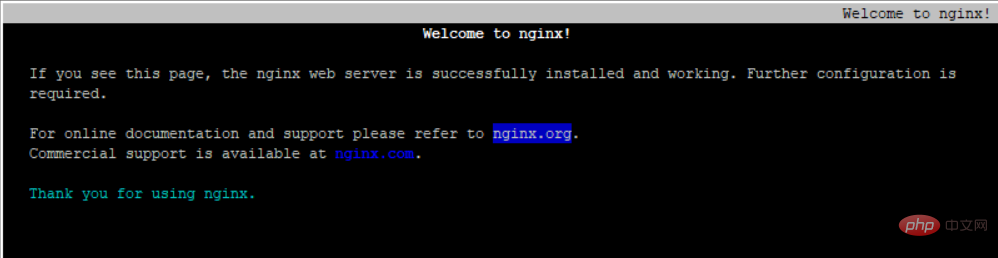
通过检查Nginx程序的监听状态,或者在浏览器中访问此Web服务,默认页面将显示“Welcome to nginx!”
[root@centos7-1 nginx-1.12.0]# netstat -antp | grep nginx
tcp        0      0 0.0.0.0:80              0.0.0.0:*               LISTEN      54386/nginx: master
[root@centos7-1 nginx-1.12.0]# yum install elinks -y
[root@centos7-1 nginx-1.12.0]# elinks http://localhost //使用elinks浏览器