这篇文章给大家介绍的内容是关于css中圣杯布局和双飞翼布局的介绍(附代码),有一定的参考价值,有需要的朋友可以参考一下,希望对你有所帮助。
圣杯布局
#header#center#left#right
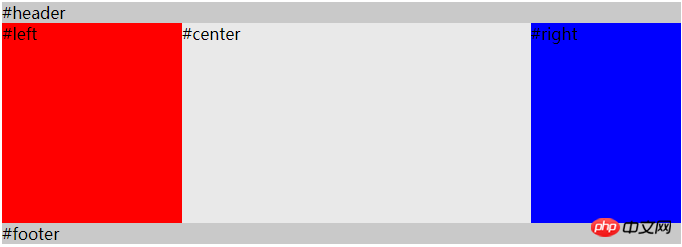
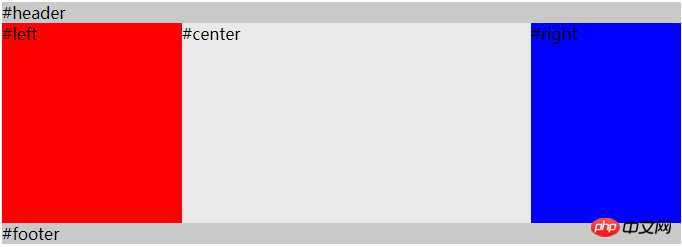
实现的效果主要在container中,left 和 rgith固定宽度,center首先渲染,且自适应宽度。
    body {
      min-width: 500px;
    }
    #container {
      overflow: auto;        /* BFC */
      padding-left: 180px;
      padding-right: 150px;
    }
    #container .column {
      height: 200px;
      position: relative;
      float: left;
    }
    #center {
      background-color: #e9e9e9;
      width: 100%;
    }
    #left {
      background-color: red;
      width: 180px;
      right: 180px;
      margin-left: -100%
    }
    #right {
      background-color: blue;
      width: 150px;
      margin-right: -150px;
    }

    #header,
    #footer {
      background-color: #c9c9c9;
    }
该方案几个注意的点:
-
center元素位于left和right之前,可以让center先渲染,用户首先看到页面的主要内容。
立即学习“前端免费学习笔记(深入)”;
container (width:100%)包裹着三栏内容,通过padding-left和padding-right为左右两栏腾出空间。
center,left,right都设置一个左浮动(float:left),所以container内部是一个浮动流。
通过给 left 元素设置
margin-left: -100%,使得left移动到container的左上角,在通过position:relative; right: 180px,移动到container的padding-left的位置上去。给right 元素设置
margin-right: -150px,使得它移动到container的padding-right的位置上去。
ps: margin-left 和 margin-right 利用了浮动流的特性,使得第一行能够同时容纳center,left,right这三个元素。
圣杯布局(flexbox实现)
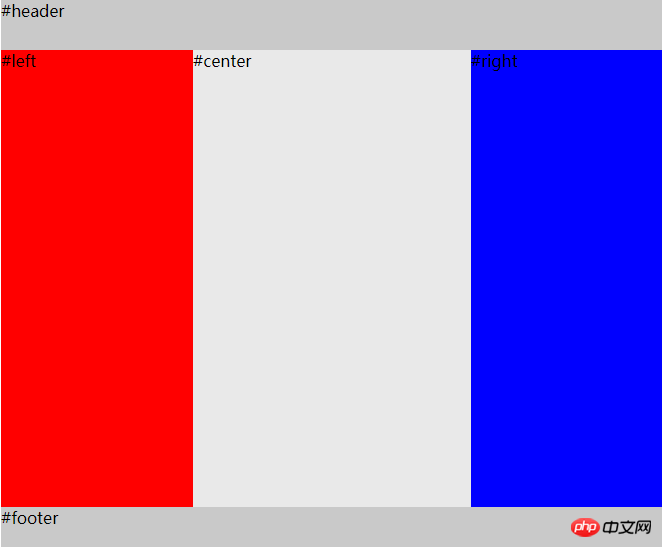

#header#center#left#rightbody { min-width: 550px; } #HolyGrail { display: flex; min-height: 100vh; flex-direction: column; } #container { display: flex; flex: 1; } #center { background-color: #e9e9e9; flex: 1; } #left { background-color: red; order: -1; width: 150px; } #right { background-color: blue; width: 150px; } #header, #footer { height: 50px; background-color: #c9c9c9; }如果不考虑ie10及以下的浏览器,那么可以使用flex来实现圣杯布局。而且圣杯布局可以通过让container填充高度来使得footer达到一个sticky的效果。
flex兼容性双飞翼布局
圣杯布局和双飞翼布局解决的问题是一样的,就是两边定宽,中间自适应的三栏布局,中间栏要在放在文档流前面以优先渲染。圣杯布局和双飞翼布局解决问题的方案在前一半是相同的,也就是三栏全部float浮动,但左右两栏加上负margin让其跟中间栏p并排,以形成三栏布局。不同的地方在于解决中间p内容不被遮挡的思路上面
圣杯布局的为了中间内容不被修改,是通过包裹元素的
padding-left和padding-right来使得内容p置于中间,然后再通过相对定位position:relative,配合right或left属性让左右两栏不则当中间内容。双飞翼布局的解决方案是:通过再中间元素的内部新增一个p用于放置内容,然后通过左右外边距
margin-left和margin-right为左右两栏留出位置。双飞翼布局多了1个p标签,少用了4个css属性。少用了padding-left,padding-right,左右两个p用相对布局position: relative及对应的right和left,多了margin-left,margin-right。
#header#center#left#rightbody { min-width: 500px; } #container { overflow: auto; /* BFC */ } #container .column { height: 200px; float: left; } #center { background-color: #e9e9e9; width: 100%; } #center-content { margin-left: 180px; margin-right: 150px; } #left { width: 180px; background-color: red; margin-left: -100%; } #right { background-color: blue; width: 150px; margin-left: -150px; } #header, #footer { background-color: #c9c9c9; }相关文章推荐:
相关文章
如何在CSS中使用Grid控制网格元素间距_gap属性快速设置间隔
css 浮动布局高度不一致怎么处理_通过清除浮动保持布局完整
css定位元素在RTL语言布局中错位怎么办_使用inset-inline-start等逻辑属性适配双向文本
css响应式两栏布局切换成单栏不平滑怎么办_Flexbox和Grid结合调整
css中first-line如何理解
相关标签:
本站声明:本文内容由网友自发贡献,版权归原作者所有,本站不承担相应法律责任。如您发现有涉嫌抄袭侵权的内容,请联系admin@php.cn
更多热门AI工具