



这篇文章主要介绍了php实现水印文字和缩略图的方法,结合完整实例形式分析了php实现水印文字添加与缩略图生成的相关步骤及操作技巧,需要的朋友可以参考下
具体如下:
 150 width
   /*[1] => 150 height
   [2] => 3 图片类型
   [3] => width="150" height="150"
   [bits] => 8
   [mime] => image/png )*/
  //图片复制组合------$bimg----
  imagecopy($bimg, $img, 300, 4, 0, 0, getWidth($im),getHeight($im));
  //加水印文字
  $color = imagecolorallocate($bimg,255, 255, 0);
  $str = "中国";
  $str = mb_convert_encoding($str, "html-entities","utf-8");
  imagettftext($bimg, 42, 0, rand(20,getWidth($im2)-100), rand(40,getHeight($im2)), $color, 'MSYH.TTF', $str);
  //剪切,重新生成缩略图
  $new = imagecreatetruecolor(50, 50);
  imagecopyresized($new, $bimg, 0, 0, 0, 0, 50, 50, getWidth($im2), getHeight($im2));
  //输出到浏览器
  header("Content-Type: image/jpeg");
  //如果为png图片也可正常显示,浏览器负责正确解析
  imagejpeg($new);
  //生成大图,小图
  imagejpeg($new,'small.jpg');
  imagejpeg($bimg,'big.jpg');
  function getImage($img_file) {
    $image = getimagesize($img_file);
    //判断是那种图片类型
    switch($image[2]) {
      case 1:
        $img = @imagecreatefromgif($img_file);
        break;
      case 2:
        $img = @imagecreatefromjpeg($img_file);
        break;
      case 3:
        $img = @imagecreatefrompng($img_file);
        break;
    }
    return $img;
  }
  function getWidth($img_file) {
    $image = getimagesize($img_file);
    return $image[0];
  }
  function getHeight($img_file) {
    $image = getimagesize($img_file);
    return $image[1];
  }
?>
以上就是本文的全部内容,希望对大家的学习有所帮助。
相关推荐:
立即学习“PHP免费学习笔记(深入)”;
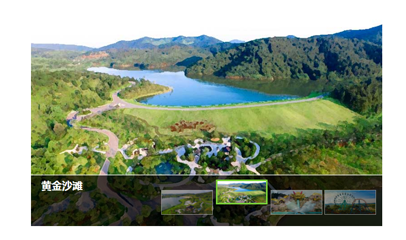
带缩略图的jquery焦点图特效代码
下载
这是一款带缩略图的jquery焦点图特效代码。该焦点图通过鼠标滑过缩略图来进行前后导航,效果简朴,兼容IE8,非常实用。 使用方法 在页面中引入jquery和jquery.slides.js文件,以及样式文件style.css。




