



页面效果:
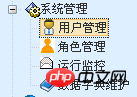
1.点击用户管理
2.输入查询条件,查询数据库,数据回显

实现步骤
数据库实现
#用户表CREATE TABLE Elec_User(
    UserID VARCHAR(50)  NOT NULL, #主键ID
    JctID VARCHAR(50)   NULL,     #所属单位code
    JctUnitID VARCHAR(50) NULL,   #所属单位的单位名称(联动)
    UserName VARCHAR(50)   NULL,  #用户姓名
    LogonName VARCHAR(50)   NULL, #登录名
    LogonPwd VARCHAR(50)  NULL,   #密码#
    SexID VARCHAR(10)  NULL,      #性别
    Birthday DATETIME NULL,       #出生日期
    Address VARCHAR(100)  NULL,    #联系地址
    ContactTel VARCHAR(50)  NULL, #联系电话
    Email VARCHAR(50)  NULL,      #电子邮箱
    Mobile VARCHAR(50)  NULL,     #手机
    IsDuty VARCHAR(10)  NULL,     #是否在职
    PostID VARCHAR(10)  NULL,     #职位(主要用于工作流审核)
    OnDutyDate DATETIME NULL,     #入职时间
    OffDutyDate DATETIME NULL,    #离职时间
    remark VARCHAR(500)  NULL   #备注
    #IsDelete VARCHAR(10)   NULL,  #是否删除
    #CreateEmpID VARCHAR(50)  NULL,#创建人ID
    #CreateDate DATETIME NULL,     #创建时间
    #LastEmpID VARCHAR(50)  NULL,  #修改人ID
    #LastDate DATETIME NULL        #修改时间
)
#用户职称附件表CREATE TABLE Elec_User_File(
    FileID VARCHAR(50) not null primary key,      #主键ID
    UserID VARCHAR(50)   NULL,        #用户ID
    FileName VARCHAR(50)   NULL,      #文件名
    FileURL VARCHAR(1000)   NULL,     #文件路径
    ProgressTime TIMESTAMP NULL,      #上传时间CONSTRAINT FOREIGN KEY(userID) REFERENCES Elec_User(userID)
)
domain设计
创建2个JavaBean
根据用户表和附件表,创建相应的javabean文件:ElecUser.java和ElecUserFile.java,代码略
创建2个xml
因为一个用户对应多个附件,所以用户表与附件表是一对多的关系。
1.ElecUser.hbm.xml
<?xml version="1.0" encoding="UTF-8"?><!DOCTYPE hibernate-mapping PUBLIC
    "-//Hibernate/Hibernate Mapping DTD 3.0//EN"
    "http://hibernate.sourceforge.net/hibernate-mapping-3.0.dtd"><hibernate-mapping><class name="cn.elec.domain.ElecUser"
    table="Elec_User"><id name="userID" type="string" column="userID"><generator class="uuid"></generator></id><property name="jctID" type="string" column="jctID"></property><property name="jctUnitID" type="string" column="jctUnitID"></property><property name="userName" type="string" column="userName"></property><property name="logonName" type="string" column="logonName">
    </property><property name="logonPwd" type="string" column="logonPwd"></property><property name="sexID" type="string" column="sexID"></property><property name="birthday" type="date" column="birthday"></property><property name="address" type="string" column="address"></property><property name="contactTel" type="string" column="contactTel"></property><property name="email" type="string" column="email">
    </property><property name="mobile" type="string" column="mobile"></property><property name="isDuty" type="string" column="isDuty"></property><property name="postID" type="string" column="postID"></property><property name="onDutyDate" type="date" column="onDutyDate"></property><property name="offDutyDate" type="date" column="offDutyDate"></property><property name="remark" type="string" column="remark">
    </property><!-- 一个用户对应多个文件 --><set name="elecUserFiles" table="Elec_User_File" inverse="true"><key><column name="userID"></column></key><one-to-many class="cn.hust.elec.domain.ElecUserFile"/></set> </class></hibernate-mapping>
2.ElecUserFile.hbm.xml

伤心森林订单留言系统
下载
功能简介:1.用户留言功能2.用户定货功能3.定制货货功能4.定制网页样式和其实设置(比如主页)5.强大的管理功能(现在的程序都是管理功能大于应用功能:)6.管理功能支持查看订货单,留言,分页,删除等功能管理页面:login.asp管理密码:admin
<?xml version="1.0" encoding="UTF-8"?><!DOCTYPE hibernate-mapping PUBLIC
    "-//Hibernate/Hibernate Mapping DTD 3.0//EN"
    "http://hibernate.sourceforge.net/hibernate-mapping-3.0.dtd"><hibernate-mapping><class name="cn.elec.domain.ElecUserFile"
    table="Elec_User_File"><id name="fileID" type="string" column="fileID"><generator class="uuid"></generator></id><property name="fileName" type="string" column="fileName"></property><property name="fileURL" type="string" column="fileURL"></property><property name="progressTime" type="timestamp" column="progressTime"></property><!-- 用户文件和用户是多对一的关系 -->
    <many-to-one name="elecUser" class="cn.hust.elec.domain.ElecUser">
<column name="userID"></column></many-to-one></class></hibernate-mapping>3.在hibernate.cfg.xml中添加:
<mapping resource="/cn/elec/domain/ElecUser.hbm.xml"></mapping><mapping resource="/cn/elec/domain/ElecUserFile.hbm.xml"></mapping>
Dao设计
创建Dao接口
1.用户表Dao:ElecUserDao.java


public interface IElecUserDao extends ICommonDao<ElecUser> {public static final String SERVICE_NAME="cn.elec.dao.imp.ElecUserDaoImpl";

}2.附件表Dao:ElecUserFileDao.java


public interface IElecUserFileDao extends ICommonDao<ElecUserFile> {public static final String SERVICE_NAME="cn.elec.dao.imp.ElecUserFileDaoImpl";
}创建Dao实现类
1.ElecUserDaoImpl.java


@Repository(IElecUserDao.SERVICE_NAME)public class ElecUserDaoImpl extends ICommonDaoImpl<ElecUser> implements IElecUserDao{
}2.ElecUserFileDaoImpl.java


@Repository(IElecUserFileDao.SERVICE_NAME)public class ElecUserFileDaoImpl extends ICommonDaoImpl<ElecUserFile>
implements IElecUserFileDao{

}Service设计
创建Service接口


public interface IElecUserService {public static final String SERVICE_NAME="cn.elec.service.impl.ElecUserServiceImpl";

    List<ElecUser> findUserlistByCondition(ElecUser elecUser);

}创建Service实现类
@Service(IElecUserService.SERVICE_NAME)
@Transactional(readOnly=true)public class ElecUserServiceImpl implements IElecUserService{//用户表Dao@Resource(name=IElecUserDao.SERVICE_NAME)private IElecUserDao elecUserDao;//附件表Dao@Resource(name=IElecUserFileDao.SERVICE_NAME)private IElecUserFileDao elecUserFileDao;//数据字典Dao@Resource(name=IElecSystemDDLDao.SERVICE_NAME)private IElecSystemDDLDao elecSystemDDLDao;/**
    * @Name: findUserlistByCondition
    * @Description: 根据查询条件返回查询结果
    * @Parameters: ElecUser VO对象
    * @Return: List<ElecUser>:用户集合*/@Overridepublic List<ElecUser> findUserlistByCondition(ElecUser elecUser) {
        String condition="";
        List<Object> paramsList = new ArrayList<Object>();//用户名String userName = elecUser.getUserName();if(StringUtils.isNotBlank(userName)){
            condition+=" and o.userName like ?";
            paramsList.add("%"+userName+"%");
        }//所属单位String jctID = elecUser.getJctID();if(StringUtils.isNotBlank(jctID)){
            condition+=" and o.jctID = ?";
            paramsList.add(jctID);
        }//查询的起始日期Date onDutyDateBegin = elecUser.getOnDutyDateBegin();if(onDutyDateBegin!=null){
            condition+=" and o.onDutyDate >= ?";
            paramsList.add(onDutyDateBegin);
        }//查询的结束日期Date onDutyDateEnd = elecUser.getOnDutyDateEnd();if(onDutyDateBegin!=null){
            condition+=" and o.onDutyDate <= ?";
            paramsList.add(onDutyDateEnd);
        }
        Object[] params = paramsList.toArray();//排序(按入职时间顺序排序)Map<String, String> orderby = new LinkedHashMap<String, String>();
        orderby.put("o.onDutyDate", "asc");
        List<ElecUser> list = elecUserDao.findCollectionByConditionNoPage(condition, params, orderby);/**数据字典的转换
         * 根据数据类型和数据编号,查询数据项的值         */this.convertSystemDDL(list);return list;
    }    //根据数据类型和数据编号,查询数据项的值private void convertSystemDDL(List<ElecUser> list) {if(list!=null&&list.size()>0){for(ElecUser user:list){//性别String sexID=elecSystemDDLDao.findDdlNameByKeywordAndDdlCode("性别",user.getSexID());
                user.setSexID(sexID);//职位String postID=elecSystemDDLDao.findDdlNameByKeywordAndDdlCode("职位",user.getPostID());
                user.setPostID(postID);
            }
        }
    }
}
问题:当使用数据字典的时候,需要数据的转换,多了很多的sql语句,如何进行sql优化?
Action设计
1.创建UserAction类
public class ElecUserAction extends BaseAction<ElecUser>{
    ElecUser elecUser=this.getModel();
    //注入用户管理service@Resource(name=IElecUserService.SERVICE_NAME)
    IElecUserService elecUserService;    //注入数据字典service@Resource(name=IElecSystemDDLService.SERVICE_NAME)
    IElecSystemDDLService elecSystemDDLService;    /**
    * @Name: home
    * @Description: 跳转到用户管理页面
    * @Parameters: 无
    * @Return: String:跳转到system/userIndex.jsp*/public String home(){//加载数据类型是所属单位的数据字典的集合,遍历在页面的下拉菜单中List<ElecSystemDDL> jctList = elecSystemDDLService.findSystemDDLListByKeyword("所属单位");
        request.setAttribute("jctList", jctList);//组织页面中的查询条件,查询用户表,返回List<ElecUser>List<ElecUser> userList=elecUserService.findUserlistByCondition(elecUser);
        request.setAttribute("userList", userList);return "home";
    }
}
2.在struts.xml中添加
<!-- 用户管理 --><action name="elecUserAction_*" class="elecUserAction" method="{1}">
<result name="home">/WEB-INF/page/system/userIndex.jsp</result>
</action>
Jsp页面设计


<%@ page language="java" pageEncoding="UTF-8"%>
<%@taglib uri="/struts-tags" prefix="s"%>


 <script language="javascript">
   function deleteAll(){     var selectuser = document.getElementsByName("userID");     var flag = false;     for(var i=0;i<selectuser.length;i++){         if(selectuser[i].checked){
             flag = true;
         }
     }     if(!flag){
         alert("没有选择执行操作的用户!不能执行该操作");         return false;
     }     else{         var confirmflag = window.confirm("你确定执行批量删除吗?");         if(!confirmflag){             return false;
         }         else{
             document.Form2.action = "elecUserAction_delete.do";
             document.Form2.submit();             return true;
         }
     }
   }  //用户:全部选中/全部不选中
   function checkAllUser(user){      var selectuser = document.getElementsByName("userID");      for(var i=0;i<selectuser.length;i++){
          selectuser[i].checked = user.checked;
      }
   }  </script>

<HTML>
    <HEAD>
        <title>用户管理</title>
        <LINK href="${pageContext.request.contextPath }/css/Style.css?1.1.11" type="text/css" rel="stylesheet">
        <script type="text/javascript" src="${pageContext.request.contextPath}/My97DatePicker/WdatePicker.js?1.1.11"></script>
        <script language="javascript" src="${pageContext.request.contextPath }/script/function.js?1.1.11"></script>
    </HEAD>

    <body >
        <form id="Form1" name="Form1" action="${pageContext.request.contextPath }/system/elecUserAction_home.do" method="post" style="margin:0px;">
            <table cellspacing="1" cellpadding="0" width="90%" align="center" bgcolor="#f5fafe" border="0">
                <TR height=10><td></td></TR>
                <tr>
                    <td class="ta_01" colspan="4" align="center" background="../images/b-info.gif">
                        <font face="宋体" size="2"><strong>用户信息管理</strong></font>
                    </td>

                </tr>
                <tr>
                    <td class="ta_01" align="center" bgcolor="#f5fafe" height="22">姓名:</td>
                    <td class="ta_01" >
                        <s:textfield name="userName" size="21" id="userName"></s:textfield>
                    </td>
                    <td class="ta_01" align="center" bgcolor="#f5fafe" height="22">所属单位:</td>
                    <td class="ta_01" >
                        <s:select list="#request.jctList" name="jctID" id="jctID"
                        headerKey="" headerValue="请选择"listKey="ddlCode" listValue="ddlName"cssStyle="width:155px"></s:select>
                    </td>
                </tr>
                <tr>
                    <td class="ta_01" align="center" bgcolor="#f5fafe" height="22">入职时间:</td>
                    <td class="ta_01" colspan="3">
                        <s:date name="onDutyDateBegin" format="yyyy-MM-dd" var="begin"/>
                        <s:textfield name="onDutyDateBegin" value="%{begin}" id="onDutyDateBegin" maxlength="50" size="20" onclick="WdatePicker()"></s:textfield>
                        ~
                        <s:date name="onDutyDateEnd" format="yyyy-MM-dd" var="end"/>
                        <s:textfield name="onDutyDateEnd" value="%{end}" id="onDutyDateEnd" maxlength="50" size="20" onclick="WdatePicker()"></s:textfield>
                    </td>
                </tr>

            </table>
        </form>


        <form id="Form2" name="Form2" action="/system/userAction_main.do" method="post">
        <table cellSpacing="1" cellPadding="0" width="90%" align="center" bgColor="#f5fafe" border="0">
            <Tbody>
                <TR height=10><td></td></TR>
                <tr>
                      <td>
                        <TABLE style="WIDTH: 105px; HEIGHT: 20px" border="0">
                                        <TR>
                                            <TD align="center" background="${pageContext.request.contextPath }/images/cotNavGround.gif"><img  src="${pageContext.request.contextPath }/images/yin.gif"    style="max-width:90%" alt="用户管理之.首页查询功能的实例教程" ></TD>
                                            <TD class="DropShadow" background="${pageContext.request.contextPath }/images/cotNavGround.gif">用户列表</TD>
                                        </TR>
                         </TABLE>
                   </td>
                    <td class="ta_01" align="right">
                        <input style="font-size:12px; color:black; height=20;width=80" id="BT_Add" type="button" value="查询" name="BT_find"
                         onclick="document.forms[0].submit()">  <input style="font-size:12px; color:black; height=20;width=80" id="BT_Add" type="button" value="添加用户" name="BT_Add"
                         onclick="openWindow('${pageContext.request.contextPath }/system/elecUserAction_add.do','900','700')">  <input style="font-size:12px; color:black; height=20;width=80" id="BT_Delete" type="button" value="批量删除" name="BT_Delete"
                         onclick="return deleteAll()">  </td>
                </tr>

            <tr>
                <td class="ta_01" align="center" bgColor="#f5fafe" colspan="2">


                        <table cellspacing="0" cellpadding="1" rules="all" bordercolor="gray" border="1" id="DataGrid1"style="BORDER-RIGHT:gray 1px solid; BORDER-TOP:gray 1px solid; BORDER-LEFT:gray 1px solid; WIDTH:100%; WORD-BREAK:break-all; BORDER-BOTTOM:gray 1px solid; BORDER-COLLAPSE:collapse; BACKGROUND-COLOR:#f5fafe; WORD-WRAP:break-word">
                            <tr style="FONT-WEIGHT:bold;FONT-SIZE:12pt;HEIGHT:25px;BACKGROUND-COLOR:#afd1f3">

                                <td align="center" width="5%" height=22 background="${pageContext.request.contextPath }/images/tablehead.jpg"><input type="checkbox" name="selectUserAll" onclick="checkAllUser(this)"></td>
                                <td align="center" width="15%" height=22 background="${pageContext.request.contextPath }/images/tablehead.jpg">登录名</td>
                                <td align="center" width="15%" height=22 background="${pageContext.request.contextPath }/images/tablehead.jpg">用户姓名</td>
                                <td align="center" width="7%" height=22 background="${pageContext.request.contextPath }/images/tablehead.jpg">性别</td>
                                <td align="center" width="15%" height=22 background="${pageContext.request.contextPath }/images/tablehead.jpg">联系电话</td>
                                <td align="center" width="15%" height=22 background="${pageContext.request.contextPath }/images/tablehead.jpg">入职时间</td>
                                <td align="center" width="8%" height=22 background="${pageContext.request.contextPath }/images/tablehead.jpg">职位</td>
                                <td width="10%" align="center" height=22 background="${pageContext.request.contextPath }/images/tablehead.jpg">编辑</td>
                                <td width="10%" align="center" height=22 background="${pageContext.request.contextPath }/images/tablehead.jpg">查看</td>
                            </tr>
                            <s:if test="#request.userList!=null && #request.userList.size()>0">
                                <s:iterator value="#request.userList">
                                    <tr onmouseover="this.style.backgroundColor = 'white'" onmouseout="this.style.backgroundColor = '#F5FAFE';">
                                        <td style="HEIGHT:22px" align="center" width="5%">
                                            <input type="checkbox" name="userID" id="userID" value="<s:property value="userID"/>">
                                        </td>
                                        <td style="HEIGHT:22px" align="center" width="15%">
                                            <s:property value="logonName"/>
                                        </td>
                                        <td style="HEIGHT:22px" align="center" width="15%">
                                            <s:property value="userName"/>
                                        </td>
                                        <td style="HEIGHT:22px" align="center" width="7%">
                                            <s:property value="sexID"/>
                                        </td>
                                        <td style="HEIGHT:22px" align="center" width="15%">
                                            <s:property value="contactTel"/>
                                        </td>
                                        <td style="HEIGHT:22px" align="center" width="15%">
                                            <s:date name="onDutyDate" format="yyyy-MM-dd"/>
                                        </td>
                                        <td style="HEIGHT:22px" align="center" width="8%">
                                            <s:property value="postID"/>
                                        </td>

                                        <td align="center" style="HEIGHT: 22px" align="center" width="10%">
                                           <a href="#" onclick="openWindow('userEdit.jsp?userID=<s:property value="userID"/>','900','700');">
                                           <img  src="${pageContext.request.contextPath }/images/edit.gif" border="0"   style="max-width:90%" alt="用户管理之.首页查询功能的实例教程" ></a>
                                        </td>

                                        <td align="center" style="HEIGHT: 22px" align="center" width="10%">
                                            <a href="#" onclick="openWindow('userEdit.jsp?userID=<s:property value="userID"/>&viewflag=1','900','700');">
                                            <img  src="${pageContext.request.contextPath }/images/button_view.gif"    style="max-width:90%"  style="max-width:90%" border="0" style="CURSOR:hand" alt="用户管理之.首页查询功能的实例教程" ></a>
                                        </td>
                                    </tr>
                                </s:iterator>
                            </s:if>


                        </table>

                    </td>
                </tr>
            </Tbody>
        </table>
        </form>
    </body>
</HTML>




