



这篇文章主要介绍了关于javascript获取内联样式与嵌入式样式的实例,具有一定的参考价值,感兴趣的小伙伴们可以参考一下
通过style属性设置背景图案
<!--html-->
<p id="change">
change color
</p>
/*css*/
#change {
      border: 1px solid black;
      width: 200px;
      height: 200px;
      text-align: center;
      line-height: 200px;
    }
//js change.style.backgroundColor="purple";
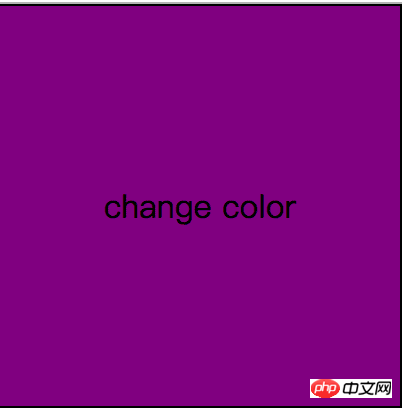
在侧边栏设置一个颜色选择器,将change的背景颜色设置为选择的颜色,此时颜色选择器的颜色是使用内联样式的方式添加的。

<!DOCTYPE html>
<html lang="en">
<head>
  <meta charset="UTF-8">
  <title>css</title>
  <style>
    * {
      margin: 0;
      padding: 0;
    }

    .wrap {
      width: 220px;
      height: 200px;
      position: absolute;
      top: 300px;
      left: -172px;
    }

    .open-close {
      height: 45px;
      width: 48px;
      background: url("open-close.png") no-repeat;
      background-size: contain;
      border: 1px solid grey;
      border-left: none;
      position: absolute;
      top: 0;
      right: 0;
      z-index: 2;
    }

    .changer {
      height: 150px;
      width: 170px;
      position: absolute;
      top: 0;
      left: 0;
      border: 1px solid grey;
      text-align: center;
      padding-top: 8px;
    }

    .list > li {
      display: block;
      width: 36px;
      height: 36px;
      float: left;
      margin-left: 9%;
      margin-top: 10%;
    }

    #change {
      border: 1px solid black;
      width: 200px;
      height: 200px;
      text-align: center;
      line-height: 200px;
    }
  </style>
</head>
<body>
<p class="wrap" id="wrap">
  <!--html-->
  <p class="open-close" id="open"></p>
  <p class="changer">
    <span>颜色选择器</span>
    <ul class="list">
      <li class="color-orange" style="background-color: orange"></li>
      <li class="color-red" style="background-color: red"></li>
      <li class="color-blue" style="background-color: blue"></li>
      <li class="color-black" style="background-color: black"></li>
      <li class="color-green" style="background-color: green"></li>
      <li class="color-pink" style="background-color: pink"></li>
    </ul>
  </p>
</p>
<p id="change">
  change color
</p>
<script>
  var open = document.getElementById("open");
  var wrap = document.getElementById("wrap");
  var list = document.getElementById("list");
  var change = document.getElementById("change");
  var color_change = document.getElementsByTagName("li");
  change.style.backgroundColor = "purple";
  open.onmouseover = function () {
    wrap.style.left = 0 + "px";

  };
  open.onclick = function () {
    wrap.style.left = -172 + "px";
  };
  for (var i = 0; i < color_change.length; i++) {
    color_change[i].id = i;
    color_change[i].onclick = function () {
      change.style.backgroundColor = color_change[this.id].style.backgroundColor;
    }
  }
</script>
</body>
</html>
问题:
当颜色选择器的颜色是使用嵌入式或者外部引入的方式添加时,javascript的style属性无效,获取不到颜色值。
解决方法:

立即学习“Java免费学习笔记(深入)”;
javascript的style属性只能获取内联样式,对于外部引入样式和嵌入式样式需要用currentStyle属性。但是,currentStyle在Firefox和Chrome下不支持,需要使用如下兼容性代码:
HTMLElement.prototype.defineGetter("currentStyle", function () {
      return this.ownerDocument.defaultView.getComputedStyle(this, null);
    });
<!DOCTYPE html>
<html lang="en">
<head>
<meta charset="UTF-8">
<title>Title</title>
<style>
* {
margin: 0;
padding: 0;
}
.wrap {
width: 220px;
height: 200px;
position: absolute;
top: 300px;
left: -172px;
}
.open-close {
height: 45px;
width: 48px;
background: url("open-close.png") no-repeat;
background-size: contain;
border: 1px solid grey;
border-left: none;
position: absolute;
top: 0;
right: 0;
z-index: 2;
}
.changer {
height: 150px;
width: 170px;
position: absolute;
top: 0;
left: 0;
border: 1px solid grey;
text-align: center;
padding-top: 8px;
}
.list > li {
display: block;
width: 36px;
height: 36px;
float: left;
margin-left: 9%;
margin-top: 10%;
}
.color-orange {
background-color: orange;
}
.color-red {
background-color: red;
}
.color-blue {
background-color: blue;
}
.color-blank {
background-color: black;
}
.color-green {
background-color: green;
}
.color-pink {
background-color: pink;
}
#change {
border: 1px solid black;
width: 200px;
height: 200px;
text-align: center;
line-height: 200px;
}
</style>
</head>
<body>
<p class="wrap" id="wrap">
<!--html-->
<p class="open-close" id="open"></p>
<p class="changer">
<span>颜色的选择</span>
<ul class="list">
<li class="color-orange"></li>
<li class="color-red"></li>
<li class="color-blue"></li>
<li class="color-blank"></li>
<li class="color-green"></li>
<li class="color-pink"></li>
</ul>
</p>
</p>
<p id="change">
change color
</p>
<script>
HTMLElement.prototype.defineGetter("currentStyle", function () {
return this.ownerDocument.defaultView.getComputedStyle(this, null);
});
var open = document.getElementById("open");
var wrap = document.getElementById("wrap");
var list = document.getElementById("list");
var change = document.getElementById("change");
var color_change = document.getElementsByTagName("li");
change.style.backgroundColor="purple";
open.onmouseover = function () {
wrap.style.left = 0 + "px";
};
open.onclick = function () {
wrap.style.left = -172 + "px";
};
for (var i = 0; i < color_change.length; i++) {
color_change[i].id = i;
color_change[i].onclick = function () {
change.style.backgroundColor = color_change[this.id].currentStyle.backgroundColor;
}
}
</script>
</body>
</html>





