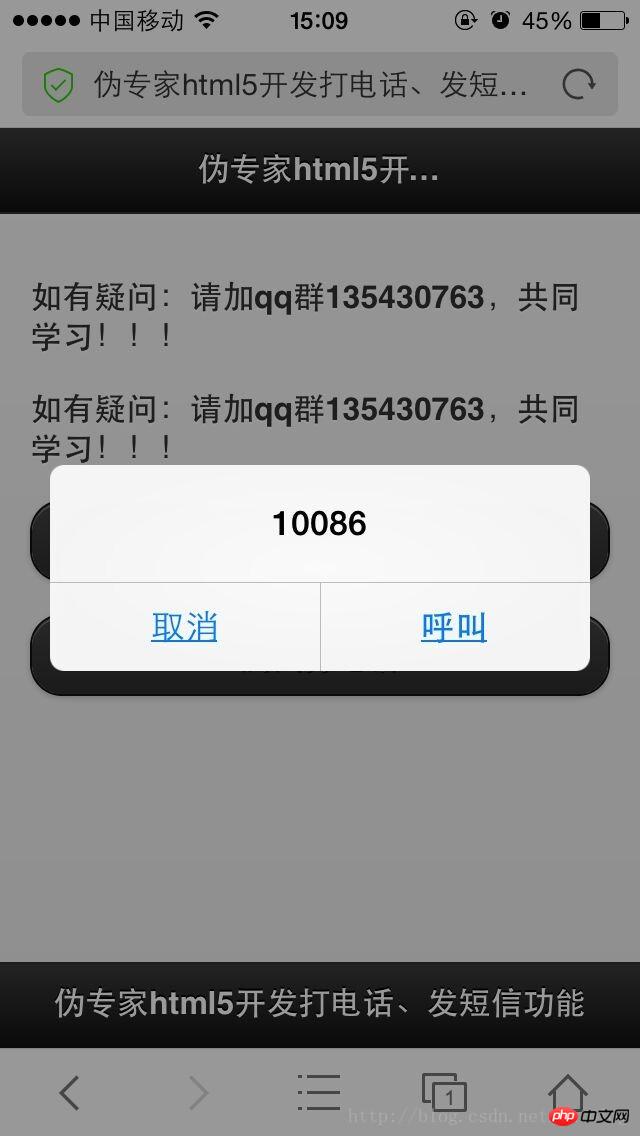
在很多的手机网站上,有打电话和发短信的功能,对于这些功能是如何实现的呢。其实不难,今天我们就用html5来实现他们。简单的让你大开眼界。
html5 很容易写,但创建网页时,您经常需要重复做同样的任务,如创建表单。在这...有 html5 启动模板、空白图片、打电话和发短信、自动完成等等,帮助你提高开发效率的同时,还带来了更炫的功能。好了,我们今天就来做一做看看效果吧!!
看代码:
<!DOCTYPE html>
<html>
<head>
<meta http-equiv="Content-Type" content="text/html; charset=UTF-8">
<title>伪专家html5开发法短信功能</title>
<meta name="viewport" content="width=device-width, initial-scale=1.0">
<link rel="stylesheet" href="http://code.jquery.com/mobile/1.3.2/jquery.mobile-1.3.2.min.css">
<script src="http://code.jquery.com/jquery-1.8.3.min.js"></script>
<script src="http://code.jquery.com/mobile/1.3.2/jquery.mobile-1.3.2.min.js"></script>
</head>
<body>
<p data-role="page">
  <p data-role="header" data-position="fixed">
    <h1>伪专家html5开发打电话、发短信功能</h1>
  </p>

  <p data-role="content">
    <p><b>如有疑问:请加qq群135430763,共同学习!!!</b></p>

    <p><b>如有疑问:请加qq群135430763,共同学习!!!</b></p>

    <p><a href="sms:10086?body=短信内容" data-role="button" data-theme="a">测试发短信</a></p>

  	<p><a href="tel:10086" data-role="button" data-theme="a">测试打电话</a></p><div class="aritcle_card flexRow">
                                                        <div class="artcardd flexRow">
                                                                <a class="aritcle_card_img" href="/ai/2042" title="Memo AI"><img
                                                                                src="https://img.php.cn/upload/ai_manual/000/000/000/175680037997018.png" alt="Memo AI"  onerror="this.onerror='';this.src='/static/lhimages/moren/morentu.png'" ></a>
                                                                <div class="aritcle_card_info flexColumn">
                                                                        <a href="/ai/2042" title="Memo AI">Memo AI</a>
                                                                        <p>AI音视频转文字及字幕翻译工具</p>
                                                                </div>
                                                                <a href="/ai/2042" title="Memo AI" class="aritcle_card_btn flexRow flexcenter"><b></b><span>下载</span> </a>
                                                        </div>
                                                </div><p><span>立即学习</span>“<a href="https://pan.quark.cn/s/cb6835dc7db1" style="text-decoration: underline !important; color: blue; font-weight: bolder;" rel="nofollow" target="_blank">前端免费学习笔记(深入)</a>”;</p>
  </p>

  <p data-role="footer" data-position="fixed">
    <h1>伪专家html5开发打电话、发短信功能</h1>
  </p>
</p>
</body>
</html>
手机截图: