



package Str;

import java.util.Calendar;
/**
 *
 *
 * @project Tool
 * @type Test8
 * @Description
 * @author xuyw
 * @email xyw10000@163.com
 * @date 2014-8-9 下午01:45:02
 * @version 1.0
 *
 */
public class Test8 {

    /**
     * @param args
     */
    public static void main(String[] args) {
        Calendar calendar = Calendar.getInstance();
        calendar.add(Calendar.MONTH, 0);
        calendar.set(Calendar.DAY_OF_MONTH, 1);// 设置为1号,当前日期既为本月第一天
        int firstDay = calendar.get(Calendar.DAY_OF_WEEK) - 1;
        int monthDays = calendar.getActualMaximum(Calendar.DAY_OF_MONTH);// 当月最后一天

        StringBuilder sbd = new StringBuilder();
        sbd.append("
| 星期天 | 星期一 | 星期二 | 星期三 | 星期四 | 星期五 | 星期六 | "); sbd.append("
|---|---|---|---|---|---|---|
| " + (i - firstDay + 1) + " | "); } weekend = i - firstDay + 1; } sbd.append(""); } } sbd.append(""); weekend += 7;// 周末再加7天 } sbd.append(" |
"); System.out.println(sbd.toString()); } }
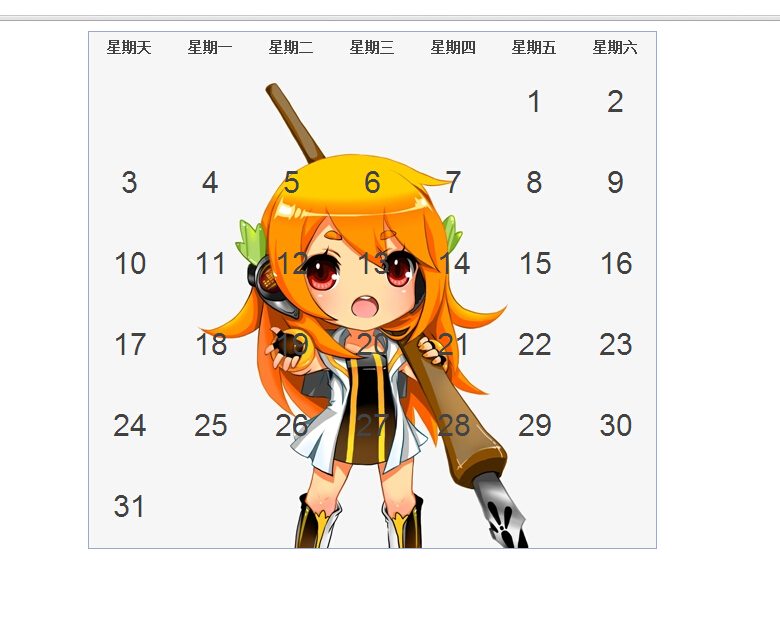
先前测试就用控制台生成html标签 将生成的html标签在页面展示即可 效果图如下
css

* {
    /* old-style reset here :) */
    border: 0px;
    padding: 0px;
}
body {
    font-family: Helvetica;
    background: white;
    text-align: center;
    /* background: url(../img/body.png) repeat-x; */}
body h1 {
    padding-top: 20px;
    font-size: 36px;
    color: #335;
}
p{font-size:26px;}
table {
    border-collapse: separate;
    border: 1px solid #9DABCE;
    border-width: 1px 1px 1px 1px;
    margin: 10px auto;
    font-size: 30px;
}


td, th {
    width: 81px;
    height: 81px;
    text-align: center;
    vertical-align: middle;
    /*background: url(../img/cells.png);*/
    color: #444;
    position: relative;
}
th {
    height: 30px;
    font-weight: bold;
    font-size: 14px;
}

td.sign_in {
    background-position: 81px 0px;
    color: red;
}

td.sign_no{
    background: url(../img/cells.png);
}




