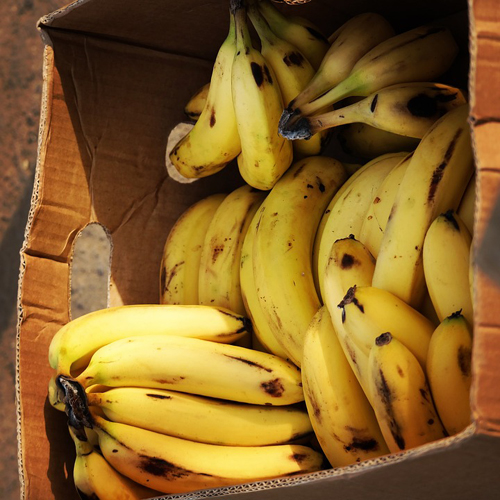
邮件客户端普遍不支持 css 绝对定位,导致浏览器中正常的图文层叠效果在邮件中失效;本文提供基于 table 布局与背景图技术的高兼容性解决方案,并附可直接使用的 html 模板。
邮件客户端普遍不支持 css 绝对定位,导致浏览器中正常的图文层叠效果在邮件中失效;本文提供基于 table 布局与背景图技术的高兼容性解决方案,并附可直接使用的 html 模板。
在 Web 页面中,使用 position: absolute 将文字精确定位在图片上方是常见且可靠的做法。但将其直接用于 HTML 邮件时,会遭遇严重兼容性问题——绝大多数主流邮件客户端(如 Outlook Desktop、Apple Mail、Gmail Web/App、Yahoo Mail 等)会忽略或错误解析 position: absolute、z-index、transform 等现代 CSS 定位属性,甚至部分客户端会直接移除
你提供的原始代码:
<div style="height: 260px; position: relative; text-align: center; color: white">
  <br><br>
  @@##@@
  <div style="position:absolute; bottom: 8px; font-size: 60px; left: 40px;">Some text</div>
</div>
在浏览器中表现良好,是因为现代渲染引擎完整支持 CSS 定位模型;但在邮件中,position: absolute 被静默降级,内部
退化为普通块级元素,自然换行显示在图片下方,造成“文字掉到图下面”的典型现象。 布局(非展示用途,而是作为布局容器),并利用 background-image 将图片设为容器背景,再通过
✅ 可靠替代方案:table + background-image
邮件开发行业公认的最佳实践是回归语义化、结构化的

| 的文本对齐与内边距控制文字位置。该方案被所有主流邮件客户端广泛支持,且无需 JavaScript 或外部样式表。 以下是经过多客户端实测(Outlook 2016/365、Gmail、iOS Mail、Thunderbird)验证的兼容代码: <!DOCTYPE html>
<html lang="en">
<head>
<meta charset="UTF-8">
<meta name="viewport" content="width=device-width, initial-scale=1.0">
<title>Email Banner</title>
</head>
<body style="margin: 0; padding: 0;">
<!-- 固定尺寸容器:400×260 px,匹配原图比例 -->
<table role="presentation" cellspacing="0" cellpadding="0" border="0"
style="width: 400px; height: 260px; max-width: 100%;
background-image: url('https://www.jquery-az.com/html/images/banana.jpg');
background-repeat: no-repeat;
background-size: cover;
background-position: center;
font-family: Arial, sans-serif;">
<tr>
<td align="left" valign="bottom"
style="padding: 0 40px 8px 40px; color: white; font-size: 60px; font-weight: bold; line-height: 1.2;">
Some text
</td>
</tr>
</table>
</body>
</html>? 关键设计说明:
⚠️ 注意事项:
总结而言,HTML 邮件不是网页开发的子集,而是一个受限但高度标准化的交付环境。放弃对现代 CSS 的依赖,拥抱 table 布局与内联样式,是构建跨客户端一致视觉效果的基石。从今天起,把 position: absolute 留给浏览器,把 |