
0

0

php怎么用PHP打开_PHP文件运行与执行方法教程

星夢妙者

星夢妙者

发布时间:2025-10-31 13:37:30

|

811人浏览过

|

来源于php中文网

原创

Run PHP via command line using php filename.php in Terminal. 2. Use a local server like XAMPP by placing the file in htdocs and accessing it via http://localhost/filename.php. 3. Utilize PHP’s built-in server with php -S localhost:8000 and visit http://localhost:8000/filename.php. 4. Ensure proper file permissions (chmod 644) and server configuration for PHP handling.
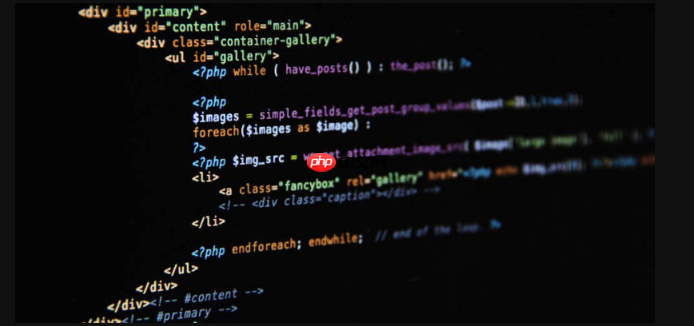
php怎么用php打开_php文件运行与执行方法教程

If you are trying to execute a PHP file on your server, you need to use the PHP interpreter correctly. Here are the steps to run a .php file:

The operating environment of this tutorial: MacBook Air, macOS Sonoma

1. Run PHP File via Command Line

Using the command line is one of the most direct ways to execute a PHP file. This method bypasses the web server and runs the script using the PHP interpreter directly.

  • Open Terminal on your system
  • Navigate to the directory containing your PHP file using cd /path/to/your/file
  • Type php filename.php and press Enter

2. Execute PHP Through a Local Development Server

This method simulates a real web server environment. It's useful when your PHP script interacts with HTTP requests, sessions, or forms.

Otter.ai
Otter.ai

一个自动的会议记录和笔记工具,会议内容生成和实时转录

下载

立即学习PHP免费学习笔记(深入)”;

  • Ensure your PHP development server is installed (e.g., XAMPP, MAMP, or built-in PHP server)
  • Place your .php file in the server's document root (e.g., htdocs for XAMPP)
  • Start the server service
  • Open a browser and navigate to http://localhost/filename.php

3. Use Built-in PHP Development Server

The built-in server is lightweight and ideal for testing purposes. It does not require a full server stack installation.

  • In Terminal, go to the folder where your PHP file is located
  • Run the command php -S localhost:8000
  • Open a browser and visit http://localhost:8000/filename.php

4. Configure File Permissions and MIME Type (if needed)

Sometimes the server may not recognize or execute the PHP file due to incorrect permissions or misconfigured handlers.

  • Ensure the file has read permissions: chmod 644 filename.php
  • Verify that your server is configured to parse .php files through the PHP module
  • Check your server’s configuration file (e.g., httpd.conf or php.ini) includes the correct handler for .php extensions

热门AI工具

更多
DeepSeek
DeepSeek

幻方量化公司旗下的开源大模型平台

豆包大模型
豆包大模型

字节跳动自主研发的一系列大型语言模型

WorkBuddy
WorkBuddy

腾讯云推出的AI原生桌面智能体工作台

腾讯元宝
腾讯元宝

腾讯混元平台推出的AI助手

文心一言
文心一言

文心一言是百度开发的AI聊天机器人,通过对话可以生成各种形式的内容。

讯飞写作
讯飞写作

基于讯飞星火大模型的AI写作工具,可以快速生成新闻稿件、品宣文案、工作总结、心得体会等各种文文稿

即梦AI
即梦AI

一站式AI创作平台,免费AI图片和视频生成。

ChatGPT
ChatGPT

最最强大的AI聊天机器人程序,ChatGPT不单是聊天机器人,还能进行撰写邮件、视频脚本、文案、翻译、代码等任务。

相关专题

更多
if什么意思
if什么意思

if的意思是“如果”的条件。它是一个用于引导条件语句的关键词,用于根据特定条件的真假情况来执行不同的代码块。本专题提供if什么意思的相关文章,供大家免费阅读。

847

2023.08.22

require的用法
require的用法

require的用法有引入模块、导入类或方法、执行特定任务。想了解更多require的相关内容,可以阅读本专题下面的文章。

510

2023.11.27

macOS怎么切换用户账户
macOS怎么切换用户账户

在 macOS 系统中,可通过多种方式切换用户账户。如点击苹果图标选择 “系统偏好设置”,打开 “用户与群组” 进行切换;或启用快速用户切换功能,通过菜单栏或控制中心的账户名称切换;还能使用快捷键 “Control+Command+Q” 锁定屏幕后切换。

359

2025.05.09

http500解决方法
http500解决方法

http500解决方法有检查服务器日志、检查代码错误、检查服务器配置、检查文件和目录权限、检查资源不足、更新软件版本、重启服务器或寻求专业帮助等。本专题为大家提供相关的文章、下载、课程内容,供大家免费下载体验。

497

2023.11.09

http请求415错误怎么解决
http请求415错误怎么解决

解决方法:1、检查请求头中的Content-Type;2、检查请求体中的数据格式;3、使用适当的编码格式;4、使用适当的请求方法;5、检查服务器端的支持情况。更多http请求415错误怎么解决的相关内容,可以阅读下面的文章。

452

2023.11.14

HTTP 503错误解决方法
HTTP 503错误解决方法

HTTP 503错误表示服务器暂时无法处理请求。想了解更多http错误代码的相关内容,可以阅读本专题下面的文章。

3611

2024.03.12

http与https有哪些区别
http与https有哪些区别

http与https的区别:1、协议安全性;2、连接方式;3、证书管理;4、连接状态;5、端口号;6、资源消耗;7、兼容性。本专题为大家提供相关的文章、下载、课程内容,供大家免费下载体验。

2918

2024.08.16

TypeScript类型系统进阶与大型前端项目实践

本专题围绕 TypeScript 在大型前端项目中的应用展开,深入讲解类型系统设计与工程化开发方法。内容包括泛型与高级类型、类型推断机制、声明文件编写、模块化结构设计以及代码规范管理。通过真实项目案例分析,帮助开发者构建类型安全、结构清晰、易维护的前端工程体系,提高团队协作效率与代码质量。

25

2026.03.13

Python异步编程与Asyncio高并发应用实践

本专题围绕 Python 异步编程模型展开,深入讲解 Asyncio 框架的核心原理与应用实践。内容包括事件循环机制、协程任务调度、异步 IO 处理以及并发任务管理策略。通过构建高并发网络请求与异步数据处理案例,帮助开发者掌握 Python 在高并发场景中的高效开发方法,并提升系统资源利用率与整体运行性能。

44

2026.03.12

热门下载

更多
网站特效
/
网站源码
/
网站素材
/
前端模板

精品课程

更多
相关推荐
/
热门推荐
/
最新课程
PHP课程
PHP课程

共137课时 | 13.5万人学习

JavaScript ES5基础线上课程教学

共6课时 | 11.3万人学习

PHP新手语法线上课程教学
PHP新手语法线上课程教学

共13课时 | 1.0万人学习

关于我们 免责申明 举报中心 意见反馈 讲师合作 广告合作 最新更新
php中文网:公益在线php培训,帮助PHP学习者快速成长!
关注服务号 技术交流群
PHP中文网订阅号
每天精选资源文章推送

Copyright 2014-2026 https://www.php.cn/ All Rights Reserved | php.cn | 湘ICP备2023035733号


