


一、前言
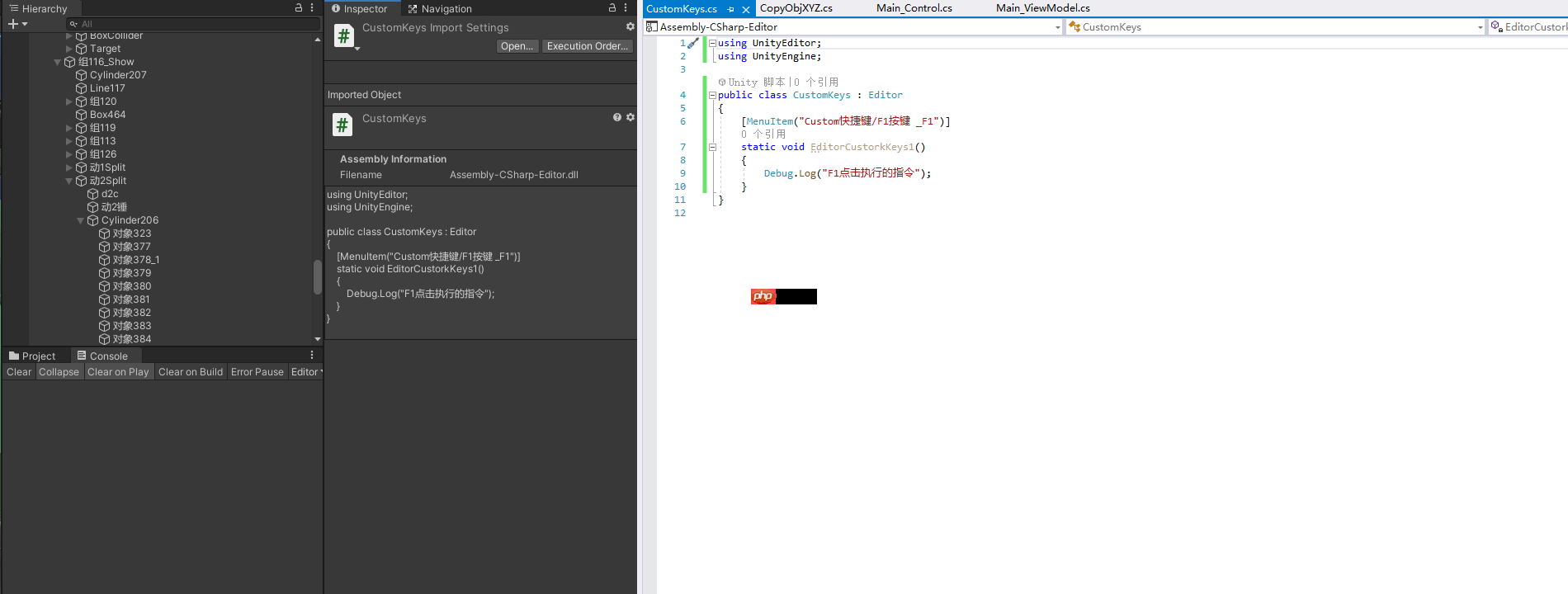
在Unity中,操作和修改默认快捷键是常见需求。接下来,我们将探讨如何设置和使用自定义快捷键。
效果:
二、快捷键概览
% | CTRL
# | Shift
& | Alt
LEFT/RIGHT/UP/DOWN | 箭头上下左右
F1-F12 | 键盘快捷键F1-F12
HOME/END/PGUP/PDDN | 对应键盘的Home/End/PageUp/PageDown

三、实例代码:
代码语言:javascript代码运行次数:0运行复制```javascript using UnityEditor; using UnityEngine; public class CustomKeys : Editor { [MenuItem("Custom快捷键/F1按键 _F1")] static void EditorCustorkKeys1() { Debug.Log("F1点击执行的指令"); } }
<code>
这里展示了如何为F1键设置自定义指令。
<p>代码语言:javascript代码运行次数:0<svg fill="none" height="16" viewbox="0 0 16 16" width="16" xmlns="<a href="https://www.php.cn/link/c9041cfd2a40932691855abd98fd219a">http://www.w3.org/2000/svg"><path</a> d="M6.66666 10.9999L10.6667 7.99992L6.66666 4.99992V10.9999ZM7.99999 1.33325C4.31999 1.33325 1.33333 4.31992 1.33333 7.99992C1.33333 11.6799 4.31999 14.6666 7.99999 14.6666C11.68 14.6666 14.6667 11.6799 14.6667 7.99992C14.6667 4.31992 11.68 1.33325 7.99999 1.33325ZM7.99999 13.3333C5.05999 13.3333 2.66666 10.9399 2.66666 7.99992C2.66666 5.05992 5.05999 2.66659 7.99999 2.66659C10.94 2.66659 13.3333 5.05992 13.3333 7.99992C13.3333 10.9399 10.94 13.3333 7.99999 13.3333Z" fill="currentcolor"></path></svg>运行<svg fill="none" height="16" viewbox="0 0 16 16" width="16" xmlns="<a href="https://www.php.cn/link/c9041cfd2a40932691855abd98fd219a">http://www.w3.org/2000/svg"><path</a> clip-rule="evenodd" d="M4.5 15.5V3.5H14.5V15.5H4.5ZM12.5 5.5H6.5V13.5H12.5V5.5ZM9.5 2.5H3.5V12.5H1.5V0.5H11.5V2.5H9.5Z" fill="currentcolor" fill-rule="evenodd"></path></svg>复制<code>javascript using UnityEditor; using UnityEngine; public class CustomKeys : Editor { [MenuItem("Custom快捷键/Ctrl+Q %Q")] static void EditorCustorkKeys2() { Debug.Log("Ctrl+Q点击执行的指令"); } }</code>
这里展示了如何为Ctrl+Q组合键设置自定义指令。
代码语言:javascript代码运行次数:0运行复制javascript using UnityEditor; using UnityEngine; public class CustomKeys : Editor { [MenuItem("Custom快捷键/Ctrl+Shift+Q %#Q")] static void EditorCustorkKeys3() { Debug.Log("Ctrl+Shift+Q点击执行的指令"); } }
<code></p><p>这里展示了如何为Ctrl+Shift+Q组合键设置自定义指令。</p><p>[MenuItem("Custom快捷键/Ctrl+Shift+Q %#Q")]</p><p>Custom快捷键: 自定义,随便写 Ctrl+Shift+Q: 自定义,随便写 %#Q: 快捷键设置,Ctrl=% Shift=# Q=Q。。前面记得加空格。</p><p>四、功能实例</p><p>暂停编辑器: EditorApplication.isPaused = !EditorApplication.isPaused;</p><p>播放: EditorApplication.isPlaying = true;</p><p>单步执行: EditorApplication.Step();</p><p>打开场景,并运行: EditorSceneManager.OpenScene("Assets/Scenes/LandInit.unity"); EditorApplication.isPlaying = true;</code> 




