



简介
本文档将详细介绍如何使用 llamaindex 框架来搭建本地 rag(retrieval-augmented generation)应用。通过集成 llamaindex,可以在本地环境中构建一个 rag 系统,结合检索与生成的能力,以提高信息检索的效率和生成内容的相关性。可以自定义本地知识库路径,通过 llamaindex 构建索引,然后利用索引进行上下文对话。
注: 本文档包含核心代码片段和详细解释。完整代码可见 notebook 。

1. 模型下载
本例中使用的是 llama3.1 模型,可以根据自身电脑配置,使用合适的模型。
ollama pull llama3.1
ollama pull nomic-embed-text
2. 安装依赖
pip install llama-index-llms-ollama
pip install llama-index-embeddings-ollama
pip install -U llama-index-readers-file
3. 加载数据
加载当前目录下 data 文件夹中所有的文档,并加载到内存中。
documents = SimpleDirectoryReader("data").load_data()
4. 构建索引
Settings.embed_model = OllamaEmbedding(model_name="nomic-embed-text")
Settings.llm = Ollama(model="llama3.1", request_timeout=360.0)
index = VectorStoreIndex.from_documents(
documents,
)
-
Settings.embed_model: 全局的embed_model属性。示例代码中将创建好的嵌入模型赋值给全局的embed_model属性; -
Settings.llm: 全局的llm属性。示例代码中将创建好的语言模型赋值给全局的llm属性; -
VectorStoreIndex.from_documents:使用之前加载的文档构建索引,并转换成向量,便于快速检索。
通过 Settings 全局属性的设置,在后面的索引构建以及查询的过程中就会默认使用相应的模型。
5. 查询数据
query_engine = index.as_query_engine()
response = query_engine.query("Datawhale是什么?")
print(response)
-
index.as_query_engine():根据之前构建好的索引,创建查询引擎。该查询引擎可以接收查询,返回检索后的响应。
6. 检索上下文进行对话
由于检索到的上下文可能会占用大量可用的 LLM 上下文,因此需要为聊天历史记录配置较小 token 限制!
# 检索上下文进行对话
from llama_index.core.memory import ChatMemoryBuffer
memory = ChatMemoryBuffer.from_defaults(token_limit=1500)
chat_engine = index.as_chat_engine(
chat_mode="context",
memory=memory,
system_prompt=(
"You are a chatbot, able to have normal interactions."
),
)
response = chat_engine.chat("Datawhale是什么?")
print(response)
chat_mode 可以根据使用场景,选择合适的模式,支持的模式如下:
-
best(默认):使用带有查询引擎工具的代理(react 或 openai); -
context:使用检索器获取上下文; -
condense_question:将问题进行浓缩; -
condense_plus_context:将问题进行浓缩并使用检索器获取上下文; -
simple:直接使用 LLM 的简单聊天引擎; -
react:使用带有查询引擎工具的 react 代理; -
openai:使用带有查询引擎工具的 openai 代理。
7. 向量索引的存储和加载
-
storage_context.persist存储向量索引。 -
load_index_from_storage加载向量索引。
# 存储向量索引
persist_dir = 'data/'
index.storage_context.persist(persist_dir=persist_dir)
# 加载向量索引
from llama_index.core import StorageContext, load_index_from_storage
storage_context = StorageContext.from_defaults(persist_dir=persist_dir)
index= load_index_from_storage(storage_context)
8. streamlit 应用
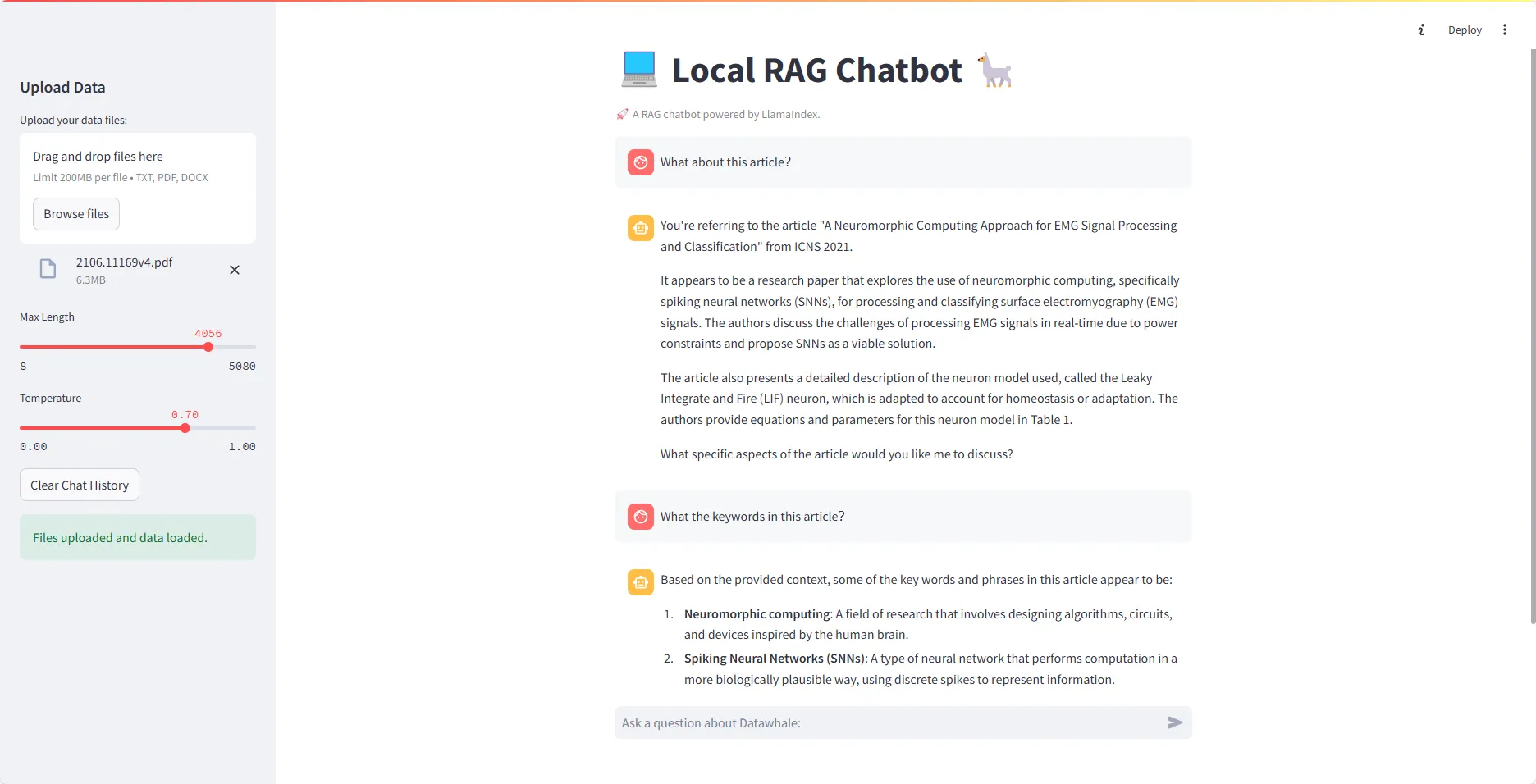
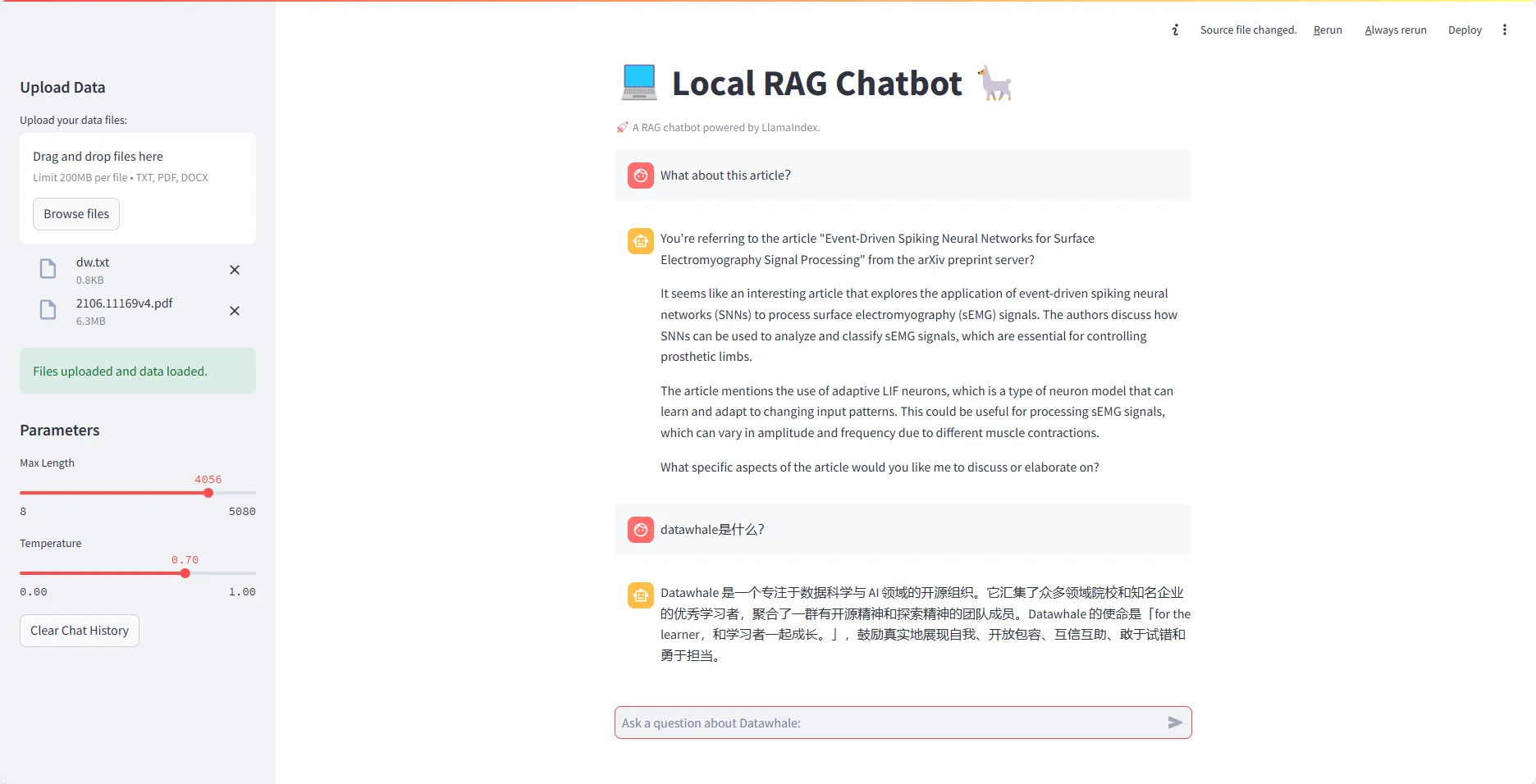
本例内容还实现了一个 streamlit 应用,具体可以查看 app.py
所需依赖如下:
llama_index==0.10.62
streamlit==1.36.0
Note
在 app.py 中,为了在连续对话中不重新加载模型,可以配置环境变量 OLLAMA_NUM_PARALLEL 和 OLLAMA_MAX_LOADED_MODELS,因为支持多个模型加载,所以至少需要额外的 8G 内存。
OLLAMA_NUM_PARALLEL:同时处理单个模型的多个请求。
OLLAMA_MAX_LOADED_MODELS:同时加载多个模型。
示例展示
- 单文本问答
☞☞☞AI 智能聊天, 问答助手, AI 智能搜索, 免费无限量使用 DeepSeek R1 模型☜☜☜
- 多文本问答
参考文献:LlamaIndex 文档




