请我喝杯咖啡☕
*备忘录:
- 我的帖子解释了cococaptions()使用带有captions_train2014.json、instances_train2014.json和person_keypoints_train2014.json的train2014、带有captions_val2014.json、instances_val2014.json和person_keypoints_val2014.json的val2014以及带有image_info_test2014.json的test2017, image_info_test2015.json 和 image_info_test-dev2015.json。
- 我的帖子解释了cocodetection()使用带有captions_train2014.json、instances_train2014.json和person_keypoints_train2014.json的train2014、带有captions_val2014.json、instances_val2014.json和person_keypoints_val2014.json的val2014以及带有image_info_test2014.json的test2017, image_info_test2015.json 和 image_info_test-dev2015.json。
- 我的帖子解释了cocodetection()使用train2017与captions_train2017.json,instances_train2017.json和person_keypoints_train2017.json,val2017与captions_val2017.json,instances_val2017.json和person_keypoints_val2017.json和test2017与image_info_test2017.json和image_info_test-dev2017.json.
- 我的帖子解释了cocodetection()使用train2017与stuff_train2017.json,val2017与stuff_val2017.json,stuff_train2017_pixelmaps与stuff_train2017.json,stuff_val2017_pixelmaps与stuff_val2017.json,panoptic_train2017与panoptic_train2017.json,panoptic_val2017与panoptic_val2017.json 和 unlabeled2017 以及 image_info_unlabeled2017.json。
- 我的帖子解释了 ms coco。
cococaptions() 可以使用 ms coco 数据集,如下所示。 *这适用于带有captions_train2017.json、instances_train2017.json和person_keypoints_train2017.json的train2017,带有captions_val2017.json、instances_val2017.json和person_keypoints_val2017.json的val2017以及带有image_info_test2017.json和的test2017 image_info_test-dev2017.json:
from torchvision.datasets import CocoCaptions

cap_train2017_data = CocoCaptions(
    root="data/coco/imgs/train2017",
    annFile="data/coco/anns/trainval2017/captions_train2017.json"
)

ins_train2017_data = CocoCaptions(
    root="data/coco/imgs/train2017",
    annFile="data/coco/anns/trainval2017/instances_train2017.json"
)

pk_train2017_data = CocoCaptions(
    root="data/coco/imgs/train2017",
    annFile="data/coco/anns/trainval2017/person_keypoints_train2017.json"
)

len(cap_train2017_data), len(ins_train2017_data), len(pk_train2017_data)
# (118287, 118287, 118287)

cap_val2017_data = CocoCaptions(
    root="data/coco/imgs/val2017",
    annFile="data/coco/anns/trainval2017/captions_val2017.json"
)

ins_val2017_data = CocoCaptions(
    root="data/coco/imgs/val2017",
    annFile="data/coco/anns/trainval2017/instances_val2017.json"
)

pk_val2017_data = CocoCaptions(
    root="data/coco/imgs/val2017",
    annFile="data/coco/anns/trainval2017/person_keypoints_val2017.json"
)

len(cap_val2017_data), len(ins_val2017_data), len(pk_val2017_data)
# (5000, 5000, 5000)

test2017_data = CocoCaptions(
    root="data/coco/imgs/test2017",
    annFile="data/coco/anns/test2017/image_info_test2017.json"
)

testdev2017_data = CocoCaptions(
    root="data/coco/imgs/test2017",
    annFile="data/coco/anns/test2017/image_info_test-dev2017.json"
)

len(test2017_data), len(testdev2017_data)
# (40670, 20288)

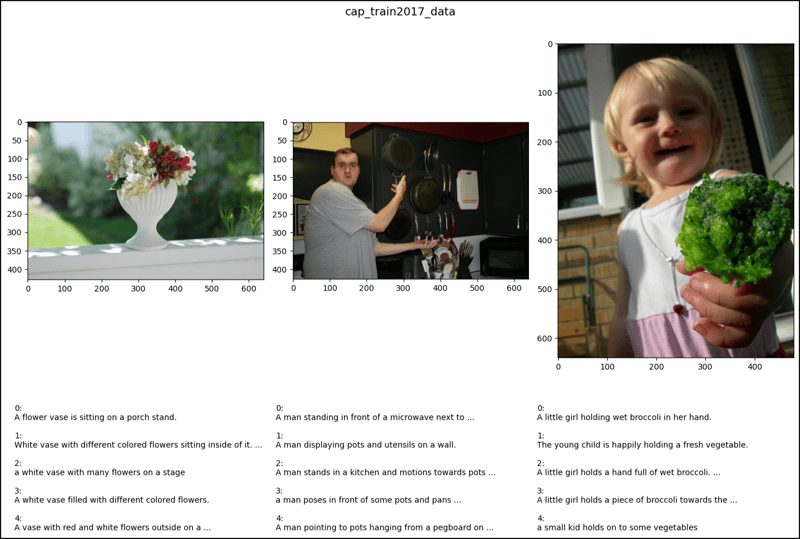
cap_train2017_data[2]
# (<PIL.Image.Image image mode=RGB size=640x428>,
#  ['A flower vase is sitting on a porch stand.',
#   'White vase with different colored flowers sitting inside of it. ',
#   'a white vase with many flowers on a stage',
#   'A white vase filled with different colored flowers.',
#   'A vase with red and white flowers outside on a sunny day.'])

cap_train2017_data[47]
# (<PIL.Image.Image image mode=RGB size=640x427>,
#  ['A man standing in front of a microwave next to pots and pans.',
#   'A man displaying pots and utensils on a wall.',
#   'A man stands in a kitchen and motions towards pots and pans. ',
#   'a man poses in front of some pots and pans ',
#   'A man pointing to pots hanging from a pegboard on a gray wall.'])

cap_train2017_data[64]
# (<PIL.Image.Image image mode=RGB size=480x640>,
#  ['A little girl holding wet broccoli in her hand. ',
#   'The young child is happily holding a fresh vegetable. ',
#   'A little girl holds a hand full of wet broccoli. ',
#   'A little girl holds a piece of broccoli towards the camera.',
#   'a small kid holds on to some vegetables '])

ins_train2017_data[2] # Error

ins_train2017_data[47] # Error

ins_train2017_data[67] # Error

pk_train2017_data[2]
# (<PIL.Image.Image image mode=RGB size=640x428>, [])

pk_train2017_data[47] # Error

pk_train2017_data[64] # Error

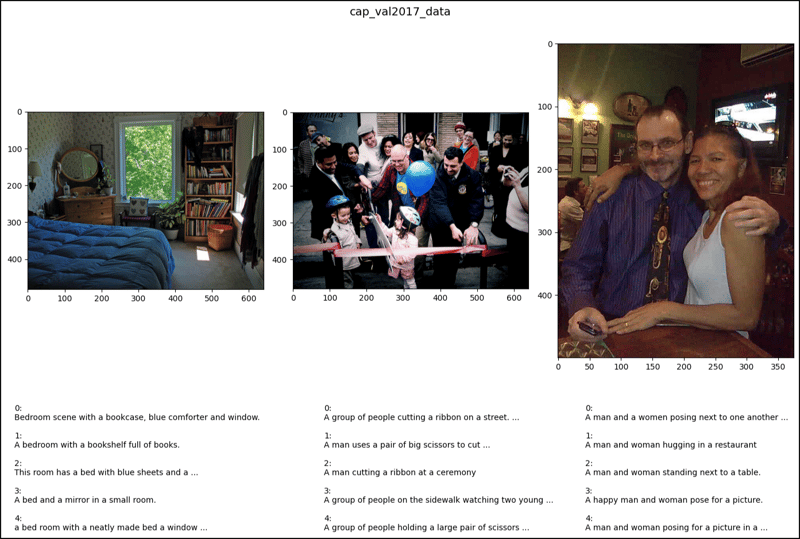
cap_val2017_data[2]
# (<PIL.Image.Image image mode=RGB size=640x483>,
#  ['Bedroom scene with a bookcase, blue comforter and window.',
#   'A bedroom with a bookshelf full of books.',
#   'This room has a bed with blue sheets and a large bookcase',
#   'A bed and a mirror in a small room.',
#   'a bed room with a neatly made bed a window and a book shelf'])

cap_val2017_data[47]
# (<PIL.Image.Image image mode=RGB size=640x480>,
#  ['A group of people cutting a ribbon on a street.',
#   'A man uses a pair of big scissors to cut a pink ribbon.',
#   'A man cutting a ribbon at a ceremony ',
#   'A group of people on the sidewalk watching two young children.',
#   'A group of people holding a large pair of scissors to a ribbon.'])

cap_val2017_data[64]
# (<PIL.Image.Image image mode=RGB size=375x500>,
#  ['A man and a women posing next to one another in front of a table.',
#   'A man and woman hugging in a restaurant',
#   'A man and woman standing next to a table.',
#   'A happy man and woman pose for a picture.',
#   'A man and woman posing for a picture in a sports bar.'])

ins_val2017_data[2] # Error

ins_val2017_data[47] # Error

ins_val2017_data[64] # Error

pk_val2017_data[2]
# (<PIL.Image.Image image mode=RGB size=640x483>, [])

pk_val2017_data[47] # Error

pk_val2017_data[64] # Error

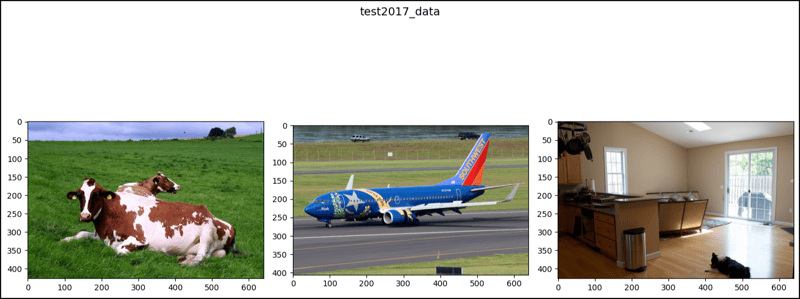
test2017_data[2]
# (<PIL.Image.Image image mode=RGB size=640x427>, [])

test2017_data[47]
# (<PIL.Image.Image image mode=RGB size=640x406>, [])

test2017_data[64]
# (<PIL.Image.Image image mode=RGB size=640x427>, [])

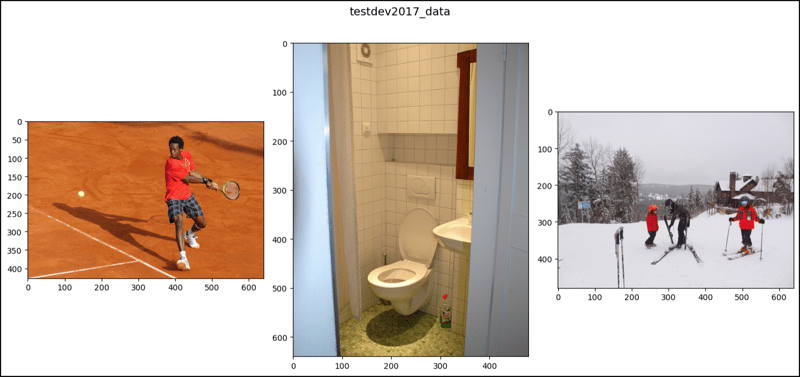
testdev2017_data[2]
# (<PIL.Image.Image image mode=RGB size=640x427>, [])

testdev2017_data[47]
# (<PIL.Image.Image image mode=RGB size=480x640>, [])

testdev2017_data[64]
# (<PIL.Image.Image image mode=RGB size=640x480>, [])

import matplotlib.pyplot as plt

def show_images(data, ims, main_title=None):
    file = data.root.split('/')[-1]
    fig, axes = plt.subplots(nrows=1, ncols=3, figsize=(14, 8))
    fig.suptitle(t=main_title, y=0.9, fontsize=14)
    x_crd = 0.02
    for i, axis in zip(ims, axes.ravel()):
        if data[i][1]:
            im, anns = data[i]
            axis.imshow(X=im)
            y_crd = 0.0
            for j, ann in enumerate(iterable=anns):
                text_list = ann.split()
                if len(text_list) > 9:
                    text = " ".join(text_list[0:10]) + " ..."
                else:
                    text = " ".join(text_list)
                plt.figtext(x=x_crd, y=y_crd, fontsize=10,
                            s=f'{j}:\n{text}')
                y_crd -= 0.06
            x_crd += 0.325
            if i == 2 and file == "val2017":
                x_crd += 0.06
        elif not data[i][1]:
            im, _ = data[i]
            axis.imshow(X=im)
    fig.tight_layout()
    plt.show()

ims = (2, 47, 64)

show_images(data=cap_train2017_data, ims=ims,
             main_title="cap_train2017_data")
show_images(data=cap_val2017_data, ims=ims,
             main_title="cap_val2017_data")
show_images(data=test2017_data, ims=ims,
            main_title="test2017_data")
show_images(data=testdev2017_data, ims=ims,
            main_title="testdev2017_data")