请我喝杯咖啡☕
*我的帖子解释了 ms coco。
cocodetection() 可以使用 ms coco 数据集,如下所示。 *这适用于带有captions_train2017.json、instances_train2017.json和person_keypoints_train2017.json的train2017,带有captions_val2017.json、instances_val2017.json和person_keypoints_val2017.json的val2017以及带有image_info_test2017.json和的test2017 image_info_test-dev2017.json:
from torchvision.datasets import CocoDetection

cap_train2017_data = CocoDetection(
    root="data/coco/imgs/train2017",
    annFile="data/coco/anns/trainval2017/captions_train2017.json"
)

ins_train2017_data = CocoDetection(
    root="data/coco/imgs/train2017",
    annFile="data/coco/anns/trainval2017/instances_train2017.json"
)

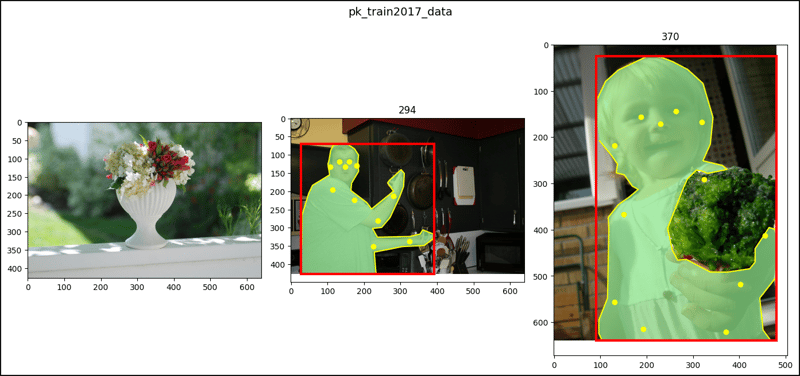
pk_train2017_data = CocoDetection(
    root="data/coco/imgs/train2017",
    annFile="data/coco/anns/trainval2017/person_keypoints_train2017.json"
)

len(cap_train2017_data), len(ins_train2017_data), len(pk_train2017_data)
# (118287, 118287, 118287)

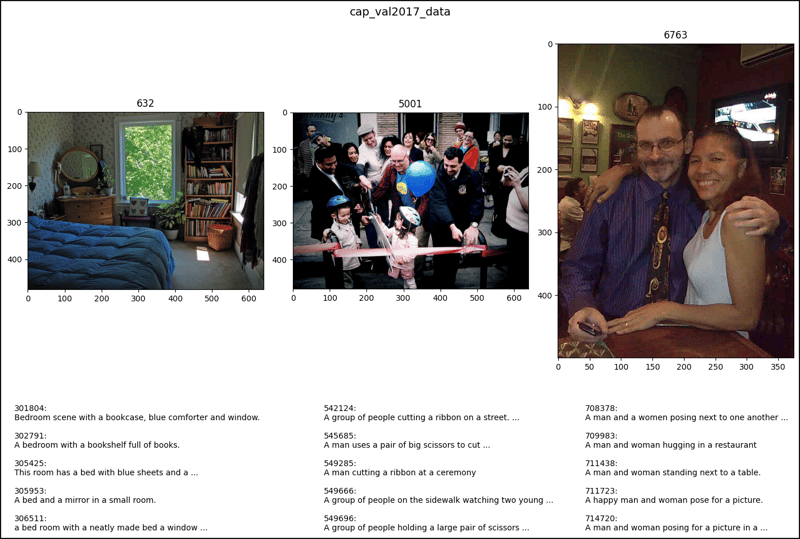
cap_val2017_data = CocoDetection(
    root="data/coco/imgs/val2017",
    annFile="data/coco/anns/trainval2017/captions_val2017.json"
)

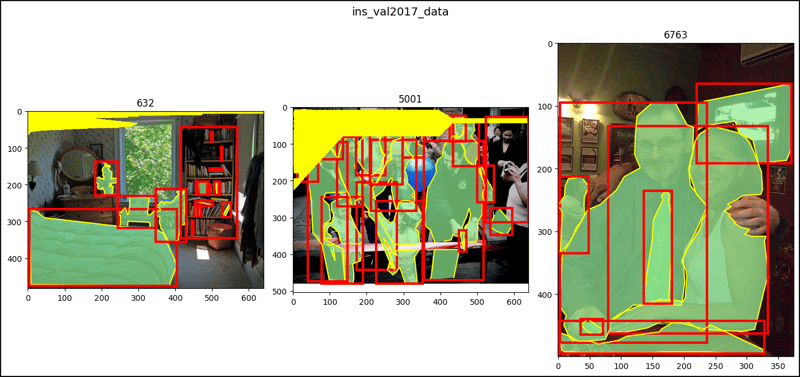
ins_val2017_data = CocoDetection(
    root="data/coco/imgs/val2017",
    annFile="data/coco/anns/trainval2017/instances_val2017.json"
)

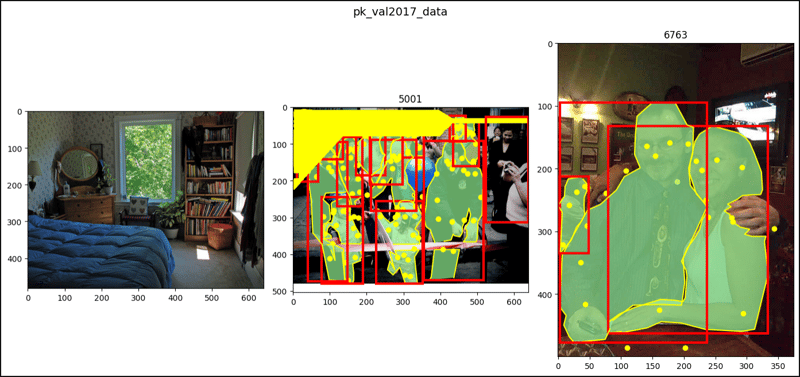
pk_val2017_data = CocoDetection(
    root="data/coco/imgs/val2017",
    annFile="data/coco/anns/trainval2017/person_keypoints_val2017.json"
)

len(cap_val2017_data), len(ins_val2017_data), len(pk_val2017_data)
# (5000, 5000, 5000)

test2017_data = CocoDetection(
    root="data/coco/imgs/test2017",
    annFile="data/coco/anns/test2017/image_info_test2017.json"
)

testdev2017_data = CocoDetection(
    root="data/coco/imgs/test2017",
    annFile="data/coco/anns/test2017/image_info_test-dev2017.json"
)

len(test2017_data), len(testdev2017_data)
# (40670, 20288)

cap_train2017_data[2]
# (<PIL.Image.Image image mode=RGB size=640x428>,
#  [{'image_id': 30, 'id': 695774,
#    'caption': 'A flower vase is sitting on a porch stand.'},
#   {'image_id': 30, 'id': 696557,
#    'caption': 'White vase with different colored flowers sitting inside of it. '},
#   {'image_id': 30, 'id': 699041,
#    'caption': 'a white vase with many flowers on a stage'},
#   {'image_id': 30, 'id': 701216,
#    'caption': 'A white vase filled with different colored flowers.'},
#   {'image_id': 30, 'id': 702428,
#    'caption': 'A vase with red and white flowers outside on a sunny day.'}])

cap_train2017_data[47]
# (<PIL.Image.Image image mode=RGB size=640x427>,
#  [{'image_id': 294, 'id': 549895,
#    'caption': 'A man standing in front of a microwave next to pots and pans.'},
#   {'image_id': 294, 'id': 556411,
#    'caption': 'A man displaying pots and utensils on a wall.'},
#   {'image_id': 294, 'id': 556507,
#    'caption': 'A man stands in a kitchen and motions towards pots and pans. '},
#   {'image_id': 294, 'id': 556993,
#    'caption': 'a man poses in front of some pots and pans '},
#   {'image_id': 294, 'id': 560728,
#    'caption': 'A man pointing to pots hanging from a pegboard on a gray wall.'}])

cap_train2017_data[64]
# (<PIL.Image.Image image mode=RGB size=480x640>,
#  [{'image_id': 370, 'id': 468271,
#    'caption': 'A little girl holding wet broccoli in her hand. '},
#   {'image_id': 370, 'id': 471646,
#    'caption': 'The young child is happily holding a fresh vegetable. '},
#   {'image_id': 370, 'id': 475471,
#    'caption': 'A little girl holds a hand full of wet broccoli. '},
#   {'image_id': 370, 'id': 475663,
#    'caption': 'A little girl holds a piece of broccoli towards the camera.'},
#   {'image_id': 370, 'id': 822588,
#    'caption': 'a small kid holds on to some vegetables '}])

ins_train2017_data[2]
# (<PIL.Image.Image image mode=RGB size=640x428>,
#  [{'segmentation': [[267.38, 330.14, 281.81, ..., 269.3, 329.18]],
#    'area': 47675.66289999999, 'iscrowd': 0, 'image_id': 30,
#    'bbox': [204.86, 31.02, 254.88, 324.12], 'category_id': 64,
#    'id': 291613},
#   {'segmentation': ..., 'category_id': 86, 'id': 1155486}])

ins_train2017_data[47]
# (<PIL.Image.Image image mode=RGB size=640x427>,
#  [{'segmentation': [[27.7, 423.27, 27.7, ..., 28.66, 427.0]],
#    'area': 64624.86664999999, 'iscrowd': 0, 'image_id': 294,
#    'bbox': [27.7, 69.83, 364.91, 357.17], 'category_id': 1,
#    'id': 470246},
#   {'segmentation': ..., 'category_id': 50, 'id': 708187},
#   ...
#   {'segmentation': ..., 'category_id': 50, 'id': 2217190}])

ins_train2017_data[67]
# (<PIL.Image.Image image mode=RGB size=480x640>,
#  [{'segmentation': [[90.81, 155.68, 90.81, ..., 98.02, 207.57]],
#    'area': 137679.34520000007, 'iscrowd': 0, 'image_id': 370,
#    'bbox': [90.81, 24.5, 389.19, 615.5], 'category_id': 1,
#    'id': 436109},
#   {'segmentation': [[257.51, 446.79, 242.45, ..., 262.02, 460.34]],
#    'area': 43818.18095, 'iscrowd': 0, 'image_id': 370,
#    'bbox': [242.45, 257.05, 237.55, 243.95], 'category_id': 56,
#    'id': 1060727}])

pk_train2017_data[2]
# (<PIL.Image.Image image mode=RGB size=640x428>, [])

pk_train2017_data[47]
# (<PIL.Image.Image image mode=RGB size=640x427>,
#  [{'segmentation': [[27.7, 423.27, 27.7, ..., 28.66, 427]],
#    'num_keypoints': 11, 'area': 64624.86665, 'iscrowd': 0,
#    'keypoints': [149, 133, 2, 159, ..., 0, 0], 'image_id': 294,
#    'bbox': [27.7, 69.83, 364.91, 357.17], 'category_id': 1,
#    'id': 470246}])

pk_train2017_data[64]
# (<PIL.Image.Image image mode=RGB size=480x640>,
#  [{'segmentation': [[90.81, 155.68, 90.81, ..., 98.02, 207.57]],
#    'num_keypoints': 12, 'area': 137679.3452, 'iscrowd': 0,
#    'keypoints': [229, 171, 2, 263, ..., 0, 0], 'image_id': 370,
#    'bbox': [90.81, 24.5, 389.19, 615.5], 'category_id': 1,
#    'id': 436109}])

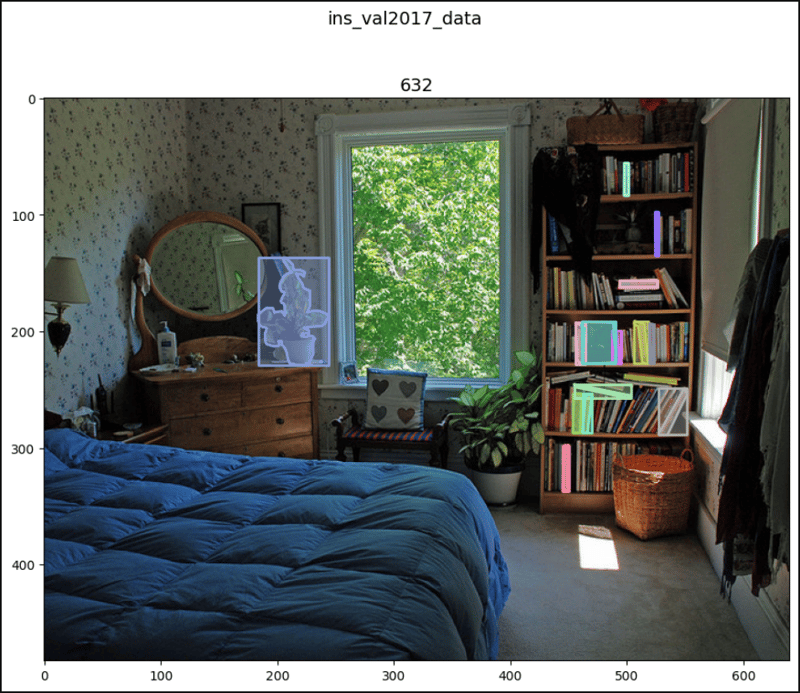
cap_val2017_data[2]
# (<PIL.Image.Image image mode=RGB size=640x483>,
#  [{'image_id': 632, 'id': 301804,
#    'caption': 'Bedroom scene with a bookcase, blue comforter and window.'},
#   {'image_id': 632, 'id': 302791,
#    'caption': 'A bedroom with a bookshelf full of books.'},
#   {'image_id': 632, 'id': 305425,
#    'caption': 'This room has a bed with blue sheets and a large bookcase'},
#   {'image_id': 632, 'id': 305953,
#    'caption': 'A bed and a mirror in a small room.'},
#   {'image_id': 632, 'id': 306511,
#    'caption': 'a bed room with a neatly made bed a window and a book shelf'}])

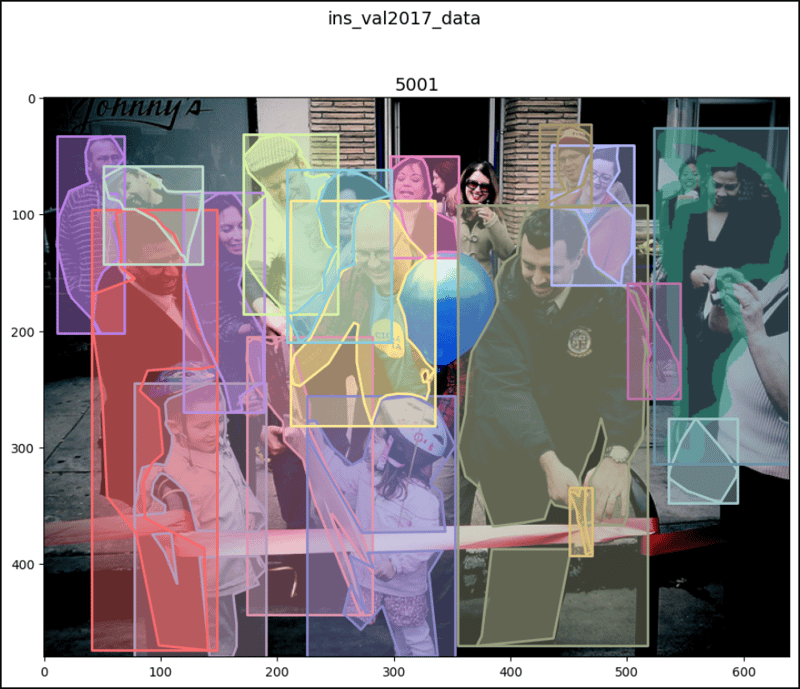
cap_val2017_data[47]
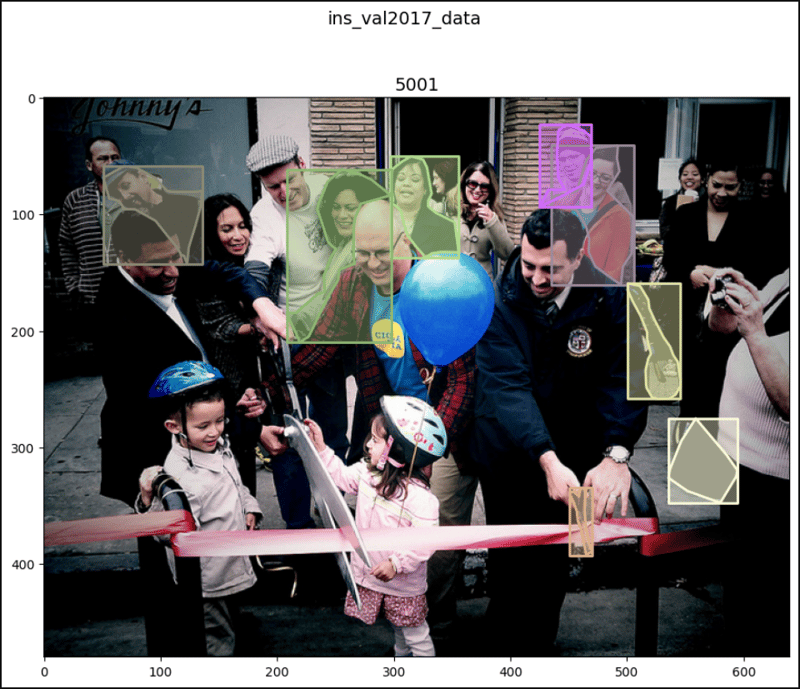
# (<PIL.Image.Image image mode=RGB size=640x480>,
#  [{'image_id': 5001, 'id': 542124124,
#    'caption': 'A group of people cutting a ribbon on a street.'},
#   {'image_id': 5001, 'id': 545685,
#    'caption': 'A man uses a pair of big scissors to cut a pink ribbon.'},
#   {'image_id': 5001, 'id': 549285,
#    'caption': 'A man cutting a ribbon at a ceremony '},
#   {'image_id': 5001, 'id': 549666,
#    'caption': 'A group of people on the sidewalk watching two young children.'},
#   {'image_id': 5001, 'id': 549696,
#    'caption': 'A group of people holding a large pair of scissors to a ribbon.'}])

cap_val2017_data[64]
# (<PIL.Image.Image image mode=RGB size=375x500>,
#  [{'image_id': 6763, 'id': 708378,
#    'caption': 'A man and a women posing next to one another in front of a table.'},
#   {'image_id': 6763, 'id': 709983,
#    'caption': 'A man and woman hugging in a restaurant'},
#   {'image_id': 6763, 'id': 711438,
#    'caption': 'A man and woman standing next to a table.'},
#   {'image_id': 6763, 'id': 711723,
#    'caption': 'A happy man and woman pose for a picture.'},
#   {'image_id': 6763, 'id': 714720,
#    'caption': 'A man and woman posing for a picture in a sports bar.'}])

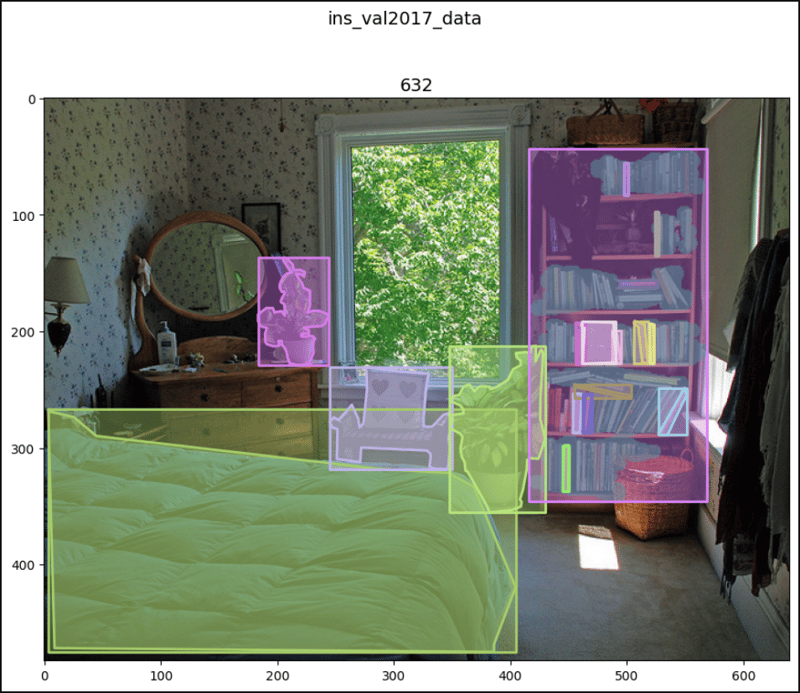
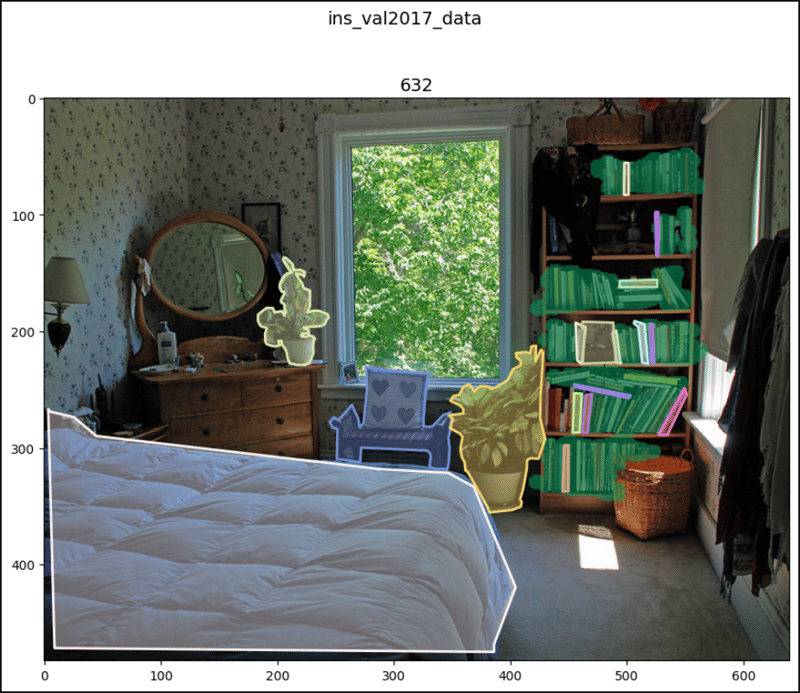
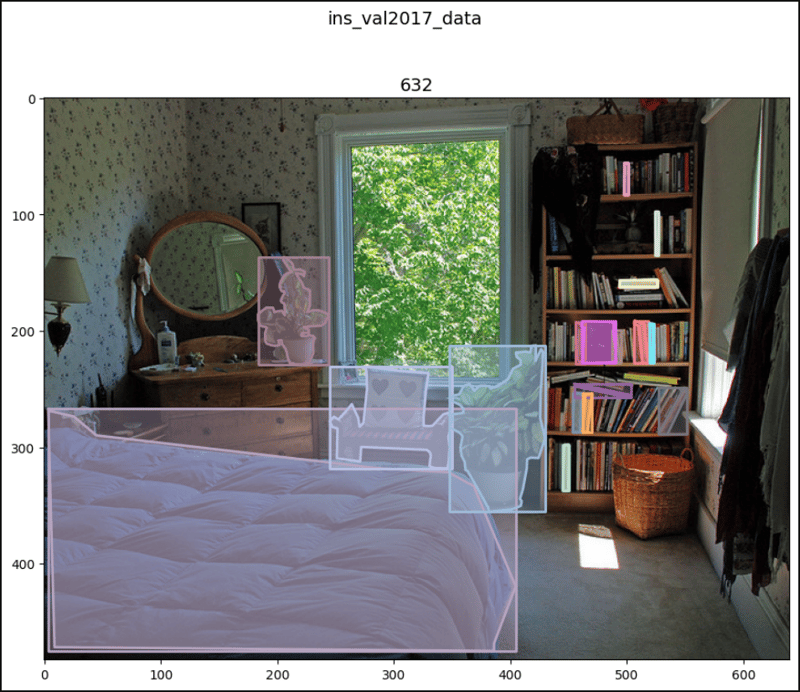
ins_val2017_data[2]
# (<PIL.Image.Image image mode=RGB size=640x483>,
#  [{'segmentation': [[5.45, 269.03, 25.08, ..., 3.27, 266.85]],
#    'area': 64019.87940000001, 'iscrowd': 0, 'image_id': 632,
#    'bbox': [3.27, 266.85, 401.23, 208.25], 'category_id': 65,
#    'id': 315724},
#   {'segmentation': ..., 'category_id': 64, 'id': 1610466},
#   ...
#   {'segmentation': {'counts': [201255, 6, 328, 6, 142, ..., 4, 34074],
#    'size': [483, 640]}, 'area': 20933, 'iscrowd': 1, 'image_id': 632,
#    'bbox': [416, 43, 153, 303], 'category_id': 84,
#    'id': 908400000632}])

ins_val2017_data[47]
# (<PIL.Image.Image image mode=RGB size=640x480>,
#  [{'segmentation': [[210.34, 204.76, 227.6, ..., 195.24, 211.24]],
#    'area': 5645.972500000001, 'iscrowd': 0, 'image_id': 5001,
#    'bbox': [173.66, 204.76, 107.87, 238.39], 'category_id': 87,
#    'id': 1158531},
#   {'segmentation': ..., 'category_id': 1, 'id': 1201627},
#   ...
#   {'segmentation': {'counts': [251128, 24, 451, 32, 446, ..., 43, 353],
#    'size': [480, 640]}, 'area': 10841, 'iscrowd': 1, 'image_id': 5001,
#    'bbox': [523, 26, 116, 288], 'category_id': 1, 'id': 900100005001}])

ins_val2017_data[64]
# (<PIL.Image.Image image mode=RGB size=375x500>,
#  [{'segmentation': [[232.06, 92.6, 369.96, ..., 223.09, 93.72]],
#    'area': 11265.648799999995, 'iscrowd': 0, 'image_id': 6763
#    'bbox': [219.73, 64.57, 151.35, 126.69], 'category_id': 72,
#    'id': 30601},
#   {'segmentation': ..., 'category_id': 1, 'id': 197649},
#   ...
#   {'segmentation': ..., 'category_id': 1, 'id': 1228674}])

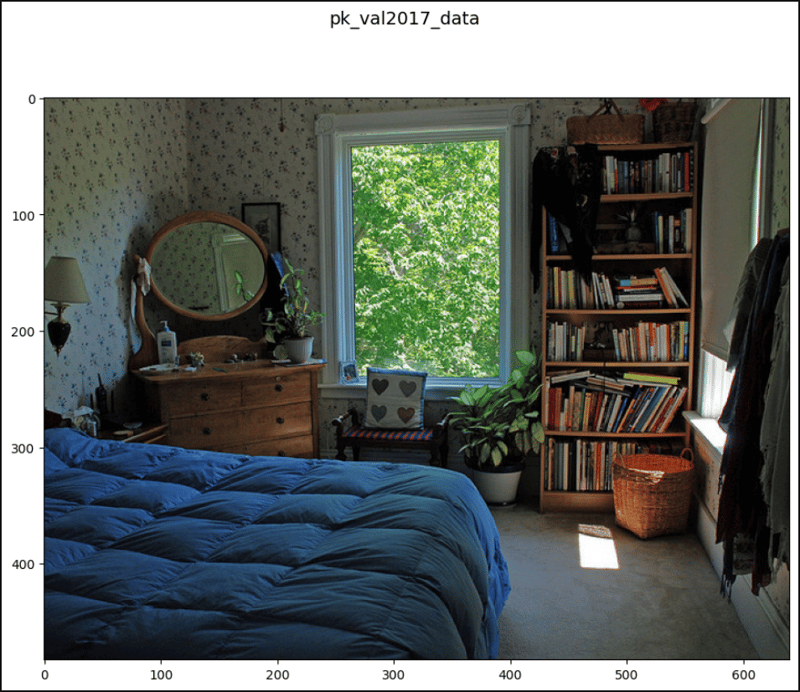
pk_val2017_data[2]
# (<PIL.Image.Image image mode=RGB size=640x483>, [])

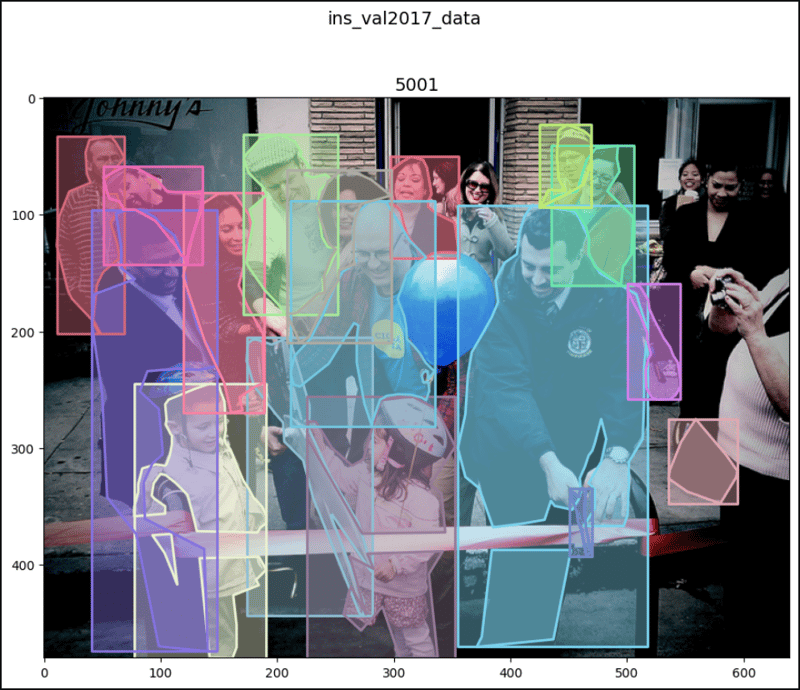
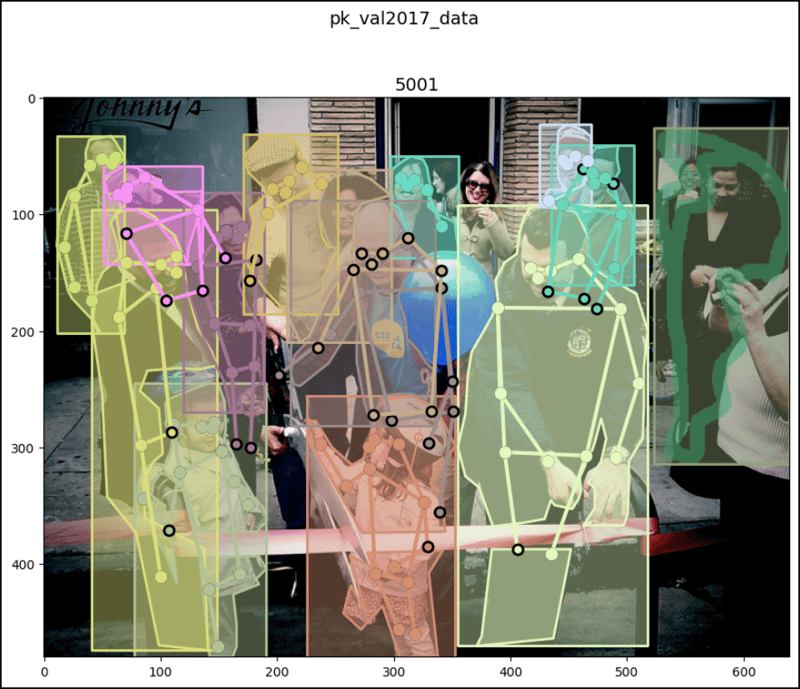
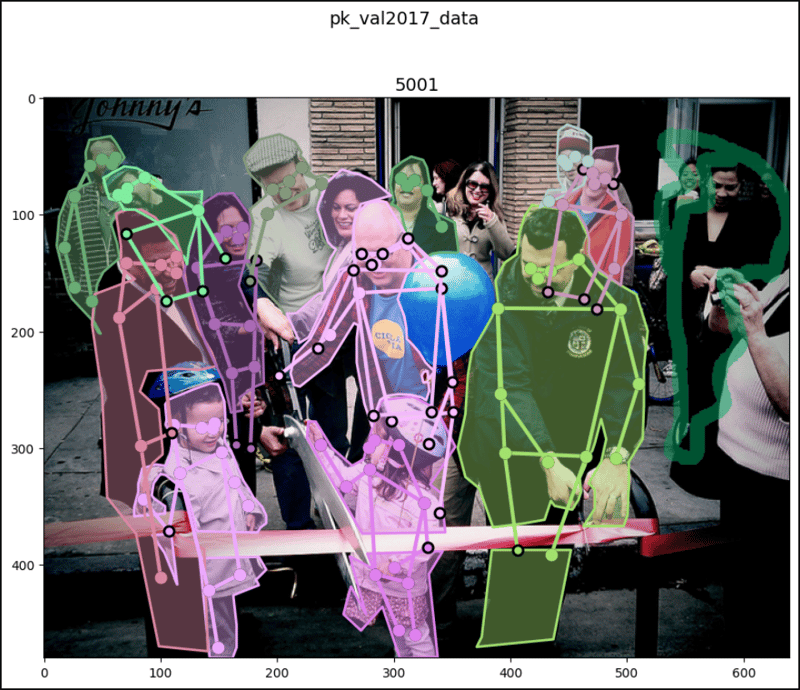
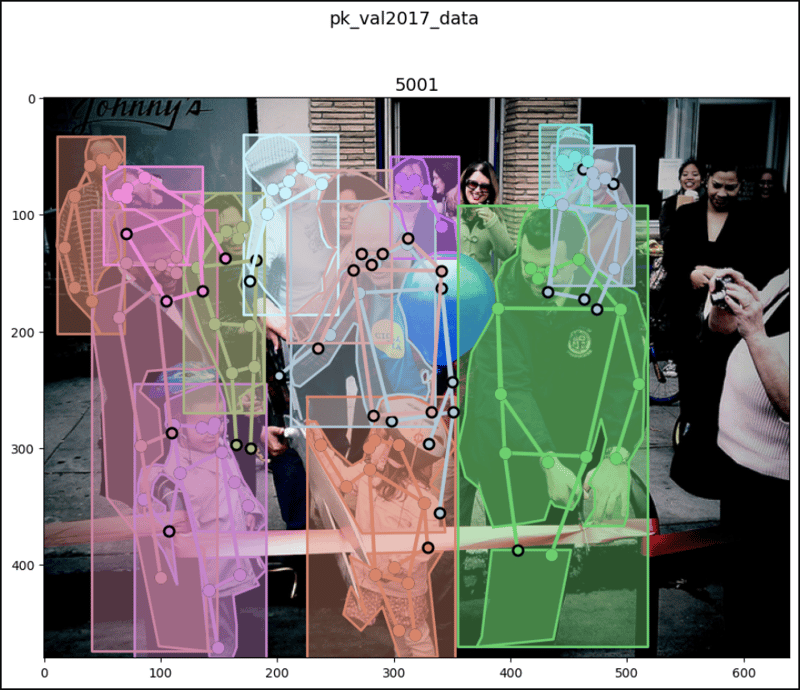
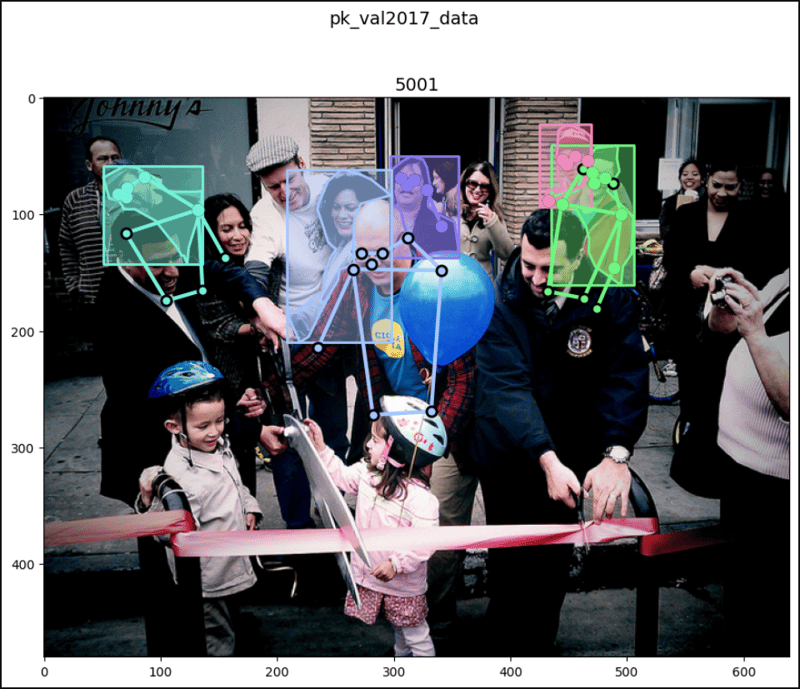
pk_val2017_data[47]
# (<PIL.Image.Image image mode=RGB size=640x480>,
#  [{'segmentation': [[42.07, 190.11, 45.3, ..., 48.54, 201.98]],
#    'num_keypoints': 8, 'area': 5156.63, 'iscrowd': 0,
#    'keypoints': [58, 56, 2, 61, ..., 0, 0], 'image_id': 5001,
#    'bbox': [10.79, 32.63, 58.24, 169.35], 'category_id': 1,
#    'id': 1201627},
#   {'segmentation': ..., 'category_id': 1, 'id': 1220394},
#   ...
#   {'segmentation': {'counts': [251128, 24, 451, 32, 446, ..., 43, 353], #    'size': [480, 640]}, 'num_keypoints': 0, 'area': 10841,
#    'iscrowd': 1, 'keypoints': [0, 0, 0, 0, ..., 0, 0],
#    'image_id': 5001, 'bbox': [523, 26, 116, 288],
#    'category_id': 1, 'id': 900100005001}])

pk_val2017_data[64]
# (<PIL.Image.Image image mode=RGB size=375x500>,
#  [{'segmentation': [[94.38, 462.92, 141.57, ..., 100.27, 459.94]],
#    'num_keypoints': 10, 'area': 36153.48825, 'iscrowd': 0,
#    'keypoints': [228, 202, 2, 252, ..., 0, 0], 'image_id': 6763,
#    'bbox': [79.48, 131.87, 254.23, 331.05], 'category_id': 1,
#    'id': 197649},
#   {'segmentation': ..., 'category_id': 1, 'id': 212640},
#   ...
#   {'segmentation': ..., 'category_id': 1, 'id': 1228674}])

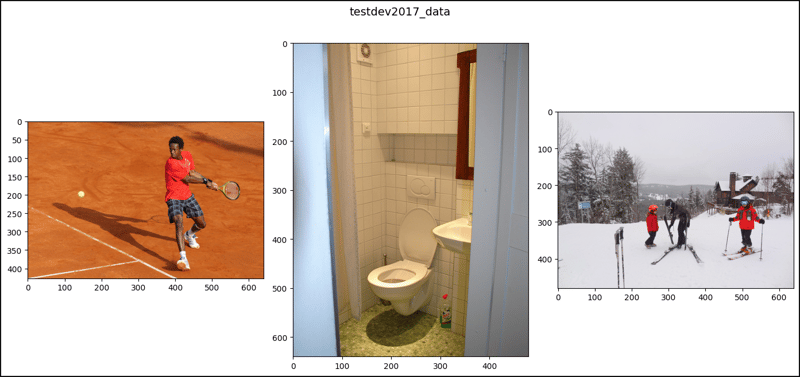
test2017_data[2]
# (<PIL.Image.Image image mode=RGB size=640x427>, [])

test2017_data[47]
# (<PIL.Image.Image image mode=RGB size=640x406>, [])

test2017_data[64]
# (<PIL.Image.Image image mode=RGB size=640x427>, [])

testdev2017_data[2]
# (<PIL.Image.Image image mode=RGB size=640x427>, [])

testdev2017_data[47]
# (<PIL.Image.Image image mode=RGB size=480x640>, [])

testdev2017_data[64]
# (<PIL.Image.Image image mode=RGB size=640x480>, [])

import matplotlib.pyplot as plt
from matplotlib.patches import Polygon, Rectangle
import numpy as np
from pycocotools import mask

# `show_images1()` doesn't work very well for the images with
# segmentations and keypoints so for them, use `show_images2()` which
# more uses the original coco functions.
def show_images1(data, ims, main_title=None):
    file = data.root.split('/')[-1]
    fig, axes = plt.subplots(nrows=1, ncols=3, figsize=(14, 8))
    fig.suptitle(t=main_title, y=0.9, fontsize=14)
    x_crd = 0.02
    for i, axis in zip(ims, axes.ravel()):
        if data[i][1] and "caption" in data[i][1][0]:
            im, anns = data[i]
            axis.imshow(X=im)
            axis.set_title(label=anns[0]["image_id"])
            y_crd = 0.0
            for ann in anns:
                text_list = ann["caption"].split()
                if len(text_list) > 9:
                    text = " ".join(text_list[0:10]) + " ..."
                else:
                    text = " ".join(text_list)
                plt.figtext(x=x_crd, y=y_crd, fontsize=10,
                            s=f'{ann["id"]}:\n{text}')
                y_crd -= 0.06
            x_crd += 0.325
            if i == 2 and file == "val2017":
                x_crd += 0.06
        if data[i][1] and "segmentation" in data[i][1][0]:
            im, anns = data[i]
            axis.imshow(X=im)
            axis.set_title(label=anns[0]["image_id"])
            for ann in anns:
                if "counts" in ann['segmentation']:
                    seg = ann['segmentation']

                    # rle is Run Length Encoding.
                    uncompressed_rle = [seg['counts']]
                    height, width = seg['size']
                    compressed_rle = mask.frPyObjects(pyobj=uncompressed_rle,
                                                      h=height, w=width)
                    # rld is Run Length Decoding.
                    compressed_rld = mask.decode(rleObjs=compressed_rle)
                    y_plts, x_plts = np.nonzero(a=np.squeeze(a=compressed_rld))
                    axis.plot(x_plts, y_plts, color='yellow')
                else:
                    for seg in ann['segmentation']:
                        seg_arrs = np.split(ary=np.array(seg),
                                            indices_or_sections=len(seg)/2)
                        poly = Polygon(xy=seg_arrs,
                                       facecolor="lightgreen", alpha=0.7)
                        axis.add_patch(p=poly)
                        x_plts = [seg_arr[0] for seg_arr in seg_arrs]
                        y_plts = [seg_arr[1] for seg_arr in seg_arrs]
                        axis.plot(x_plts, y_plts, color='yellow')
                x, y, w, h = ann['bbox']
                rect = Rectangle(xy=(x, y), width=w, height=h,
                                 linewidth=3, edgecolor='r',
                                 facecolor='none', zorder=2)
                axis.add_patch(p=rect)
                if data[i][1] and 'keypoints' in data[i][1][0]:
                    kps = ann['keypoints']
                    kps_arrs = np.split(ary=np.array(kps),
                                        indices_or_sections=len(kps)/3)
                    x_plts = [kps_arr[0] for kps_arr in kps_arrs]
                    y_plts = [kps_arr[1] for kps_arr in kps_arrs]
                    nonzeros_x_plts = []
                    nonzeros_y_plts = []
                    for x_plt, y_plt in zip(x_plts, y_plts):
                        if x_plt == 0 and y_plt == 0:
                            continue
                        nonzeros_x_plts.append(x_plt)
                        nonzeros_y_plts.append(y_plt)
                    axis.scatter(x=nonzeros_x_plts, y=nonzeros_y_plts,
                                 color='yellow')
                    # ↓ ↓ ↓ ↓ ↓ ↓ ↓ ↓ Bad result ↓ ↓ ↓ ↓ ↓ ↓ ↓ ↓
                    # axis.plot(nonzeros_x_plts, nonzeros_y_plts)
        if not data[i][1]:
            im, _ = data[i]
            axis.imshow(X=im)
    fig.tight_layout()
    plt.show()

ims = (2, 47, 64)

show_images1(data=cap_train2017_data, ims=ims,
             main_title="cap_train2017_data")
show_images1(data=ins_train2017_data, ims=ims,
             main_title="ins_train2017_data")
show_images1(data=pk_train2017_data, ims=ims,
             main_title="pk_train2017_data")
print()
show_images1(data=cap_val2017_data, ims=ims,
             main_title="cap_val2017_data")
show_images1(data=ins_val2017_data, ims=ims,
             main_title="ins_val2017_data")
show_images1(data=pk_val2017_data, ims=ims,
             main_title="pk_val2017_data")
print()
show_images(data=test2017_data, ims=ims,
            main_title="test2017_data")
show_images(data=testdev2017_data, ims=ims,
            main_title="testdev2017_data")

# `show_images2()` works very well for the images with segmentations and
# keypoints.
def show_images2(data, index, main_title=None):
    img_set = data[index]
    img, img_anns = img_set

    if img_anns and "segmentation" in img_anns[0]:
        img_id = img_anns[0]['image_id']
        coco = data.coco
        def show_image(imgIds, areaRng=[],
                       iscrowd=None, draw_bbox=False):
            plt.figure(figsize=(11, 8))
            plt.imshow(X=img)
            plt.suptitle(t=main_title, y=1, fontsize=14)
            plt.title(label=img_id, fontsize=14)
            anns_ids = coco.getAnnIds(imgIds=img_id,
                                      areaRng=areaRng, iscrowd=iscrowd)
            anns = coco.loadAnns(ids=anns_ids)
            coco.showAnns(anns=anns, draw_bbox=draw_bbox)
            plt.show()
        show_image(imgIds=img_id, draw_bbox=True)
        show_image(imgIds=img_id, draw_bbox=False)
        show_image(imgIds=img_id, iscrowd=False, draw_bbox=True)
        show_image(imgIds=img_id, areaRng=[0, 5000], draw_bbox=True)
    elif img_anns and not "segmentation" in img_anns[0]:
        plt.figure(figsize=(11, 8))
        img_id = img_anns[0]['image_id']
        plt.imshow(X=img)
        plt.suptitle(t=main_title, y=1, fontsize=14)
        plt.title(label=img_id, fontsize=14)
        plt.show()
    elif not img_anns:
        plt.figure(figsize=(11, 8))
        plt.imshow(X=img)
        plt.suptitle(t=main_title, y=1, fontsize=14)
        plt.show()
show_images2(data=ins_val2017_data, index=2,
             main_title="ins_val2017_data")
print()
show_images2(data=pk_val2017_data, index=2,
             main_title="pk_val2017_data")
print()
show_images2(data=ins_val2017_data, index=47,
             main_title="ins_val2017_data")
print()
show_images2(data=pk_val2017_data, index=47,
             main_title="pk_val2017_data")