需求如下:
本人最近在做毕业设计,音乐app,现在遇到问题,想做一个自适应宽度的tableviewcell,里面有三个imageView,imageView的宽度根据屏幕大小自适应,实现imageView的三等分,即imageView宽度自适应,但是imageView的高度要跟宽度是一样高的,即宽高比为1:1。(注明:我的测试图片为宽高比为2:1)。
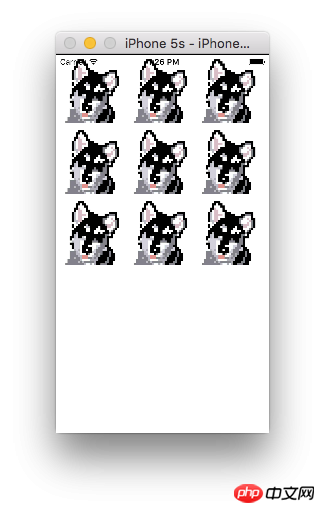
程序运行如图
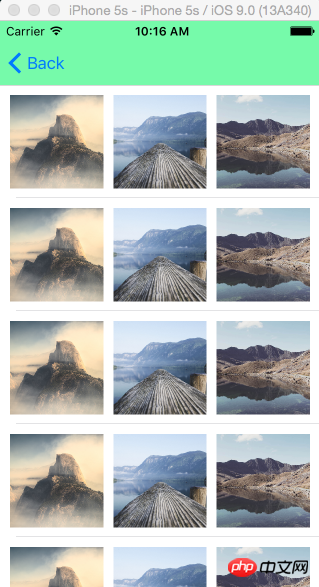
确实是实现了我的需求,但是运行的时候控制台会出现很多很多的说我的约束出现错误。
先上一下我设置的约束,这是我的xib图片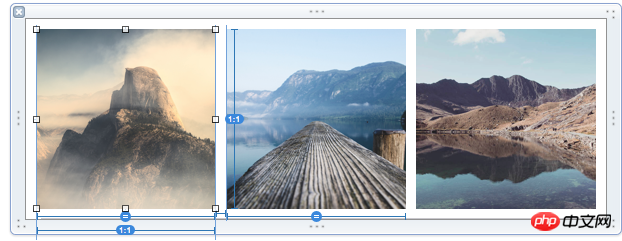
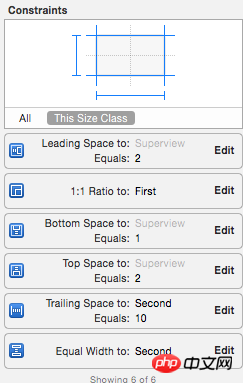
好了,现在一个一个看约束,第一个imageView的约束
第二个imageView的约束
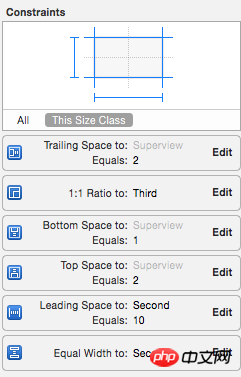
第三个imageView的约束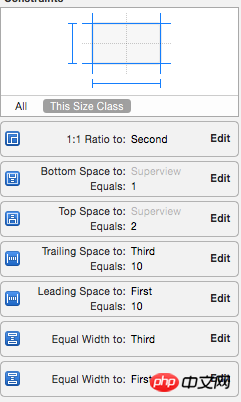
我大概知道最关键的一部分错在哪里,就是我给每个imageView都加了一个约束就是 aspect ratio = 1:1,如果去掉这个约束的话程序运行时控制台是不会说约束错误的,但是去掉了这个约束的话又不是我想要的结果。
下面是控制台的输出
Probably at least one of the constraints in the following list is one you don't want. Try this: (1) look at each constraint and try to figure out which you don't expect; (2) find the code that added the unwanted constraint or constraints and fix it. (Note: If you're seeing NSAutoresizingMaskLayoutConstraints that you don't understand, refer to the documentation for the UIView property translatesAutoresizingMaskIntoConstraints)
(
"",
"",
"",
"",
"",
"",
"",
"",
"",
"",
""
)
Will attempt to recover by breaking constraint
Make a symbolic breakpoint at UIViewAlertForUnsatisfiableConstraints to catch this in the debugger.
The methods in the UIConstraintBasedLayoutDebugging category on UIView listed in


Copyright 2014-2025 https://www.php.cn/ All Rights Reserved | php.cn | 湘ICP备2023035733号



 10
10 947
947





 收藏
收藏











这样的设计的并不建议用UITableView,可以用UICollectionView。
首先,看一堆代码上的约束,你使用了margin.这是不被建议的。至少iOS7不支持,其实这个margin也没有必要用。然后,你希望的三等分效果,约束上是有问题的,我首先稍微处理了一下你的代码
问题在于,1:1的比例 等宽 间隔都没有问题,问题在于,垂直的距离上,因为Cell的高度是由tableView决定的,因此image的垂直距离,不能又有top,又有bottom,这样子的话image的高度就由cell的高度决定了,而image的宽度又是由cell的宽度决定的。又想让他们一样,这不是强人所难么
你写了一些没必要的约束,或者约束之间冲突了,我之前看 Auto Layout 也做过这个,可以参考一下:
左:
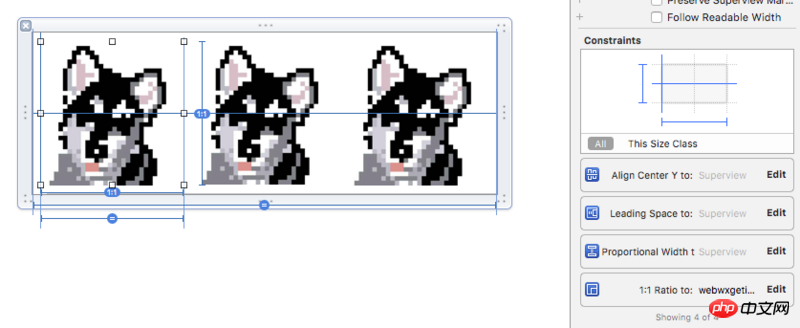
中:
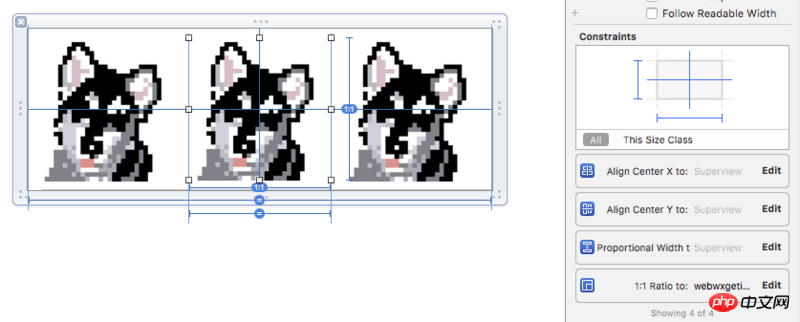
右:
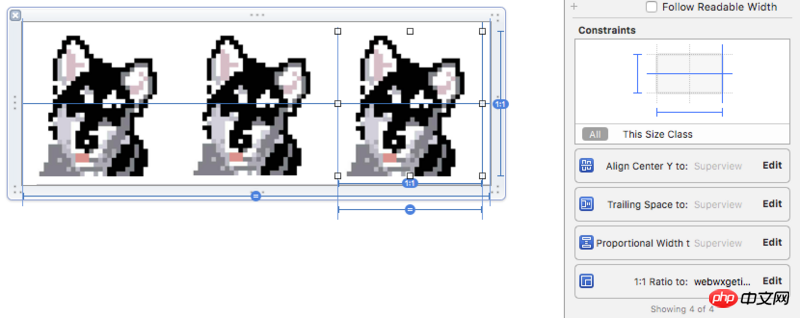
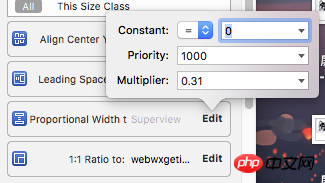
其中 Proportional Width to: Superview 一项的参数为 0.31:
TVC中(这里没能用 Auto Layout 解决,不太满意,有知道怎么做的求指教!):
结果:
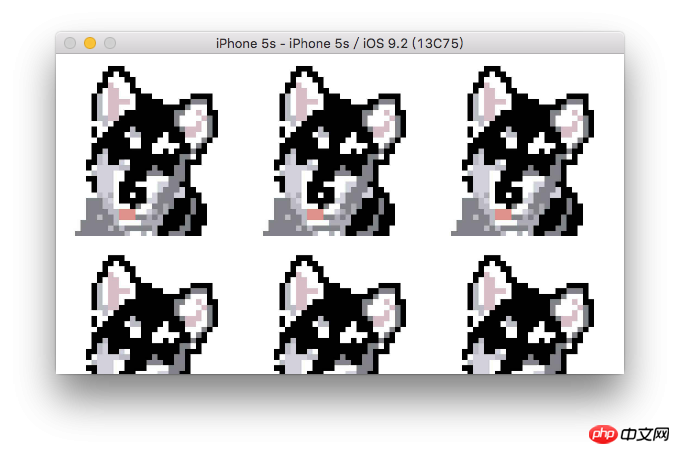
变宽也一样(丑出声。。。):
没仔细看你问题。做等分我是这样的
拖 3 个 view 出来
大致位置位置摆放好
选择三个 view 设置等宽等高约束
分别选择三个 view
四边约束都是0 0 0 0
然后更新一下三个 view 的 frame
然后就等分了。。。不知道我有没有说明白
是iOS7吗?
用UICollectionView比较好,不需要弄那么麻烦
的确是 UICollectionView 比较好,像我之前做的日历,干脆也是直接用了它
这种布局的话,用 collection View 比较好
郁闷,代码不是很简单么宽丨3。。。。
为什么不用CollectionView呢