

更改 css 中元素的背景颜色非常简单明了。步骤是:
选择元素:决定要更改其背景颜色的 html 元素。
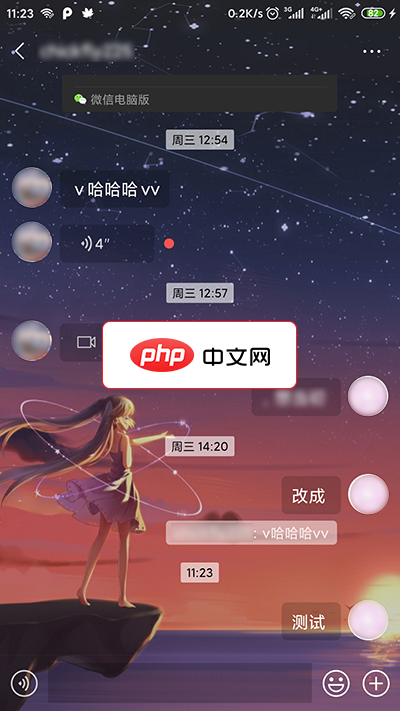
MDWechat是一款xposed插件,能够使使微信Material Design化。功能实现的功能有:1.主界面 TabLayout Material 化,支持自定义图标2.主界面 4 个页面背景修改3.全局 ActionBar 和 状态栏 颜色修改,支持主界面和聊天页面的沉浸主题(4.0新增)4.自动识别微信深色模式以调整MDwechat配色方案(3.6新增)5.主界面添加悬浮按钮(Float
 0
0

使用背景颜色:在 css 文件中或 html 中的 <style> 标签中应用背景颜色属性。
<!doctype html>
<html>
<head>
  <link rel="stylesheet" type="text/css" href="styles.css">
</head>
<body>
  <div class="container">
    <p id="paragraph">this is a paragraph.</p>
    <button>click me</button>
  </div>
</body>
</html>
/* Change background color of the body */
body {
  background-color: lightblue;
}

/* Change background color of an element with the class 'container' */
.container {
  background-color: lightgreen;
}

/* Change background color of an element with the id 'paragraph' */
#paragraph {
  background-color: lightyellow;
}

/* Change background color of all button elements */
button {
  background-color: lightcoral;
}
以上就是更改 CSS 中的背景颜色的详细内容,更多请关注php中文网其它相关文章!

每个人都需要一台速度更快、更稳定的 PC。随着时间的推移,垃圾文件、旧注册表数据和不必要的后台进程会占用资源并降低性能。幸运的是,许多工具可以让 Windows 保持平稳运行。

 广告
广告Copyright 2014-2025 https://www.php.cn/ All Rights Reserved | php.cn | 湘ICP备2023035733号


 396
396








 收藏
收藏













