
本文介绍MySQL查看数据库表容量大小的命令语句,提供完整查询语句及实例,方便大家学习使用。
1.查看所有数据库容量大小
select table_schema as '数据库',sum(table_rows) as '记录数',sum(truncate(data_length/1024/1024, 2)) as '数据容量(MB)',sum(truncate(index_length/1024/1024, 2)) as '索引容量(MB)'from information_schema.tablesgroup by table_schemaorder by sum(data_length) desc, sum(index_length) desc;
2.查看所有数据库各表容量大小
select table_schema as '数据库',
table_name as '表名',
table_rows as '记录数',truncate(data_length/1024/1024, 2) as '数据容量(MB)',truncate(index_length/1024/1024, 2) as '索引容量(MB)'from information_schema.tablesorder by data_length desc, index_length desc;
3.查看指定数据库容量大小
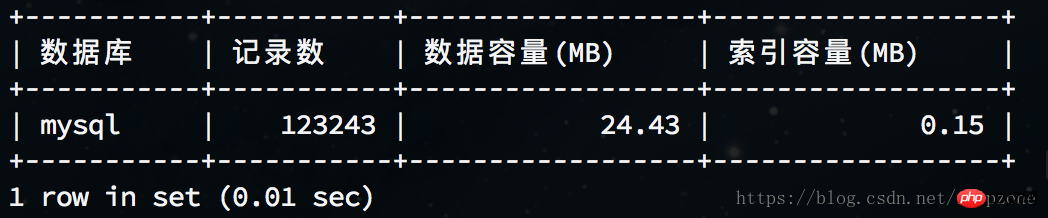
例:查看mysql库容量大小
select table_schema as '数据库',sum(table_rows) as '记录数',sum(truncate(data_length/1024/1024, 2)) as '数据容量(MB)',sum(truncate(index_length/1024/1024, 2)) as '索引容量(MB)'from information_schema.tableswhere table_schema='mysql';
4.查看指定数据库各表容量大小
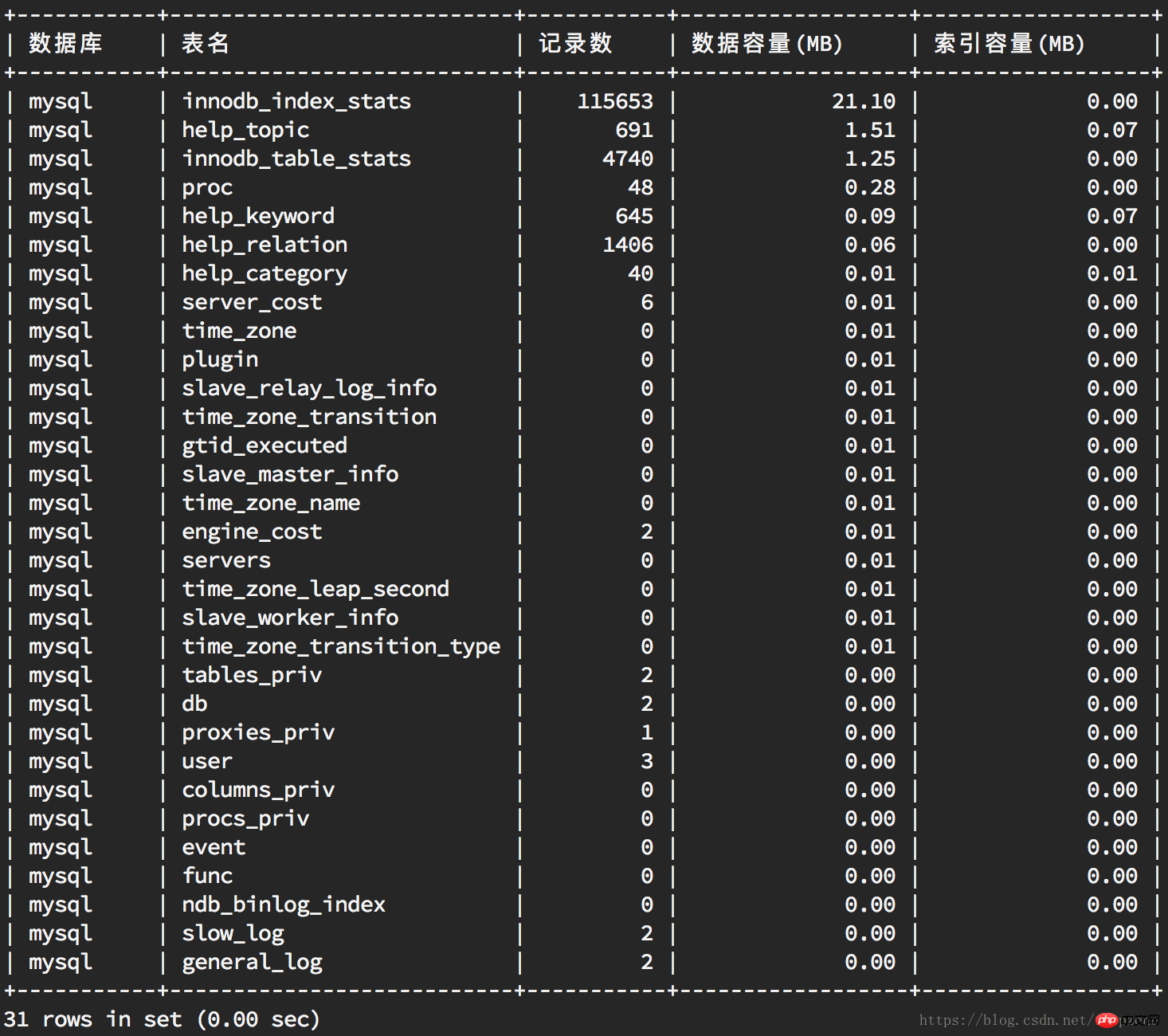
例:查看mysql库各表容量大小
select table_schema as '数据库',
table_name as '表名',
table_rows as '记录数',truncate(data_length/1024/1024, 2) as '数据容量(MB)',truncate(index_length/1024/1024, 2) as '索引容量(MB)'from information_schema.tableswhere table_schema='mysql'order by data_length desc, index_length desc;

动态WEB网站中的PHP和MySQL详细反映实际程序的需求,仔细地探讨外部数据的验证(例如信用卡卡号的格式)、用户登录以及如何使用模板建立网页的标准外观。动态WEB网站中的PHP和MySQL的内容不仅仅是这些。书中还提到如何串联JavaScript与PHP让用户操作时更快、更方便。还有正确处理用户输入错误的方法,让网站看起来更专业。另外还引入大量来自PEAR外挂函数库的强大功能,对常用的、强大的包
 508
508

本文讲解了MySQL查看数据库表容量大小,更多相关知识请关注php中文网。
相关推荐:
以上就是MySQL查看数据库表容量大小的详细内容,更多请关注php中文网其它相关文章!

每个人都需要一台速度更快、更稳定的 PC。随着时间的推移,垃圾文件、旧注册表数据和不必要的后台进程会占用资源并降低性能。幸运的是,许多工具可以让 Windows 保持平稳运行。

Copyright 2014-2025 https://www.php.cn/ All Rights Reserved | php.cn | 湘ICP备2023035733号


 696
696




 收藏
收藏













