
这篇文章主要为大家详细介绍了html制作简单而漂亮的登录页面具体代码,具有一定的参考价值,感兴趣的小伙伴们可以参考一下
先来看看样子。
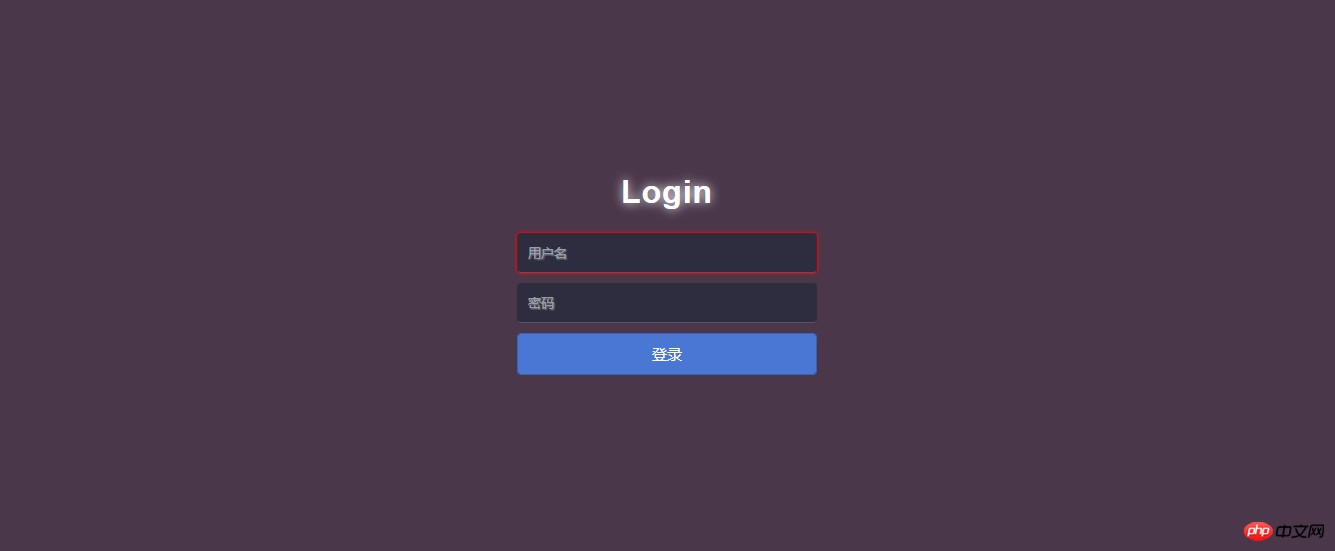
html源码:
XML/HTML Code复制内容到剪贴板
<!DOCTYPE html>
<html lang="en">
<head>
    <meta charset="UTF-8">
    <title>Login</title>
    <link rel="stylesheet" type="text/css" href="Login.css"/>
</head>
<body>
    <p id="login">
        <h1>Login</h1>
        <form method="post">
            <input type="text" required="required" placeholder="用户名" name="u"></input>
            <input type="password" required="required" placeholder="密码" name="p"></input>
            <button class="but" type="submit">登录</button>
        </form>
    </p>
</body>
</html>css代码:
立即学习“前端免费学习笔记(深入)”;
本系统经过多次升级改造,系统内核经过多次优化组合,已经具备相对比较方便快捷的个性化定制的特性,用户部署完毕以后,按照自己的运营要求,可实现快速定制会费管理,支持在线缴费和退费功能财富中心,管理会员的诚信度数据单客户多用户登录管理全部信息支持审批和排名不同的会员级别有不同的信息发布权限企业站单独生成,企业自主决定更新企业站信息留言、询价、报价统一管理,分系统查看分类信息参数化管理,支持多样分类信息,
 0
0

CSS Code复制内容到剪贴板
html{
    width: 100%;
    height: 100%;
    overflow: hidden;
    font-style: sans-serif;
}
body{
    width: 100%;
    height: 100%;
    font-family: 'Open Sans',sans-serif;
    margin: 0;
    background-color: #4A374A;
}
#login{
    position: absolute;
    top: 50%;
    left:50%;
    margin: -150px 0 0 -150px;
    width: 300px;
    height: 300px;
}
#login h1{
    color: #fff;
    text-shadow:0 0 10px;
    letter-spacing: 1px;
    text-align: center;
}
h1{
    font-size: 2em;
    margin: 0.67em 0;
}
input{
    width: 278px;
    height: 18px;
    margin-bottom: 10px;
    outline: none;
    padding: 10px;
    font-size: 13px;
    color: #fff;
    text-shadow:1px 1px 1px;
    border-top: 1px solid #312E3D;
    border-left: 1px solid #312E3D;
    border-right: 1px solid #312E3D;
    border-bottom: 1px solid #56536A;
    border-radius: 4px;
    background-color: #2D2D3F;
}
.but{
    width: 300px;
    min-height: 20px;
    display: block;
    background-color: #4a77d4;
    border: 1px solid #3762bc;
    color: #fff;
    padding: 9px 14px;
    font-size: 15px;
    line-height: normal;
    border-radius: 5px;
    margin: 0;
}总结:
代码如下:
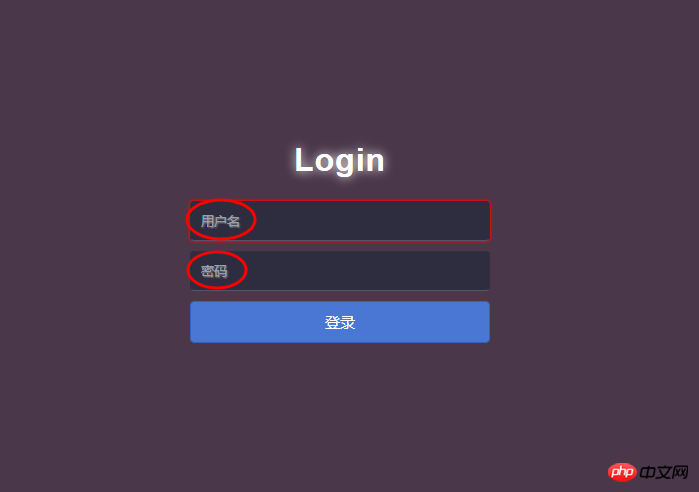
<input type="text" required="required" **placeholder="用户名"** name="u"></input>
<input type="password" required="required" **placeholder="密码"** name="p"></input>
placeholder="用户名"的作用:占位符
【相关推荐】
1. Html免费视频教程
以上就是Html完成一个简单的登录页面的详细内容,更多请关注php中文网其它相关文章!

HTML怎么学习?HTML怎么入门?HTML在哪学?HTML怎么学才快?不用担心,这里为大家提供了HTML速学教程(入门课程),有需要的小伙伴保存下载就能学习啦!

Copyright 2014-2025 https://www.php.cn/ All Rights Reserved | php.cn | 湘ICP备2023035733号


 482
482




 收藏
收藏













