
<!DOCTYPE html><html lang="en"><head>
    <meta charset="UTF-8">
    <title>H5布局0</title>
    <style type="text/css">
        body{            margin: 0px;;
        }
        #container{            width:100%;            height: 950px;            background-color: chartreuse;        }
        #heading{            width: 100%;            height: 10%;            background-color: brown;        }
        #content_menu{            width:30%;            height: 80%;            background-color: blue;            float: left;        }
        #content_body{            width: 70%;            height: 80%;            background-color: darkgreen;            float: left;        }
        #footer{            width: 100%;            height: 10%;            background-color: aliceblue;            clear: both;        }

    </style></head><body>
    <p id="container">
        <p id="heading">头部</p>
        <p id="content_menu">内容菜单</p>
        <p id="content_body">内容主体</p>
        <p id="footer">尾部</p>
    </p></body></html>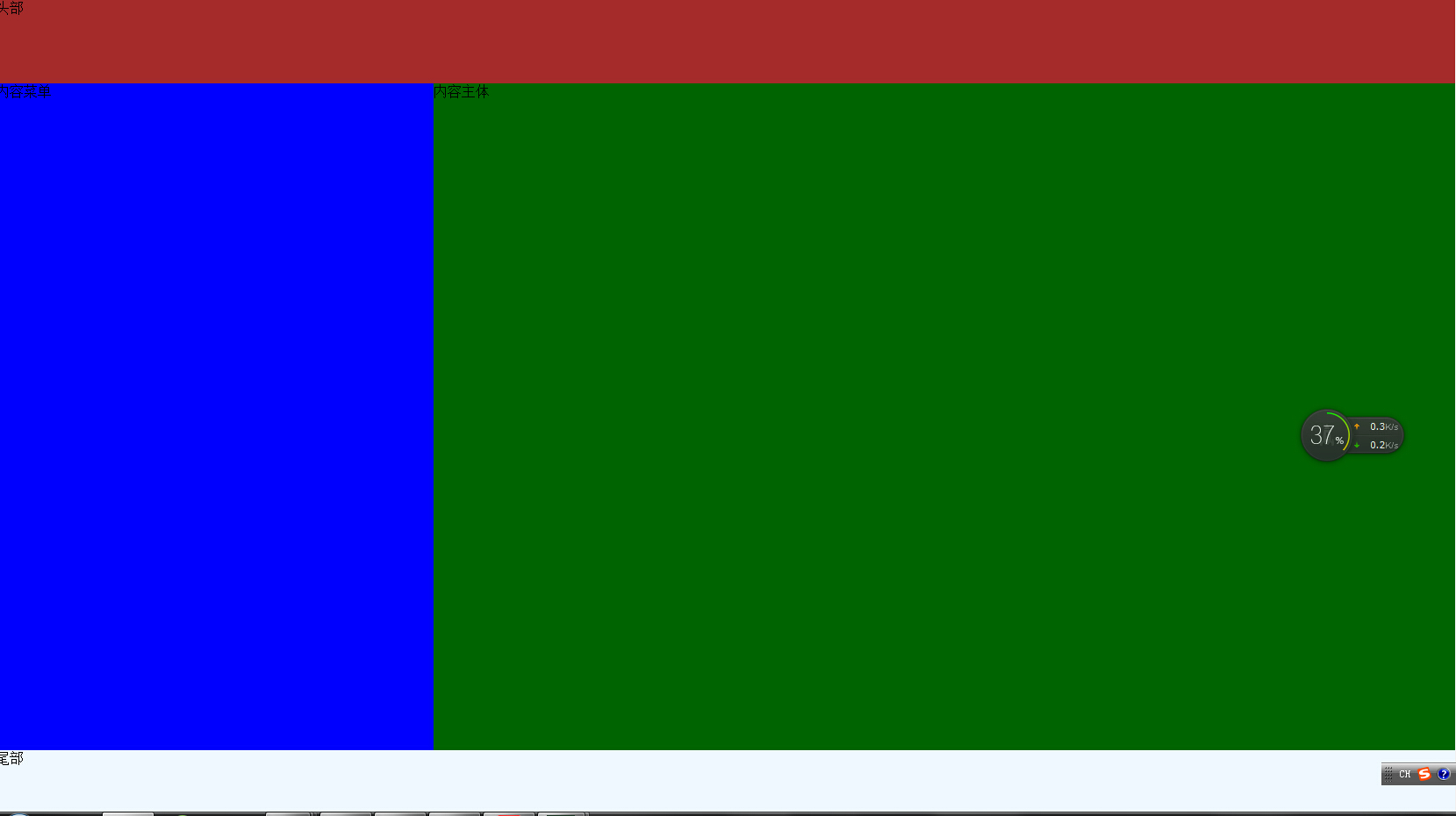
<!DOCTYPE html><html lang="en"><head>
    <meta charset="UTF-8">
    <title>H5布局0</title></head><body>
    <table width="100%" height="950px" style="background-color: chartreuse">
        <tr>
            <td width="100%" height="10%" style="background-color: brown" colspan="3">头部</td>
        </tr>
        <tr>
            <td width="20%" height="80%" style="background-color: aqua">左菜单</td>
            <td width="60%" height="80%" style="background-color: black">主体</td>
            <td width="200%" height="80%" style="background-color:crimson">右菜单</td>
        </tr>
        <tr>
           <td width="100%" height="10%" style="background-color: deeppink" colspan="3">尾部</td>
        </tr>

    </table></body></html>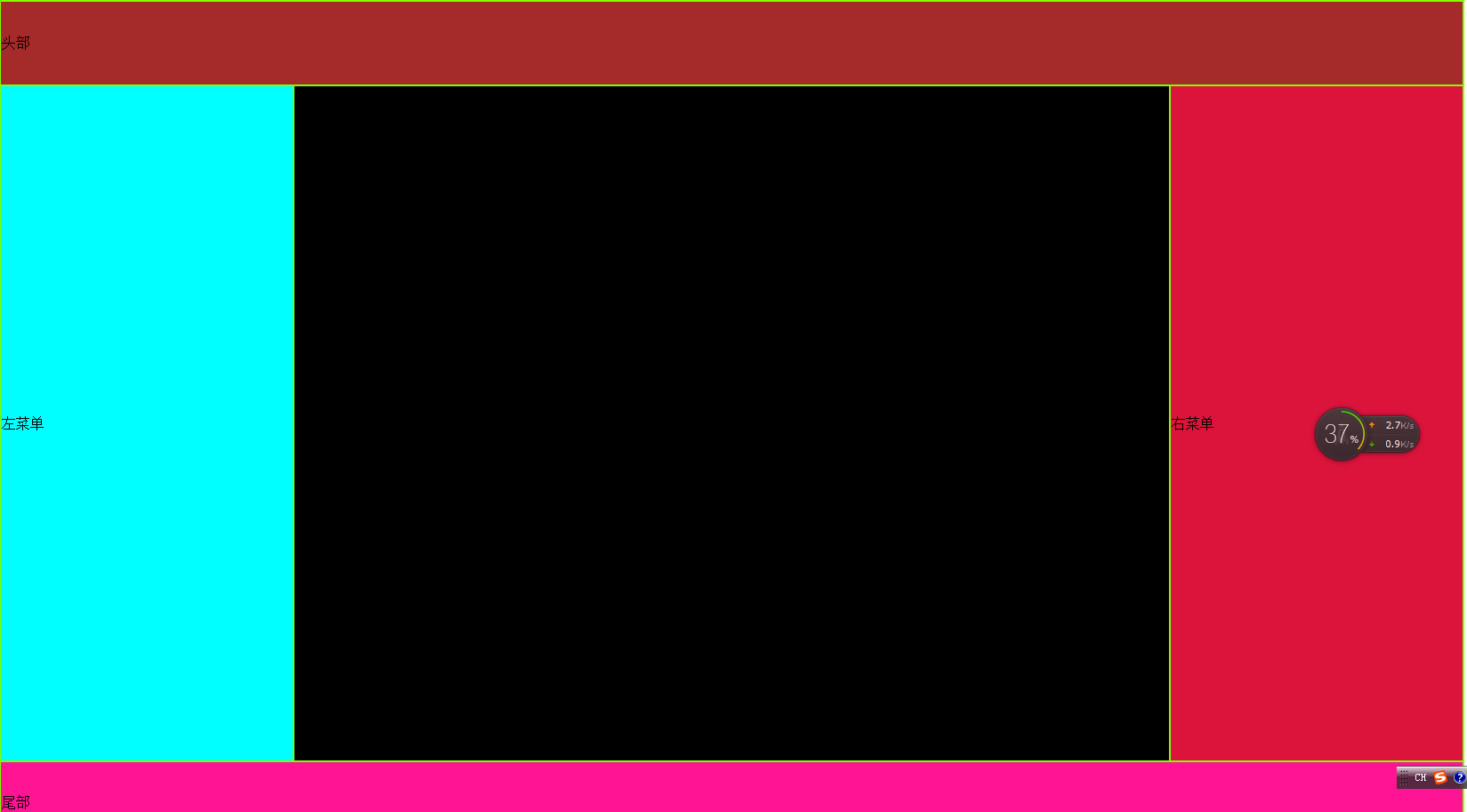
<!DOCTYPE html><html lang="en"><head>
    <meta charset="UTF-8">
    <title>H5布局0</title>
    <style type="text/css">
        body{            margin: 0px;;
        }
        #container{            width:100%;            height: 950px;            background-color: chartreuse;        }
        #heading{            width: 100%;            height: 10%;            background-color: brown;        }
        #content_menu{            width:30%;            height: 80%;            background-color: blue;            float: left;        }
        #content_body{            width: 70%;            height: 80%;            background-color: darkgreen;            float: left;        }
        #footer{            width: 100%;            height: 10%;            background-color: aliceblue;            clear: both;        }

    </style></head><body>
    <p id="container">
        <p id="heading">头部</p>
        <p id="content_menu">内容菜单</p>
        <p id="content_body">内容主体</p>
        <p id="footer">尾部</p>
    </p></body></html>
<!DOCTYPE html><html lang="en"><head>
    <meta charset="UTF-8">
    <title>H5布局0</title></head><body>
    <table width="100%" height="950px" style="background-color: chartreuse">
        <tr>
            <td width="100%" height="10%" style="background-color: brown" colspan="3">头部</td>
        </tr>
        <tr>
            <td width="20%" height="80%" style="background-color: aqua">左菜单</td>
            <td width="60%" height="80%" style="background-color: black">主体</td>
            <td width="200%" height="80%" style="background-color:crimson">右菜单</td>
        </tr>
        <tr>
           <td width="100%" height="10%" style="background-color: deeppink" colspan="3">尾部</td>
        </tr>

    </table></body></html>
以上就是H5学习之旅-H5的布局(10)的内容,更多相关内容请关注PHP中文网(www.php.cn)!

每个人都需要一台速度更快、更稳定的 PC。随着时间的推移,垃圾文件、旧注册表数据和不必要的后台进程会占用资源并降低性能。幸运的是,许多工具可以让 Windows 保持平稳运行。

 广告
广告
 收藏
收藏
 收藏
收藏
 收藏
收藏
Copyright 2014-2025 https://www.php.cn/ All Rights Reserved | php.cn | 湘ICP备2023035733号





 476
476














