
定义和用法
setInterval() 方法可按照指定的周期(以毫秒计)来调用函数或计算表达式。
setInterval() 方法会不停地调用函数,直到 clearInterval() 被调用或窗口被关闭。由 setInterval() 返回的 ID 值可用作 clearInterval() 方法的参数。
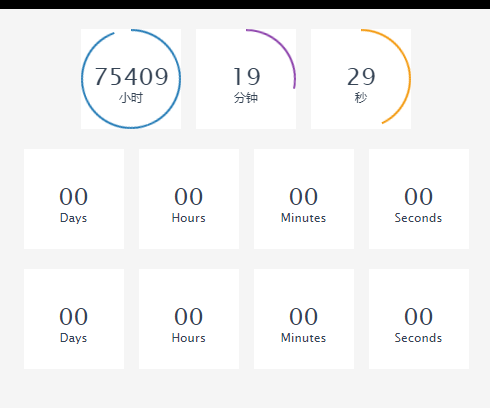
下面举例
<html>
  <head>
    <meta charset="utf-8">
    <title>jquery简单倒计时</title>
    </style>
    <script type="text/javascript" src="js/jquery.min.js"></script>
    <script type="text/javascript">

      var intDiff = parseInt(60);//倒计时总秒数量

      function timer(intDiff) {
        window.setInterval(function() {
          var day = 0,
              hour = 0,
              minute = 0,
              second = 0;//时间默认值
          if (intDiff > 0) {
            day = Math.floor(intDiff / (60 * 60 * 24));
            hour = Math.floor(intDiff / (60 * 60)) - (day * 24);
            minute = Math.floor(intDiff / 60) - (day * 24 * 60) - (hour * 60);
            second = Math.floor(intDiff) - (day * 24 * 60 * 60) - (hour * 60 * 60) - (minute * 60);
          }
          if (minute <= 9)
            minute = '0' + minute;
          if (second <= 9)
            second = '0' + second;
          $('#day_show').html(day + "天");
          $('#hour_show').html('<s id="h"></s>' + hour + '时');
          $('#minute_show').html('<s></s>' + minute + '分');
          $('#second_show').html('<s></s>' + second + '秒');
          intDiff--;
        }, 1000);
      }

      $(function() {
        timer(intDiff);
      });
    </script>
  </head>
  <body>
    <h1>网页上的倒计时</h1>
    <div class="time-item">
      <span id="day_show">0天</span>
      <strong id="hour_show">0时</strong>
      <strong id="minute_show">0分</strong>
      <strong id="second_show">0秒</strong>
    </div>
    <!--倒计时模块-->
  </body>
</html>希望本文所述对大家学习jquery程序设计有所帮助。

每个人都需要一台速度更快、更稳定的 PC。随着时间的推移,垃圾文件、旧注册表数据和不必要的后台进程会占用资源并降低性能。幸运的是,许多工具可以让 Windows 保持平稳运行。

Copyright 2014-2025 https://www.php.cn/ All Rights Reserved | php.cn | 湘ICP备2023035733号




 153
153




 收藏
收藏













