

本教程将指导您如何在网页中创建能展示特定地点随机图片的画廊。我们将详细探讨利用unsplash等关键词驱动的随机图片api,通过精确的关键词组合来获取目标图像。同时,也将介绍其他api的适用场景及动态加载图片的方法,旨在提供一套完整且灵活的解决方案。
在现代网页开发中,动态展示与特定主题或地点相关的随机图片是一种常见的需求,例如创建一个展示世界各地地标的图片画廊。本文将深入探讨如何通过利用不同的随机图片API,结合前端技术,实现这一功能。
Unsplash提供了一个简单易用的随机图片API,允许开发者通过URL参数指定图片尺寸和关键词。这是实现特定地点随机图片展示最直接且常用的方法。
Unsplash的随机图片URL格式如下: https://source.unsplash.com/random/[宽度]x[高度]/?关键词1,关键词2,...
例如,要获取一张300x300像素的泰姬陵随机图片,可以使用: https://source.unsplash.com/random/300x300/?tajmahal
为了增加图片的随机性和多样性,可以提供多个相关的关键词,用逗号分隔。Unsplash会尝试根据这些关键词返回最相关的随机图片。例如,获取与“泰姬陵”和“印度”相关的图片: https://source.unsplash.com/random/300x300/?tajmahal,india
您可以在HTML的<img>标签中直接设置src属性来加载Unsplash的随机图片。这种方法简单快捷,适用于页面加载时即显示图片的需求。
<figure class="image-box">
    <img src="https://source.unsplash.com/random/300x300/?tajmahal,india" alt="泰姬陵">
    <figcaption>泰姬陵</figcaption>
</figure>

<figure class="image-box">
    <img src="https://source.unsplash.com/random/300x300/?statue-of-liberty,new-york" alt="自由女神像">
    <figcaption>自由女神像</figcaption>
</figure>

<figure class="image-box">
    <img src="https://source.unsplash.com/random/300x300/?eiffel-tower,paris" alt="埃菲尔铁塔">
    <figcaption>埃菲尔铁塔</figcaption>
</figure>为了在页面加载后或用户交互时动态更新图片,可以使用JavaScript。这提供了更大的灵活性,例如在每次刷新时获取新图片。
document.addEventListener('DOMContentLoaded', () => {
    const imageBoxes = document.querySelectorAll('.image-box');
    const locations = [
        { name: '泰姬陵', keywords: 'tajmahal,india' },
        { name: '自由女神像', keywords: 'statue-of-liberty,new-york' },
        { name: '埃菲尔铁塔', keywords: 'eiffel-tower,paris' },
        { name: '长城', keywords: 'great-wall,china' },
        { name: '悉尼歌剧院', keywords: 'sydney-opera-house,australia' }
    ];

    imageBoxes.forEach((box, index) => {
        if (locations[index]) {
            const img = box.querySelector('img');
            const figcaption = box.querySelector('figcaption');
            const location = locations[index];

            // 构建Unsplash随机图片URL
            const imageUrl = `https://source.unsplash.com/random/300x300/?${location.keywords}`;

            img.src = imageUrl;
            img.alt = location.name;
            figcaption.textContent = location.name;
        }
    });
});注意事项:
除了Unsplash,还有其他提供随机图片服务的API,它们可能提供不同的分类方式或数据源。例如,API-Ninjas提供了一个randomimage API。
API-Ninjas的randomimage API通常通过category参数来筛选图片,其类别相对宽泛,如nature(自然)、cars(汽车)、city(城市)等。
API端点: https://api.api-ninjas.com/v1/randomimage参数: category (可选,例如 nature, city, technology 等) 请求头: 需要提供API Key (X-Api-Key)
要使用API-Ninjas,通常需要通过JavaScript的fetch API进行异步请求,并携带您的API Key。
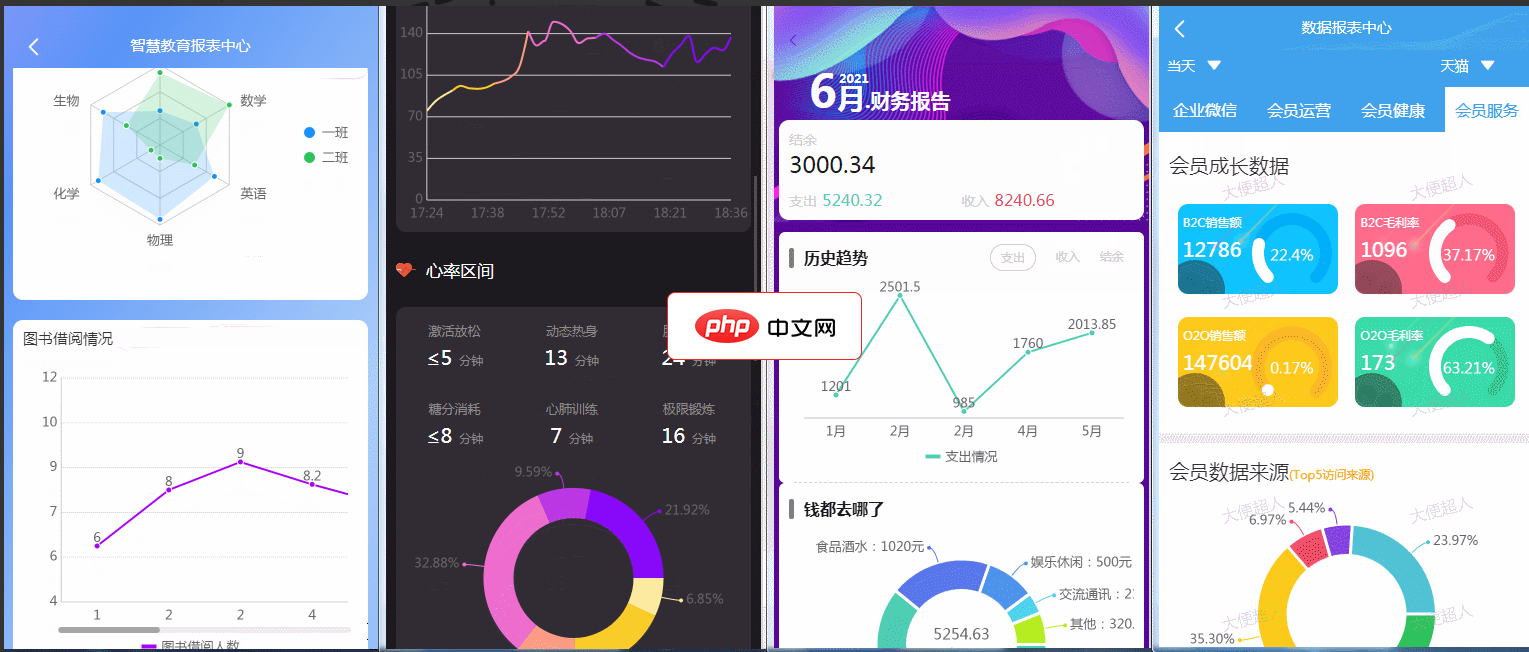
ReportPlust意在打造一套精美的数据报表模板,里面高度封装日历组件、表格组件、排行榜组件、条形进度条组件、文本块组件以及ucharts的多个图表组件,用户只需要按照虚拟数据的格式,传特定数据即可方便、快捷地打造出属于自己的报表页面。该小程序主要使用了ucharts和wyb-table两插件实现的数据报表功能。 特点使用的是uni-app中最受欢迎的图表uCharts插件完成图表展示,该插件
 0
0

// 请替换为您的API-Ninjas密钥
const API_KEY = 'YOUR_API_NINJAS_KEY';

async function getRandomImageByCategory(category) {
    try {
        const response = await fetch(`https://api.api-ninjas.com/v1/randomimage?category=${category}`, {
            headers: { 'X-Api-Key': API_KEY }
        });
        if (!response.ok) {
            throw new Error(`HTTP error! status: ${response.status}`);
        }
        const blob = await response.blob(); // API-Ninjas直接返回图片二进制数据
        return URL.createObjectURL(blob); // 创建一个临时的URL
    } catch (error) {
        console.error('获取图片失败:', error);
        return null;
    }
}

document.addEventListener('DOMContentLoaded', async () => {
    const imageElements = document.querySelectorAll('.image-box img');
    const categories = ['city', 'nature', 'technology']; // 示例类别

    for (let i = 0; i < imageElements.length; i++) {
        const category = categories[i % categories.length]; // 循环使用类别
        const imageUrl = await getRandomImageByCategory(category);
        if (imageUrl) {
            imageElements[i].src = imageUrl;
            // 假设figcaption也需要更新
            const figcaption = imageElements[i].closest('.image-box').querySelector('figcaption');
            if (figcaption) {
                figcaption.textContent = `随机图片 (${category})`;
            }
        }
    }
});注意事项:
无论使用哪种关键词驱动的API,关键词的选择至关重要。
为了提供更好的用户体验,可以添加一个“刷新”按钮,允许用户手动加载新的随机图片。
<button id="refreshButton">刷新所有图片</button>
<div class="gallery">
    <!-- 您的图片框 -->
</div>

<script>
    document.getElementById('refreshButton').addEventListener('click', () => {
        // 重新执行上述的动态加载图片的JavaScript代码
        // 例如:
        const imageElements = document.querySelectorAll('.image-box img');
        imageElements.forEach(img => {
            const currentSrc = img.src;
            // 添加一个随机查询参数以强制浏览器重新加载
            img.src = currentSrc.split('?')[0] + '?' + new Date().getTime();
        });
    });
</script>如果API提供的图片无法满足您的特定、小众或高度定制化的需求,最可靠的方案是自行维护一个特定地点的图片URL列表。您可以将这些图片托管在自己的服务器或CDN上,然后通过JavaScript从列表中随机选择并显示。
const customLocationImages = {
    '泰姬陵': [
        'path/to/tajmahal_1.jpg',
        'path/to/tajmahal_2.jpg',
        'path/to/tajmahal_3.jpg'
    ],
    '自由女神像': [
        'path/to/liberty_1.jpg',
        'path/to/liberty_2.jpg'
    ]
};

function getRandomCustomImage(locationName) {
    const images = customLocationImages[locationName];
    if (images && images.length > 0) {
        const randomIndex = Math.floor(Math.random() * images.length);
        return images[randomIndex];
    }
    return 'path/to/default_image.jpg'; // 提供一个默认图片
}

// 在您的图片框中使用
// const imgElement = document.getElementById('myTajMahalImage');
// imgElement.src = getRandomCustomImage('泰姬陵');用户提供的CSS代码已经为画廊和图片框提供了良好的基础样式。可以进一步优化以增强响应性和用户体验。
/* 现有样式 */
.gallery {
    display: flex;
    flex-wrap: wrap;
    justify-content: space-between; /* 保持图片之间的间隔 */
    gap: 20px; /* 使用gap属性代替margin-bottom */
}

.image-box {
    flex: 0 0 calc(33.33% - 20px); /* 3列布局,减去gap */
    max-width: calc(33.33% - 20px); /* 确保在小屏幕下也能良好显示 */
    height: 300px; /* 固定高度,或使用aspect-ratio */
    overflow: hidden;
    border-radius: 10px;
    box-shadow: 0 4px 8px rgba(0, 0, 0, 0.1);
    position: relative;
    transition: transform 0.3s ease, box-shadow 0.3s ease;
}

.image-box img {
    width: 100%;
    height: 100%;
    object-fit: cover; /* 确保图片填充整个框并保持比例 */
    filter: grayscale(100%);
    transition: filter 0.5s ease;
}

.image-box:hover {
    transform: translateY(-5px) scale(1.02); /* 鼠标悬停效果 */
    box-shadow: 0 8px 16px rgba(0, 0, 0, 0.2);
    cursor: pointer;
}

.image-box:hover img {
    filter: grayscale(0%);
}

.image-box figcaption {
    opacity: 0;
    position: absolute;
    bottom: 0;
    left: 0;
    width: 100%;
    padding: 15px;
    background: linear-gradient(to top, rgba(0, 0, 0, 0.7) 0%, rgba(0, 0, 0, 0) 100%);
    color: white;
    font-size: 1.2rem;
    font-weight: bold;
    text-align: center;
    transition: opacity 0.5s ease;
}

.image-box:hover figcaption {
    opacity: 1;
}

/* 响应式设计 */
@media (max-width: 768px) {
    .image-box {
        flex: 0 0 calc(50% - 15px); /* 2列布局 */
        max-width: calc(50% - 15px);
    }
}

@media (max-width: 480px) {
    .image-box {
        flex: 0 0 100%; /* 1列布局 */
        max-width: 100%;
    }
}通过结合关键词驱动的随机图片API(如Unsplash)与前端JavaScript动态加载,您可以灵活地在网页上创建展示特定地点随机图片的画廊。对于更宽泛的图片类别,可以考虑使用其他API;而对于高度定制化的需求,维护一个自定义图片列表将是最佳选择。在实现过程中,始终关注API的速率限制、安全性和用户体验。
以上就是如何在网页中实现特定地点的随机图片展示的详细内容,更多请关注php中文网其它相关文章!

每个人都需要一台速度更快、更稳定的 PC。随着时间的推移,垃圾文件、旧注册表数据和不必要的后台进程会占用资源并降低性能。幸运的是,许多工具可以让 Windows 保持平稳运行。

 广告
广告Copyright 2014-2025 https://www.php.cn/ All Rights Reserved | php.cn | 湘ICP备2023035733号


 372
372








 收藏
收藏













