

本教程将深入探讨如何使用html、css和javascript创建类似全屏滚动(snap scrolling)的用户界面,其中包含侧边导航点,实现页面内容按节切换的交互效果。我们将重点介绍`scroll-behavior` css属性以及`scrollto()`和`scrollintoview()`等javascript api,帮助开发者构建流畅、响应式的分段式页面体验。
全屏滚动,或称“snap scrolling”,是一种现代网页设计趋势,它将页面内容划分为多个独立的全屏或近全屏“节”(section)。当用户滚动鼠标滚轮或滑动触摸板时,页面不是平滑地自由滚动,而是“吸附”到下一个或上一个完整的节,呈现出一种平稳切换的视觉效果。这种设计通常伴随着一个侧边导航栏,其中包含一系列点(或指示器),每个点代表一个页面节,并实时高亮显示当前所在的节。
这种交互模式的优势在于:
实现这种效果主要依赖于以下Web技术:
首先,我们需要为页面内容创建清晰的分段。每个分段通常是一个独立的div元素,并被设计成占据整个视口高度。
<!DOCTYPE html>
<html lang="zh-CN">
<head>
    <meta charset="UTF-8">
    <meta name="viewport" content="width=device-width, initial-scale=1.0">
    <title>全屏滚动教程</title>
    <link rel="stylesheet" href="style.css">
</head>
<body>
    <div id="sections-container">
        <section id="section1" class="page-section">
            <h2>第一节:欢迎</h2>
            <p>这是页面的第一部分内容。</p>
        </section>
        <section id="section2" class="page-section">
            <h2>第二节:核心功能</h2>
            <p>这里介绍页面的核心功能。</p>
        </section>
        <section id="section3" class="page-section">
            <h2>第三节:产品展示</h2>
            <p>展示我们的产品或服务。</p>
        </section>
        <section id="section4" class="page-section">
            <h2>第四节:联系我们</h2>
            <p>获取更多信息或联系方式。</p>
        </section>
    </div>

    <aside id="side-navigation">
        <ul>
            <li><a href="#section1" class="nav-point active" data-section-id="section1"></a></li>
            <li><a href="#section2" class="nav-point" data-section-id="section2"></a></li>
            <li><a href="#section3" class="nav-point" data-section-id="section3"></a></li>
            <li><a href="#section4" class="nav-point" data-section-id="section4"></a></li>
        </ul>
    </aside>

    <script src="script.js"></script>
</body>
</html>在上述结构中:
scroll-behavior CSS 属性允许开发者指定当用户代理(浏览器)滚动到一个元素时,滚动框的动画行为。将其设置为 smooth 可以实现平滑滚动效果,而不是默认的即时跳转。
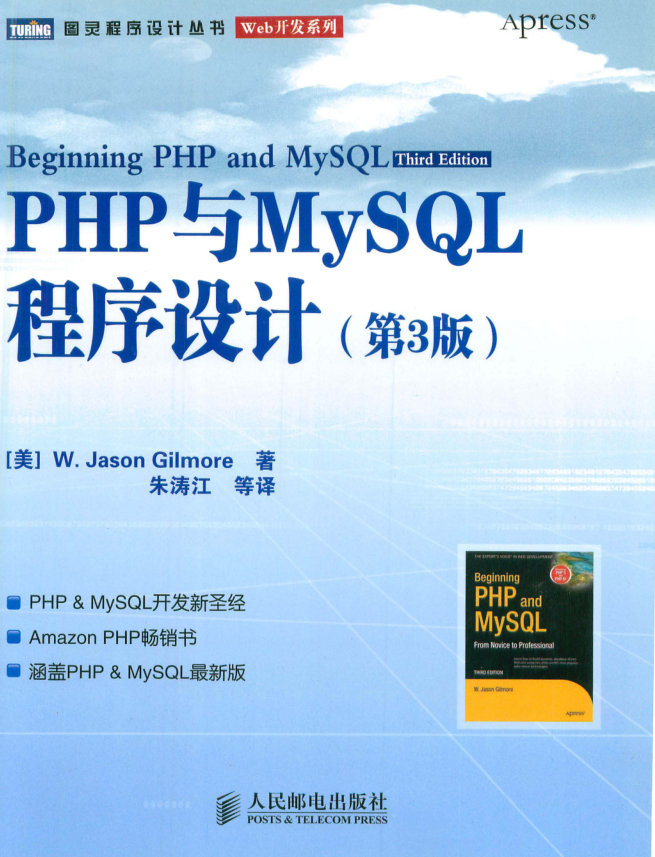
本书是全面讲述PHP与MySQL的经典之作,书中不但全面介绍了两种技术的核心特性,还讲解了如何高效地结合这两种技术构建健壮的数据驱动的应用程序。本书涵盖了两种技术新版本中出现的最新特性,书中大量实际的示例和深入的分析均来自于作者在这方面多年的专业经验,可用于解决开发者在实际中所面临的各种挑战。 本书内容全面深入,适合各层次PHP和MySQL开发人员阅读,既是优秀的学习教程,也可用作参考手册。
 253
253

/* style.css */
html, body {
    margin: 0;
    padding: 0;
    width: 100%;
    height: 100%;
    overflow: hidden; /* 阻止默认的自由滚动 */
    scroll-behavior: smooth; /* 启用平滑滚动 */
    font-family: Arial, sans-serif;
}

#sections-container {
    width: 100%;
    height: 100%;
    overflow-y: scroll; /* 允许容器内部滚动 */
    scroll-snap-type: y mandatory; /* 启用滚动吸附 */
}

.page-section {
    width: 100%;
    height: 100vh; /* 每个节占据整个视口高度 */
    display: flex;
    flex-direction: column;
    justify-content: center;
    align-items: center;
    color: white;
    font-size: 2em;
    scroll-snap-align: start; /* 使每个节在滚动时吸附到顶部 */
}

/* 为每个节设置不同的背景色以便区分 */
#section1 { background-color: #ff6347; } /* 番茄红 */
#section2 { background-color: #4682b4; } /* 钢蓝色 */
#section3 { background-color: #3cb371; } /* 中海绿 */
#section4 { background-color: #8a2be2; } /* 蓝紫色 */

/* 侧边导航样式 */
#side-navigation {
    position: fixed;
    right: 20px;
    top: 50%;
    transform: translateY(-50%);
    z-index: 1000;
}

#side-navigation ul {
    list-style: none;
    margin: 0;
    padding: 0;
}

#side-navigation li {
    margin-bottom: 10px;
}

.nav-point {
    display: block;
    width: 12px;
    height: 12px;
    border-radius: 50%;
    background-color: rgba(255, 255, 255, 0.5);
    border: 1px solid rgba(255, 255, 255, 0.8);
    transition: all 0.3s ease;
    cursor: pointer;
}

.nav-point:hover {
    background-color: rgba(255, 255, 255, 0.8);
}

.nav-point.active {
    background-color: white;
    border-color: white;
    transform: scale(1.2);
}关键CSS点:
JavaScript是实现动态滚动逻辑和导航点交互的核心。我们将主要使用 element.scrollIntoView() 来将特定的节滚动到视口中。
// script.js
document.addEventListener('DOMContentLoaded', () => {
    const sectionsContainer = document.getElementById('sections-container');
    const sections = document.querySelectorAll('.page-section');
    const navPoints = document.querySelectorAll('.nav-point');
    let currentSectionIndex = 0;
    let isScrolling = false; // 防止滚动事件频繁触发

    // 更新导航点状态
    function updateNavPoints() {
        navPoints.forEach((point, index) => {
            if (index === currentSectionIndex) {
                point.classList.add('active');
            } else {
                point.classList.remove('active');
            }
        });
    }

    // 滚动到指定索引的节
    function scrollToSection(index) {
        if (index >= 0 && index < sections.length) {
            isScrolling = true;
            currentSectionIndex = index;
            sections[currentSectionIndex].scrollIntoView({
                behavior: 'smooth', // 平滑滚动
                block: 'start'      // 将元素的顶部与滚动容器的顶部对齐
            });
            updateNavPoints();

            // 滚动结束后重置isScrolling
            // 注意:scrollIntoView没有直接的完成回调,需要估算时间或监听scrollend事件(非所有浏览器支持)
            // 这里使用setTimeout模拟
            setTimeout(() => {
                isScrolling = false;
            }, 800); // 假设滚动动画在800ms内完成
        }
    }

    // 初始化导航点
    updateNavPoints();

    // 监听鼠标滚轮事件
    sectionsContainer.addEventListener('wheel', (event) => {
        if (isScrolling) return; // 如果正在滚动,则忽略新事件

        event.preventDefault(); // 阻止默认的滚动行为

        if (event.deltaY > 0) { // 向下滚动
            if (currentSectionIndex < sections.length - 1) {
                scrollToSection(currentSectionIndex + 1);
            }
        } else { // 向上滚动
            if (currentSectionIndex > 0) {
                scrollToSection(currentSectionIndex - 1);
            }
        }
    }, { passive: false }); // passive: false 允许preventDefault

    // 监听侧边导航点的点击事件
    navPoints.forEach((point, index) => {
        point.addEventListener('click', (event) => {
            event.preventDefault();
            if (isScrolling) return;
            scrollToSection(index);
        });
    });

    // 监听键盘方向键
    document.addEventListener('keydown', (event) => {
        if (isScrolling) return;

        if (event.key === 'ArrowDown' || event.key === 'PageDown') {
            event.preventDefault();
            if (currentSectionIndex < sections.length - 1) {
                scrollToSection(currentSectionIndex + 1);
            }
        } else if (event.key === 'ArrowUp' || event.key === 'PageUp') {
            event.preventDefault();
            if (currentSectionIndex > 0) {
                scrollToSection(currentSectionIndex - 1);
            }
        }
    });

    // 监听页面滚动,更新当前节索引和导航点状态
    // 当用户手动拖动滚动条或使用触摸板时,此事件会触发
    sectionsContainer.addEventListener('scroll', () => {
        if (isScrolling) return; // 如果是程序化滚动,则不更新

        let closestSectionIndex = 0;
        let minDistance = Infinity;

        sections.forEach((section, index) => {
            const rect = section.getBoundingClientRect();
            // 计算节的顶部到视口顶部的距离
            const distance = Math.abs(rect.top);

            if (distance < minDistance) {
                minDistance = distance;
                closestSectionIndex = index;
            }
        });

        if (closestSectionIndex !== currentSectionIndex) {
            currentSectionIndex = closestSectionIndex;
            updateNavPoints();
        }
    });
});JavaScript 核心逻辑:
通过结合HTML的结构化分段、CSS的平滑滚动行为与滚动吸附特性,以及JavaScript的程序化滚动控制和事件监听,我们可以高效地创建出具有现代感和良好用户体验的全屏滚动页面。理解 scroll-behavior、scrollTo() 和 scrollIntoView() 这些核心API,是实现此类交互的关键。在实际开发中,务必关注用户体验、性能和兼容性,以构建健壮且易于维护的解决方案。
以上就是实现全屏滚动与导航点:专业教程的详细内容,更多请关注php中文网其它相关文章!

每个人都需要一台速度更快、更稳定的 PC。随着时间的推移,垃圾文件、旧注册表数据和不必要的后台进程会占用资源并降低性能。幸运的是,许多工具可以让 Windows 保持平稳运行。

 广告
广告Copyright 2014-2025 https://www.php.cn/ All Rights Reserved | php.cn | 湘ICP备2023035733号


 760
760








 收藏
收藏













