
这不仅仅是向图像添加替代文本;远不止这些。
如果图像没有添加额外的上下文或信息(装饰图像)来让用户更好地理解上下文,那么它应该对辅助技术 (at) 隐藏,例如屏幕阅读器。
使用以下任何一种方法来隐藏 at 中的图像:
<!-- all of these choices lead to the same result. -->
<img src=".../ladybug.jpg" role="presentation">
<img src=".../ladybug.jpg" role="none">
<img src=".../ladybug.jpg" aria-hidden="true">
| attribute | example | screen reader behavior | use case |
|---|---|---|---|
| alt="" (empty) | <img src="logo.png" alt=""> | ignores the image completely | decorative or non-informative images |
| missing alt | <img src="photo.png"> | may read the filename/url | not recommended; implies negligence |
如果图像传达概念、想法或情感,您应该包含描述图像用途的程序化替代文本。
尽可能添加非常详细的图像描述。
例如
<img src=".../ladybug_swarm.jpg" alt="a swarm of red ladybugs is resting
on the leaves of my prize rose bush.">
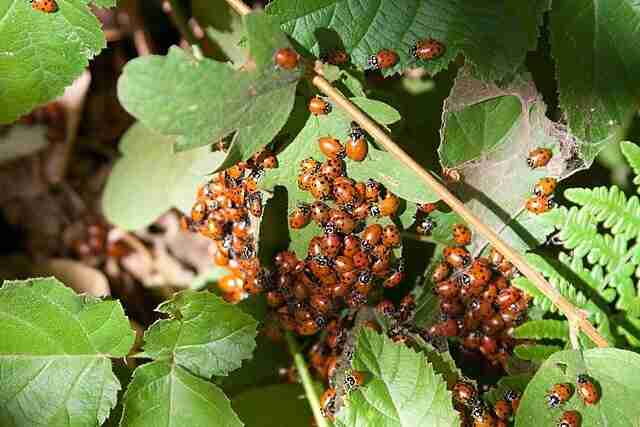
如果图像是(内联),请添加 role="img"。
由于元素不支持 alt 属性,请使用替代编码方法来提供描述。
| method | use case | pros | cons |
|---|---|---|---|
| <title> | short, brief descriptions | simple, widely supported | limited in length |
| aria-label | brief descriptions | quick, inline | best for short text |
| aria-labelledby | complex descriptions using <title> and <desc> | comprehensive, flexible | more verbose |
| <figcaption> | visible description in a figure context | visible and accessible | not ideal for all svgs |
任何具有功能性目的的图像(例如,链接到主页的徽标、用作搜索按钮的放大镜图标)都应包含适当的替代文本。
替代文本应描述图像的操作,而不是其视觉方面。
如果图像既提供信息又具有可操作性,您可以为每个元素添加替代描述 - 但这不是必需的。例如
<div title="navigate to the homepage">
   <a href="/">
      <img src=".../ladybug_logo.png" alt="lovely ladybugs for your lawn"/>
   </a>
</div>
如果图像需要比装饰性、信息性或功能性图像更多的解释(包括信息图表、地图、图形/图表和复杂插图),请使用这些方法中的任何一种来添加替代描述
链接到资源或提供跳转链接到页面稍后的较长说明。例如
<img src=".../ladybug_anatomy.svg" alt="diagram of the anatomy of a ladybug.">
<a href="ladybug-science.html">learn more about the anatomy of a ladybug</a>
 <img src=".../ladybug_anatomy.svg" alt="diagram of the anatomy of a ladybug."
 aria-describedby="description">
 <p id="description">in this course, you will learn more about the
    anatomy of a ladybug, including the head,
    antenna, eye, pronotum, elytra, leg, abdomen, and wing.
 </p>
 <figure role="group">
      <img src=".../Ladybug_Anatomy.svg" alt="Diagram of the anatomy of a
      ladybug.">
      <br><br>
      <figcaption>
        <a href="ladybug-science.html">Learn more about the anatomy of a
        ladybug</a>
      </figcaption>
  </figure>
建议将替代文本限制在 150 个字符或更少,以避免读者疲劳。
避免在说明中使用 “图像” 或 “照片” 等词语,因为屏幕阅读器会识别这些文件类型。
命名图像时,尽可能保持一致和准确。当替代文本丢失或被忽略时,图像名称是后备。
避免使用非字母字符(例如 #、9、&)
在图像名称或替代文本中使用单词之间的破折号,而不是下划线。
尽可能使用正确的标点符号。如果没有它,图像描述听起来就像是一个漫长的、永无休止的连续句子。
像人类而不是机器人一样编写替代文本。关键字堆砌对任何人都没有好处——使用屏幕阅读器的人会感到恼火,搜索引擎算法会惩罚他们。
以上就是无障碍 (a) 规则 - 3的详细内容,更多请关注php中文网其它相关文章!

每个人都需要一台速度更快、更稳定的 PC。随着时间的推移,垃圾文件、旧注册表数据和不必要的后台进程会占用资源并降低性能。幸运的是,许多工具可以让 Windows 保持平稳运行。

 广告
广告Copyright 2014-2025 https://www.php.cn/ All Rights Reserved | php.cn | 湘ICP备2023035733号


 543
543








 收藏
收藏













